Keep your Bluetooth speaker safe from unwanted connections! Learn simple, easy steps to prevent hacking and enjoy your private sound without worry. It’s easier than you think!
Hey there, tech explorer! Max Donovan here from AffTechy.com, your go-to buddy for making technology feel simple and fun. You know how a great speaker can totally transform your day? Whether it’s pumping up your workout playlist, adding epic sound to your movie night, or just creating a chill vibe at home, speakers are awesome. Picking one out, though, can sometimes feel like deciphering a secret code. But don’t worry, I’m here to help you get past the tech jargon and understand what really matters.
Today, we’re diving into something super important but often overlooked in the world of wireless sound: security. You might love the freedom of Bluetooth, but have you ever thought about who else might be listening in? It sounds a bit like sci-fi, but it’s true – your friendly Bluetooth speaker could be a tiny entry point for unwelcome guests if you’re not careful. We’re going to make sure that doesn’t happen, and I promise, it’s going to be a breeze to understand.
Think of it like this: you wouldn’t leave your front door wide open for anyone to walk in, right? Securing your Bluetooth speaker is a bit like putting a special lock on that digital door. It protects your music, your privacy, and your peace of mind. We’ll cover all the easy tricks and tips, from what to look for when buying to simple settings you can adjust once you get home.
So, are you ready to make your Bluetooth speaker a fortress of sound? Let’s break it down step by step and make sure your tunes stay yours.
Why Bluetooth Security Even Matters
We all love the convenience of Bluetooth. Untethered music, easy connections – it’s part of our modern lives. But this wireless magic has a flip side. Think about all the places you might use your speaker: a busy park, a coffee shop, or even just at home with family and friends around. In these situations, it’s pretty easy for someone else to try and tap into your speaker’s signal.
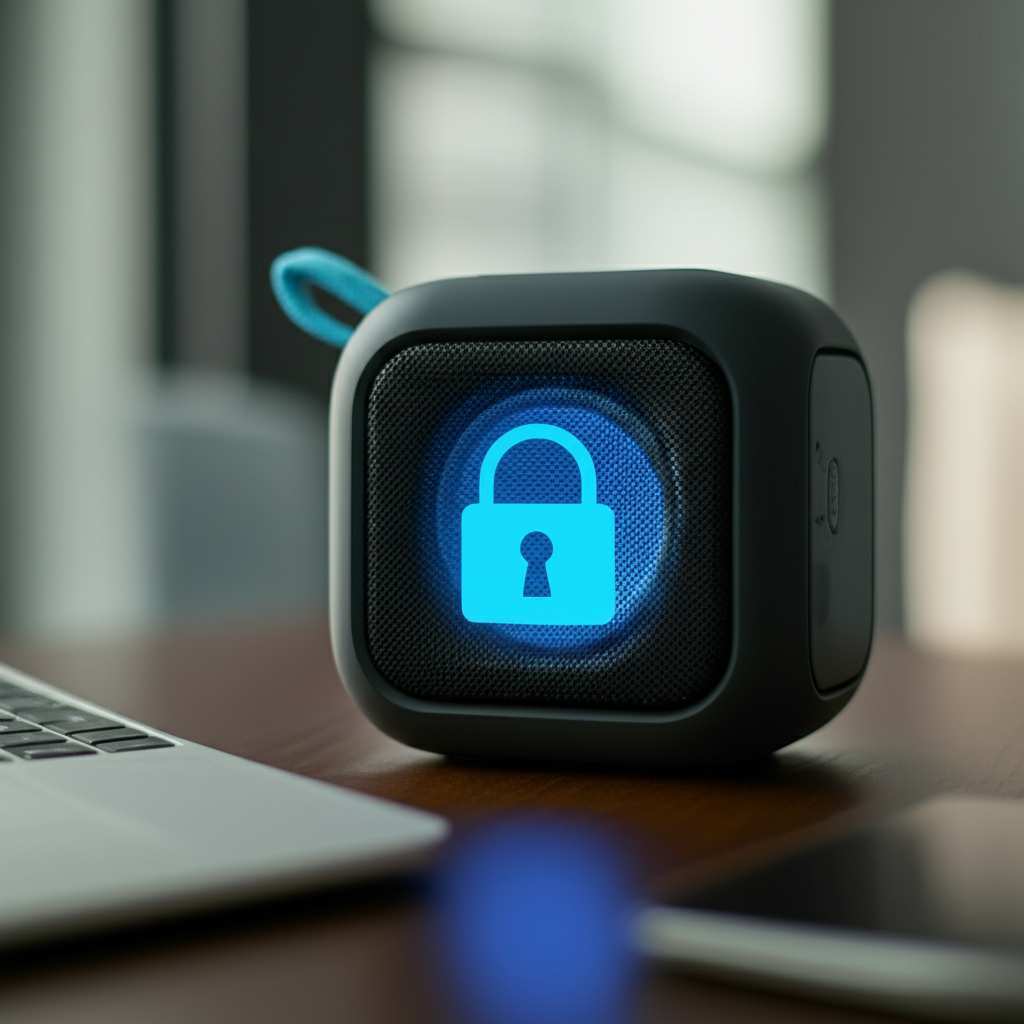
This isn’t about being paranoid; it’s about being smart. Imagine someone hijacking your music mid-song with their own questionable playlist. Or worse, what if they could access some of your phone’s data through your speaker’s connection if it’s not properly secured? It’s rare, but the possibility exists. This is why understanding how to secure your Bluetooth speaker is a big deal in keeping your tech safe and your personal space private.
Bluetooth Basics: How It All Connects
Before we dive into securing things, let’s quickly chat about good old Bluetooth. It’s a short-range wireless technology that lets devices talk to each other without wires. Your phone can “pair” with your speaker, creating a little bubble of communication between them. This pairing process is like an electronic handshake, setting up a secure channel for data, like your music, to flow.
Most Bluetooth devices have a version number. Newer versions, like Bluetooth 5.0 and above, come with better security features and more stable connections. Think of it like software updates for your gadgets – they often improve performance AND security. So, knowing the Bluetooth version of your speaker can give you a clue about its built-in protection level.
Spotting Potential Threats: What to Look For
So, how can someone actually mess with your Bluetooth speaker? Mostly, it’s about unauthorized connections. Someone might try to pair their device with your speaker without your permission. This is often called “bluesnarfing” or “bluejacking,” though the latter is usually just sending unwanted messages. The more serious threat is someone gaining access to your device through unsecure Bluetooth.
The biggest risk comes when devices are left in “discoverable” mode. This means your speaker is broadcasting its presence, like a little beacon, saying, “Hey, I’m here and ready to connect!” If you’re connected to Wi-Fi too, some even more advanced hacks could pop up, though that’s less common for just basic speaker use. For everyday users, the main concern is someone simply connecting their phone to your speaker when they shouldn’t.
Your Speaker, Your Fortress: Easy Steps to Secure It
Alright, let’s get down to business. Protecting your Bluetooth speaker is actually quite straightforward. It’s mostly about managing its settings and being mindful of your surroundings. These are simple habits that make a big difference.
Here’s your action plan to keep your Bluetooth speaker locked down like Fort Knox:
1. Turn Off Discoverable Mode When Not in Use
This is probably the most important step. When your speaker is discoverable, any device within range can see it and try to connect. Once you’ve paired your primary device (like your phone), turn off discoverable mode. Your speaker will still remember your phone and vice versa, but it won’t be shouting out its availability to the whole world.
How to do it: Most speakers have a physical button or a setting in their companion app. Check your speaker’s manual if you’re unsure. Look for a light that indicates discoverable mode; you want that light OFF.
Why it helps: It makes your speaker invisible to casual snoops. They simply won’t see it in their list of available Bluetooth devices.
2. Change Default Passwords (If Applicable)
Some advanced Bluetooth devices, especially those in commercial or industrial settings, might come with a default password for pairing. If your speaker has this feature, change it immediately! Using the default password is like leaving your house key under the doormat.
Check your manual: Seriously, this is where the magic is. Your speaker’s manual will tell you if it has a default password and how to change it.
Use a strong password: Create something unique that’s hard to guess. A mix of letters, numbers, and symbols is best.
3. Keep Your Speaker’s Firmware Updated
Just like your smartphone, Bluetooth speakers can get software updates, often called firmware updates. These updates aren’t just for new features; they frequently patch up security vulnerabilities that manufacturers discover. Running outdated firmware is like leaving known security holes open.
Companion App: Many modern speakers come with a dedicated app for your phone. This app is usually where you’ll find firmware update notifications and instructions.
Manufacturer’s Website: If there’s no app, check the speaker manufacturer’s support page online. They’ll usually have guides on how to download and install updates.
4. Limit Pairing to Trusted Devices
Think about which devices you really need to connect to your speaker. If it’s just your phone and maybe a tablet, that’s great. Avoid pairing every gadget you own if you don’t need to. The fewer devices actively paired, the smaller the potential attack surface.
Remove Old Devices: Regularly check the list of paired devices in your speaker’s settings or app. Remove any devices you no longer use or recognize.
Be Mindful of Guests: If a friend wants to connect their phone, it’s usually safe if they’re right there with you. However, once they’re done, consider unpairing their device if you won’t need it again soon.
5. Turn Off Bluetooth When Not in Use (The “Off Switch” Method)
This is the most straightforward, foolproof method. If you’re not actively using your Bluetooth speaker, just turn it off. This completely disconnects it from any potential threats. It might seem obvious, but it’s an incredibly effective way to ensure security.
Physical Switch: Most portable speakers have a power button. Simply hold it down to turn the unit off.
Auto-off Features: Some speakers have an auto-off feature that activates after a period of inactivity. This is a great built-in security measure!
6. Be Wary in Public Spaces
Use common sense, especially when you’re out and about. Connecting to public Wi-Fi networks is one thing, but being visible with your Bluetooth in a crowded area is another. It’s tempting to share your music, but if you’re in a café or park, keep your speaker’s discoverability off.
“Discoverable” on Travel: Always double-check that “discoverable” mode is off when you’re in transit or in unfamiliar locations.
“Guest Mode” Caution: Some speakers have a guest mode for easy temporary connections. Use this feature with caution and only when you trust the person connecting.
Understanding Bluetooth Versions and Security
Different versions of Bluetooth offer different levels of security. It’s like driving a car from the 1950s versus one from today – there are just more safety features built into the newer models.
Here’s a quick rundown of how newer versions generally improve security:
| Bluetooth Version | Key Security Improvements |
| :—————- | :————————————————————- |
| 4.0 | Introduced AES-128 encryption, which is quite robust. |
| 4.2 | Enhanced security (LE Secure Connections) and privacy features. |
| 5.0 and later | Continued improvements in connection stability and efficiency. |
What does this mean for you? If you’re buying a new speaker, aim for one that supports Bluetooth 4.2 or, even better, Bluetooth 5.0 or higher. These versions have more advanced encryption and privacy protocols built-in, making it much harder for someone to intercept or hack your connection. While older versions are still functional, they might have less advanced security measures. Always check the specs!
Choosing a Secure Speaker: What to Look For When Buying
When you’re out shopping for that perfect speaker, it’s not just about sound quality or battery life. Security should be on your checklist too. Max’s advice? Don’t be afraid to check the tech specs.
Here are some things to consider:
Bluetooth Version: As we discussed, aim for 4.2 or newer, with 5.0+ being ideal. Newer versions tend to have better encryption protocols.
Companion App Features: Does the speaker come with an app? Look for an app that allows you to manage paired devices, update firmware, and control discoverability settings easily.
Security Updates: Does the manufacturer have a good track record of providing firmware updates for their products? Check reviews or the manufacturer’s website.
Reputable Brands: Generally, well-known brands are more likely to invest in the security of their devices. They have more to lose if their products are vulnerable.
Let’s take a peek at how some popular speaker types might stack up for security. This isn’t an exhaustive list, but it gives you an idea of what to expect.
Speaker Type Security Comparison (General)
| Speaker Type | Typical Bluetooth Security Features | Ease of Management for Security |
| :——————- | :————————————————————————- | :—————————— |
| Portable Bluetooth Speaker | Bluetooth 4.0-5.x, AES-128 encryption, discoverable mode controls. Often managed via app. | High |
| Smart Speaker (Wi-Fi/BT) | Bluetooth for initial setup/fallback, but primarily Wi-Fi focused. Stronger overall security ecosystem. App-based management. | Moderate to High (depends on ecosystem) |
| Home Stereo System (BT) | Bluetooth 4.0-5.x, often with app control. May have advanced pairing options. | Moderate to High |
| Ultra-Basic Bluetooth Speaker | Might use older Bluetooth versions (e.g., 3.0), fewer direct security controls, limited or no app. | Low to Moderate |
So, what’s the takeaway? For robust Bluetooth security, especially if you’re using it on the go, a good quality portable Bluetooth speaker with Bluetooth 5.0 and a well-designed companion app is your best bet. Smart speakers offer a different layer of security, but if your main concern is just the Bluetooth connection itself, focus on those core Bluetooth specs.
Fun Facts About Bluetooth Security
Did you know that Bluetooth uses a technique called Spread Spectrum? It hops between frequencies very quickly, making it harder for someone to listen in on just one frequency. Also, each Bluetooth connection is encrypted. This means your music is scrambled into a secret code that only your speaker and your phone can read. It’s pretty clever stuff!
One interesting little tidbit: Wi-Fi Protected Setup (WPS) is common on routers, but a similar simple pairing method in Bluetooth is called NFC (Near Field Communication). Tapping your phone to a NFC-enabled speaker can initiate pairing. While convenient, always ensure that after the tap, the speaker is no longer discoverable unless you intend for it to be.
Frequently Asked Questions (FAQ)
Q1: Can someone hack my Bluetooth speaker just by being near it?
It’s unlikely someone can “hack” your speaker by just being near it if you’ve followed basic security steps like keeping discoverable mode off. They could try to connect if it’s discoverable, but a strong pairing process usually prevents unauthorized access. The biggest threat is someone intentionally trying to connect to an open speaker.
Q2: How do I know if my speaker is discoverable?
Most speakers have an indicator light that flashes or stays on when in discoverable mode. Your speaker’s manual is the best place to find out for sure. You can also check your speaker’s companion app, if it has one, to see its connection status.
Q3: Should I disconnect my speaker from my phone when I’m not using it?
While it’s not strictly necessary if your speaker and phone are properly paired and discoverable mode is off, some people prefer to turn off Bluetooth on their phone or the speaker itself for maximum security. It’s a personal preference, but turning it completely off is foolproof.
Q4: What is the difference between pairing and connecting?
Pairing is the initial setup where two devices establish a trusted connection, often requiring a PIN or confirmation. Once paired, they can connect automatically whenever they are close and Bluetooth is enabled on both. Your speaker remembers your phone even when not actively connected.
Q5: Is it safe to connect my speaker to an unfamiliar device?
It’s best to be cautious. If you’re in a public place, avoid connecting to devices you don’t recognize or trust. If a friend wants to connect their device at your home, it’s generally safe as long as you’re present and they disconnect when finished.
Q6: How often should I update my speaker’s firmware?
You don’t need to update it constantly. Simply check for updates every few months, or whenever the manufacturer releases a significant update. Most companion apps will notify you if an update is available, so just keep an eye on those notifications.
Q7: Can my Bluetooth speaker affect my Wi-Fi security?
Generally, no. A Bluetooth connection is separate from your Wi-Fi network. However, if you have a “smart” speaker that uses both, securing its Wi-Fi connection (using a strong password for your home Wi-Fi) is also crucial for overall device security.
Keep Your Sound Secure and Sweet
There you have it! Securing your Bluetooth speaker isn’t some super-complicated tech mission. It’s really about using those simple smarts we’ve talked about. By keeping discoverable mode off, updating your firmware, and being mindful of where and how you connect, you’re building a strong shield around your personal sound space.
Think of these steps as your new routine: turn it on, pair your device, enjoy your tunes, turn off discoverable mode, and turn it off when you’re done. It takes just a few seconds but gives you a whole lot of peace of mind. You’ve got the power to control who connects to your speaker, and that’s a pretty cool feeling.
So go forth and enjoy your music, podcasts, or whatever makes your ears happy, knowing you’ve got your Bluetooth fortress standing tall. Now go enjoy amazing sound and make every moment louder and better – securely!