Redragon Mechanical Gaming Keyboard

YUNZII AL80 Wireless Mechanical
If you’re in the market for a new mechanical keyboard, you’re likely overwhelmed by the sheer number of options—especially when comparing budget-friendly wired models with premium wireless builds. Two standout contenders right now are the Redragon Mechanical Gaming Keyboard and the YUNZII AL80 Wireless Mechanical. At first glance, they couldn’t be more different: one is an affordable, no-frills wired board packed with RGB flair, while the other is a sleek, aluminum-clad wireless powerhouse with a built-in LCD screen and advanced customization.
This comparison matters because it highlights the trade-offs between price, performance, and premium features. Whether you’re a gamer on a budget, a remote worker craving quiet typing, or a tinkerer who loves customizing every keystroke, understanding what each keyboard offers will help you make the right choice. In this article, we’ll break down build quality, typing feel, connectivity, software, and real user experiences—so you can decide which board fits your setup, lifestyle, and wallet.
View YUNZII AL80 Wireless Mechanical on Amazon →
In-Depth Look: Redragon Mechanical Gaming Keyboard
The Redragon Mechanical Gaming Keyboard is a wired mechanical keyboard designed for budget-conscious gamers and typists who want solid performance without breaking the bank. Priced under $50, it delivers surprising value with hot-swappable switches, vibrant backlighting, and macro support—features rarely found at this price point.
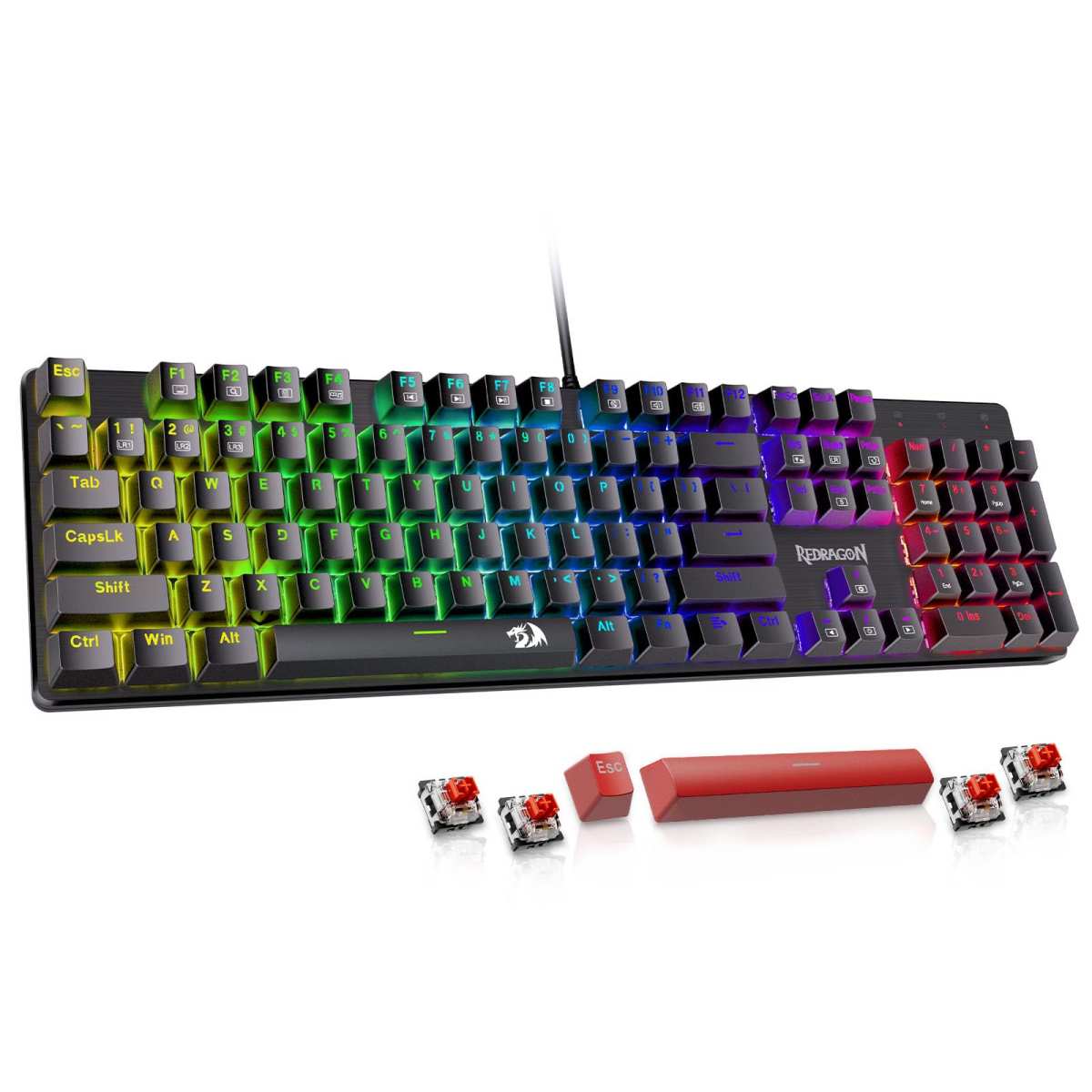
One of its standout features is the inclusion of hot-swappable linear red switches, which require minimal actuation force and offer a smooth, quiet keystroke ideal for long gaming sessions or office work. Unlike clicky switches that can annoy coworkers, these red switches provide tactile feedback without the loud noise. Plus, Redragon includes four spare switches and two extra keycaps, so you can experiment or replace worn-out keys easily.
Backlighting is another strong suit. With 11 programmable backlight modes and five brightness levels, you can customize your setup for late-night gaming or dimly lit workspaces. The double-injection ABS keycaps ensure legends stay visible and don’t fade over time—a common issue with cheaper keyboards. While the colors are fixed (you can’t change individual LED hues via software), the effects are dynamic and visually appealing.
The keyboard also supports macro editing through Redragon’s proprietary software, allowing you to remap keys, create shortcuts, or assign complex commands—perfect for MMO players or productivity hacks. All keys are anti-ghosting, meaning every press registers even during intense multi-key combos. Twelve multimedia shortcuts give quick access to volume, email, calculator, and media controls.
However, it’s not all perfect. The plastic build feels sturdy but lacks the premium heft of metal frames. Some users report occasional key chatter (like the “W” key malfunctioning after a month), though Redragon’s customer service is praised for sending free replacements promptly. Also, if you rely on USB hubs, plugging directly into your PC is recommended—some hub connections cause instability.
Pros:
– Excellent value under $50
– Hot-swappable switches with spares included
– Quiet linear red switches great for shared spaces
– 11 backlight modes with adjustable brightness
– Responsive anti-ghosting and macro support
Cons:
– Plastic construction feels less durable
– Fixed RGB colors (no per-key customization)
– Occasional key chatter reported
– Requires direct PC connection for stability
Customer Reviews:
> “I got this keyboard to replace my old membrane one, and so far this one is amazing. The keys are easy to remove and replace, the backlight works and offers a multitude of colors and effects, and the software provided allows for easily created custom macros.”
>
> “I was looking for a replacement keyboard for my work desktop because the letters on the keys kept wearing off… They sent a replacement! That’s what customer service is all about!! This company is amazing.”
This keyboard is best for budget gamers, students, or remote workers who want mechanical feel and RGB flair without spending over $100. If you’re upgrading from a membrane keyboard and want your first taste of mechanical switches, the Redragon is a fantastic entry point. For more insights, check out our full Redragon Mechanical Gaming Keyboard Review.
In-Depth Look: YUNZII AL80 Wireless Mechanical
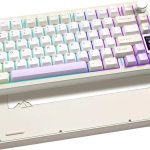
Step into premium territory with the YUNZII AL80 Wireless Mechanical—a 75% layout keyboard that blends high-end materials, cutting-edge tech, and deep customization. Crafted from a full CNC aluminum frame, it exudes durability and sophistication, making it a centerpiece for any desk setup.
What sets the AL80 apart is its tri-mode connectivity: Bluetooth (up to 3 devices), 2.4GHz wireless dongle, and USB-C wired mode. Whether you’re switching between a Windows PC, MacBook, iPad, or Android phone, this keyboard handles it seamlessly. The 6000mAh battery ensures weeks of use on a single charge—no more mid-meeting panic over dead batteries.
But the real showstopper is the customizable LCD screen above the function row. Display the time, battery level, connection status, or even animated GIFs and personal photos. It’s not just functional—it’s fun and highly personalizable. Combined with over 20 RGB backlight modes and 1.68 million colors (thanks to south-facing LEDs), the lighting game is strong.
Under the hood, the AL80 uses pre-lubed linear switches (often Gateron or similar) known for their “creamy” or “thocky” sound profile—smooth, quiet, and deeply satisfying. The gasket-mounted design absorbs shock and reduces ping, resulting in a muted, premium typing experience. And yes, it’s fully hot-swappable, supporting both 3-pin and 5-pin MX-style switches.
For power users, QMK/VIA firmware support unlocks near-limitless customization: remap every key, create layers, program macros, and tweak RGB per key. The included metal knob can be assigned to volume, scroll, or app switching—ideal for creators and multitaskers.
That said, the AL80 isn’t perfect. Setup can be tricky for beginners—especially configuring RGB zones or VIA layers. Some users note that the arrow keys’ lighting can’t be independently adjusted, and the aluminum base can scratch if yanked sideways from USB-C. At $130+, it’s a significant investment.
Pros:
– Premium CNC aluminum build
– Tri-mode wireless with massive 6000mAh battery
– Custom LCD screen for GIFs, time, and status
– QMK/VIA support for total customization
– Creamy, thocky typing sound with gasket mount
Cons:
– Steep learning curve for software setup
– Higher price point ($120–$150)
– Occasional RGB zone limitations
– Aluminum frame prone to scratches if mishandled
Customer Reviews:
> “I love this keyboard… Build quality is great, all aluminum is beefy and sturdy. Typing is clean and the sound is satisfying.”
>
> “Incredibly marble creamy, rugged design… Volume knob is incredibly well made.”
>
> “After buying and loving a Yunzii AL65… I ultimately picked the AL80, since I wanted a 75% hotswap board with anodized aluminum, a knob and an LCD screen.”
The YUNZII AL80 is ideal for enthusiasts, content creators, and professionals who value build quality, wireless freedom, and deep personalization. If you’re ready to invest in a long-term keyboard that grows with your needs, this is it. Dive deeper in our detailed YUNZII AL80 Wireless Mechanical Keyboard Review.
Head-to-Head Comparison
Build Quality & Design
The Redragon uses durable plastic with a functional layout, while the YUNZII AL80 boasts a full CNC aluminum case with anodized finish—lighter than steel but far more rigid than plastic. The AL80’s gasket mount adds acoustic dampening, giving it a premium “thock” absent in the Redragon’s sharper tactile feedback.
Typing Experience
Both use linear switches, but the AL80’s pre-lubed switches and sound-dampening foam create a smoother, quieter experience. The Redragon’s red switches are good for the price but lack the refined feel of higher-end lubed switches.
Connectivity & Portability
Here, the AL80 dominates. Its tri-mode wireless lets you connect to multiple devices effortlessly—perfect for hybrid workers. The Redragon is strictly wired, limiting mobility but ensuring zero latency.
Customization & Software
The AL80 wins hands-down with QMK/VIA support, per-key RGB, and LCD personalization. The Redragon offers basic macros and preset lighting—enough for casual users but limiting for tinkerers.
Value for Money
At under $50, the Redragon delivers incredible bang-for-buck. The AL80 costs nearly three times as much but justifies it with premium materials, wireless freedom, and pro-grade features.
Frequently Asked Questions
Q: Can I use the YUNZII AL80 with my Mac and iPhone?
A: Absolutely! The AL80 supports Bluetooth, 2.4G, and USB-C, and works seamlessly with macOS, iOS, Windows, Linux, and Android. Just pair via Bluetooth or use the included dongle. Check it on Amazon.
Q: Are the Redragon’s switches really hot-swappable?
A: Yes! The Redragon Mechanical Gaming Keyboard uses 3-pin hot-swappable sockets, so you can swap in compatible switches without soldering. Spares are even included. See pricing here.
Q: Does the AL80’s LCD screen drain the battery quickly?
A: Not significantly. The 6000mAh battery easily lasts weeks, even with the LCD active. You can also turn off the screen or reduce brightness to extend life.
Q: Which keyboard is better for office use?
A: The YUNZII AL80’s quiet, creamy switches and wireless flexibility make it ideal for shared offices. The Redragon is quieter than clicky switches but still has a noticeable tactile bump.
Q: Can I game on the Redragon without lag?
A: Yes—it’s wired with full anti-ghosting and 1000Hz polling, so input lag is negligible. Great for competitive gaming on a budget.
Q: Is the AL80 worth the extra cost over the Redragon?
A: If you value build quality, wireless freedom, and customization, absolutely. But if you just need a reliable mechanical keyboard under $50, the Redragon is hard to beat.
Final Verdict: Which One Should You Choose?
Choosing between these two keyboards comes down to your priorities. If you’re on a tight budget, need a dependable wired mechanical keyboard for gaming or work, and appreciate RGB flair with basic customization, the Redragon Mechanical Gaming Keyboard is an outstanding value pick. It’s perfect for students, casual gamers, or anyone upgrading from a membrane board.
On the other hand, if you’re ready to invest in a premium, future-proof keyboard with wireless versatility, stunning aesthetics, and deep programmability, the YUNZII AL80 Wireless Mechanical is worth every penny. It’s ideal for professionals, creators, and mechanical keyboard enthusiasts who demand the best.
Ultimately, both are excellent—but for very different users. Don’t overpay for features you won’t use, and don’t underspend if you crave quality and flexibility.