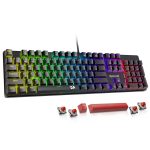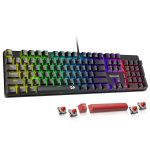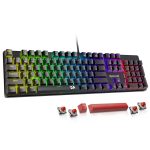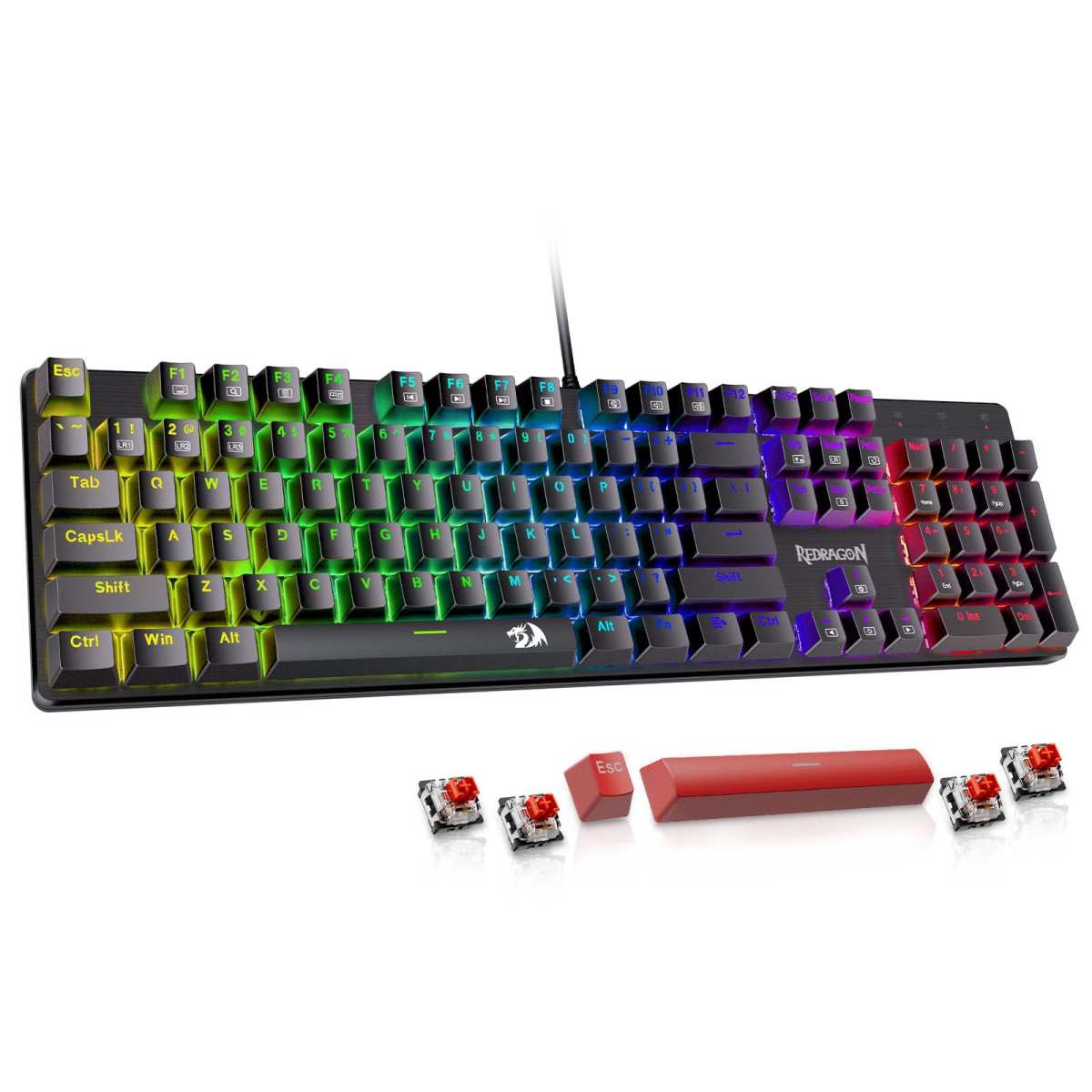
Redragon Mechanical Gaming Keyboard
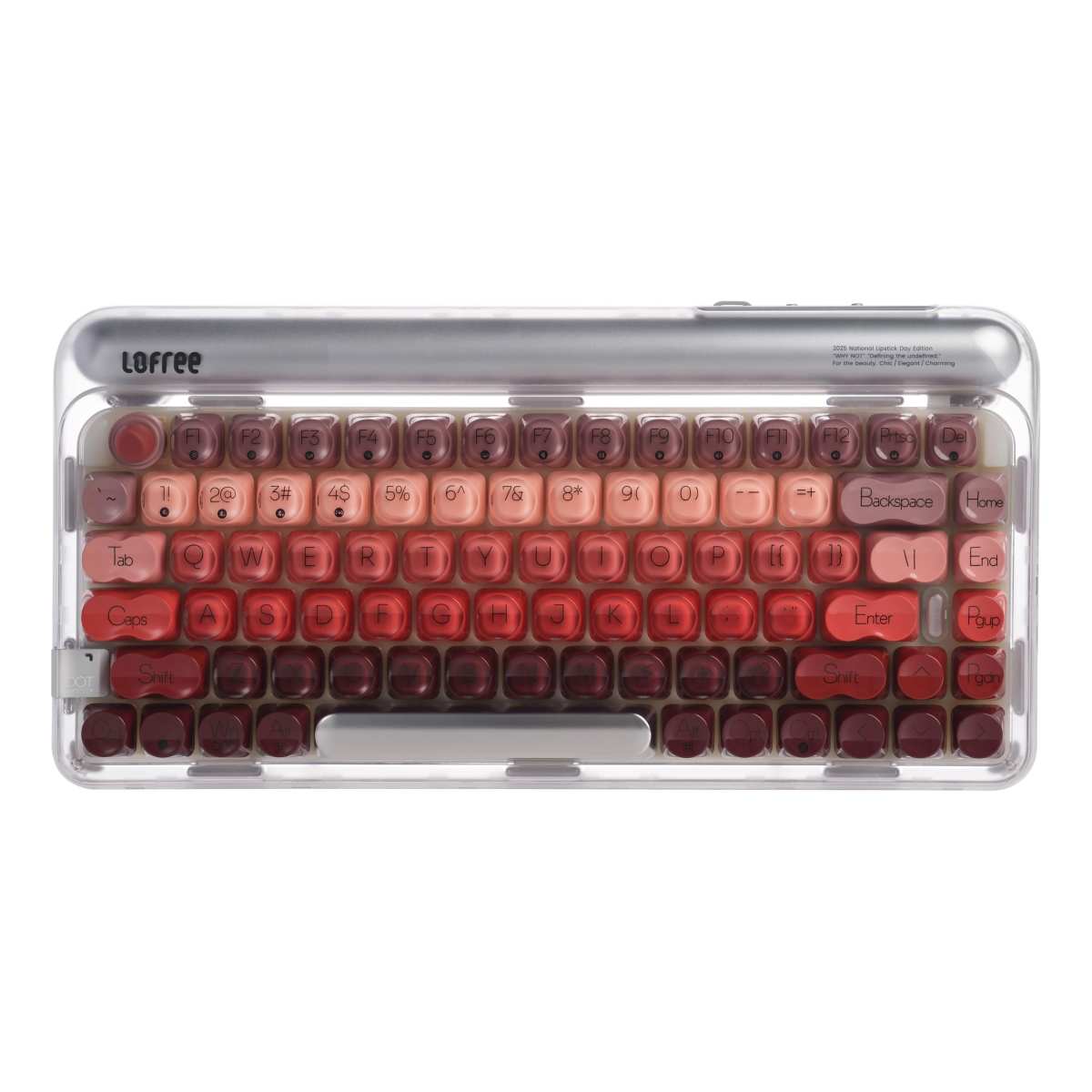
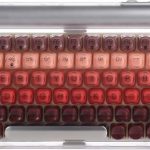
LOFREE DOT Lipstick Elegant
When it comes to mechanical keyboards, the market is flooded with options—but few stand out like the Redragon Mechanical Gaming Keyboard and the LOFREE DOT Lipstick Elegant. These two models represent very different philosophies in design, functionality, and user experience. One is built for performance-driven gamers and productivity-focused typists who value reliability and customization. The other blends fashion-forward aesthetics with premium tactile feedback, appealing to creatives and lifestyle users who want their workspace to reflect personality.
Choosing between them isn’t just about RGB lighting or switch types—it’s about understanding what kind of experience you want every time you press a key. Whether you’re grinding through late-night coding sessions, dominating in MMO raids, or crafting your next Instagram-worthy desk setup, this comparison will help you decide which keyboard truly fits your rhythm. We’ll dive deep into build quality, typing feel, connectivity, software support, and real-world usability—so you can make an informed choice without the guesswork.
In-Depth Look: Redragon Mechanical Gaming Keyboard
The Redragon Mechanical Gaming Keyboard is a no-nonsense workhorse designed for those who prioritize function over flair—though it doesn’t skimp on visual appeal entirely. At its core is a full-sized layout with 104 keys, including a dedicated numpad, making it ideal for accountants, data entry professionals, or gamers who rely on number-heavy commands. The keyboard features hot-swappable linear red switches, which require minimal actuation force (45g) and deliver a smooth, quiet keystroke perfect for long typing sessions or rapid in-game inputs.
One standout feature is the inclusion of 11 programmable backlight modes. While the colors aren’t individually customizable per key, you can cycle through vibrant presets like rainbow wave, breathing, and reactive typing effects. Brightness and speed are adjustable across five levels, so whether you’re working under bright office lights or gaming in a dim room, you’ll find a setting that suits your environment. The double-shot ABS keycaps ensure legends won’t wear off easily—a common complaint with cheaper keyboards—and they allow light to shine through clearly without hotspots.
Macro editing is another strong suit. Using Redragon’s software (Windows only), you can remap keys, create complex shortcuts, or assign multi-key combos to a single button—ideal for streamlining workflows or executing intricate game maneuvers. Full N-key rollover guarantees every press registers, even during intense multi-key combos, while 12 multimedia shortcuts give quick access to volume, email, calculator, and media controls.
Build quality feels solid for the price, with a sturdy plastic chassis and rubber feet that keep it planted during frantic typing. It’s also surprisingly easy to clean—just wipe down the smooth surface and remove dust from between keys with compressed air. Redragon backs it with a generous 24-month warranty and responsive customer service, as evidenced by multiple reviews praising their hassle-free replacement policy.
Pros:
– Excellent value for a full-size mechanical keyboard
– Hot-swappable switches (includes 4 spares)
– Reliable wired connection with zero latency
– Strong macro and customization support
– Durable keycaps and solid construction
Cons:
– No wireless option
– Backlighting colors cannot be customized per key
– Software limited to Windows
Customer Reviews:
> “Fantastic. I got the first of this keyboard for my husband’s home office… It is the best mechanical full size keyboard for the price range. One of the best things is that it doesn’t have any frills or useless functions so common in keyboards.”
>
> “I was looking for a replacement keyboard for my work desktop because the letters on the keys kept wearing off… they sent a replacement! That’s what customer service is all about!! This company is amazing.”
>
> “After returning a mushy Jellycomb Bluetooth keyboard, I tried this one instead. Luckily, I picked it—the keys feel crisp and responsive, no wrist pain even after hours of typing.”
Best for: Gamers, office workers, and anyone needing a reliable, customizable wired mechanical keyboard without breaking the bank. If you want more insights, check out our detailed Redragon Mechanical Gaming Keyboard Review.
In-Depth Look: LOFREE DOT Lipstick Elegant
The LOFREE DOT Lipstick Elegant isn’t just a keyboard—it’s a statement piece. Inspired by vintage lipstick tubes, this 84-key compact mechanical keyboard blends retro charm with modern engineering. Its gasket-mounted design delivers a buttery-smooth, cushioned typing experience that reduces bottom-out harshness, making every keystroke feel soft yet precise. The included GATERON linear switches (hot-swappable, so you can swap in your favorites) offer a satisfying “thock” sound that’s audible but not disruptive—perfect for shared spaces.
What truly sets this keyboard apart is its aesthetic. The translucent dual-shot PBT keycaps come in eight lipstick-inspired shades (think coral red, rose quartz, and mauve), each paired with a silver-plated frame that glows subtly under the seven white backlight modes. The unique lipstick-shaped ESC key adds a playful touch, and the overall build feels premium—no creaks or flex, just solid craftsmanship. Unlike many compact boards, it retains essential navigation keys, so you won’t miss the function row or arrow cluster.
Connectivity is versatile: Bluetooth 5.0 supports three devices simultaneously, 2.4GHz wireless offers near-zero latency (great for presentations), and USB-C wired mode ensures compatibility with everything from MacBooks to gaming consoles. The built-in 4000mAh battery lasts up to two weeks with backlighting on—and intelligently dims or turns off when idle to conserve power. Setup is plug-and-play across Windows and macOS, with no drivers needed.
However, the white-only backlighting, while elegant, lacks the vividness of RGB setups. Some users note that key legends aren’t super bright under low light, especially with longer nails. And while the compact layout saves desk space, it omits the numpad—something power users may miss.
Pros:
– Stunning design with premium materials
– Gasket mount for ultra-smooth typing
– Triple-mode connectivity (Bluetooth, 2.4GHz, wired)
– Long battery life with smart power management
– Hot-swappable GATERON switches
Cons:
– No macro or advanced software customization
– White backlighting only (not very bright)
– No number pad (compact layout)
Customer Reviews:
> “Very nice keyboard, keys/switches are pretty soft/smooth to press. Not silent nor too noisy. I like it… only con is that the keyboard doesn’t have good lighting in the keycaps.”
>
> “Got it for my gf for Xmas. She loves it but said the backlight isn’t bright enough to shine through for when she has longer nails. Her key points: connects fast, smooth to use and the keys are very ‘thocky’.”
>
> “I love this keyboard! The sound when you type is so smooth and relaxing… The only thing that would make it better is if it had a number pad!”
Best for: Creatives, remote workers, and design-conscious users who value aesthetics, portability, and a tactile typing experience. For a deeper dive, read our full LOFREE DOT Lipstick Keyboard Review.
Head-to-Head Comparison
Typing Experience & Sound
The Redragon Mechanical Gaming Keyboard offers a traditional plate-mounted feel—firm, direct, and responsive. Great for fast typists who prefer tactile feedback without mushiness. In contrast, the LOFREE DOT Lipstick Elegant uses a gasket mount, which absorbs shock and creates a softer, more cushioned press. Typists describe it as “buttery” and “thocky,” ideal for those who enjoy a quieter, more refined sound profile.
Customization & Software
Redragon wins hands-down here. With full macro programming, key remapping, and adjustable lighting effects via dedicated software, it’s a dream for power users. LOFREE offers no software at all—just hardware-based lighting presets. If you need shortcuts or automation, Redragon is the clear choice.
Portability & Connectivity
LOFREE dominates with triple-mode wireless support and a compact 84-key layout that fits in backpacks. Redragon is wired-only and full-sized—better for stationary setups. If you switch between laptop, tablet, and desktop, LOFREE’s Bluetooth multi-device pairing is a game-changer.
Build Quality & Aesthetics
Both feel sturdy, but LOFREE uses higher-end materials: PBT keycaps resist shine, and the metal-accented frame looks luxurious. Redragon’s ABS keycaps are durable but may develop shine over time. Visually, LOFREE is a showstopper; Redragon is functional but plain.
Battery & Power
Only LOFREE has a battery—4000mAh lasts nearly two weeks. Redragon must stay plugged in, which ensures constant power but limits flexibility.
Frequently Asked Questions
Q: Can I use these keyboards with a Mac?
A: Yes! The LOFREE DOT Lipstick Elegant works seamlessly with macOS out of the box. The Redragon Mechanical Gaming Keyboard is also compatible, though its macro software is Windows-only. For Mac users who don’t need macros, both are viable—but LOFREE offers better wireless integration. Check LOFREE on Amazon.
Q: Are the switches really hot-swappable?
A: Absolutely. Both keyboards let you swap switches without soldering. Redragon includes 4 spare red switches, while LOFREE uses standard GATERON sockets compatible with most 3-pin switches. Just pull and replace!
Q: Which one is better for gaming?
A: For competitive gaming, the Redragon Mechanical Gaming Keyboard is superior thanks to full anti-ghosting, macro support, and ultra-low-latency wired connection. LOFREE’s wireless modes introduce minor lag, better suited for casual play. See our Redragon K673 Pro review for more gaming-focused options.
Q: Is the backlighting bright enough for dark rooms?
A: Redragon’s colored LEDs are brighter and more versatile. LOFREE’s white backlighting is softer and less visible through key legends—fine for ambient use but not ideal for total darkness.
Q: Do I need to install drivers?
A: LOFREE works plug-and-play on all systems. Redragon requires its Windows software for macros and lighting control, but basic functionality works without it.
Q: Which lasts longer on battery?
A: Only LOFREE has a battery—up to 14 days with backlighting on. Redragon must stay wired.
Q: Can I use these for programming?
A: Yes! Redragon’s full layout and macro support make it excellent for coders. LOFREE’s compact size saves space but lacks a numpad—consider your workflow before choosing.
Final Verdict: Which One Should You Choose?
If you’re a gamer, developer, or office professional who values performance, customization, and reliability, the Redragon Mechanical Gaming Keyboard is your best bet. It delivers exceptional value, robust build quality, and features like macro editing and hot-swappable switches that serious users demand.
On the other hand, if you’re a creative, remote worker, or design enthusiast who wants a keyboard that doubles as a conversation starter, the LOFREE DOT Lipstick Elegant is unmatched. Its gasket-mounted typing feel, wireless freedom, and stunning aesthetics make it perfect for stylish, productive setups.
Ultimately, it comes down to priorities: raw functionality or refined elegance. Whichever you choose, both keyboards offer excellent mechanical experiences at competitive prices.
Ready to upgrade your typing game?
Get the Redragon Mechanical Gaming Keyboard
Get the LOFREE DOT Lipstick Elegant