Want better sound from your Bluetooth speaker at home? This guide has simple fixes! We’ll show you easy ways to boost audio quality, from speaker placement to simple settings tweaks. Get ready for a richer, clearer listening experience without needing a tech degree.
Hey there, tech explorers! It’s Max from AffTechy.com, your go-to buddy for making technology feel super simple and fun. Ever feel like your favorite songs or movie sound effects just aren’t hitting the mark with your Bluetooth speaker? You know, that one speaker you got to make life a bit more musical or entertaining at home. It’s a bummer when the sound just feels… flat.
We’ve all been there, right? You connect your phone, press play, and expect a concert hall experience, but instead, you get something that sounds a bit muffled or tinny. It’s like having a great recipe but forgetting a key ingredient. Choosing the right speaker can be a puzzle too, with all those fancy terms and features. But don’t worry, that’s exactly why I’m here!
My mission is to take the confusion out of gadgets and make them your best friends. Today, we’re diving into the world of Bluetooth speakers and how to make them sound absolutely amazing right in your own home. No complicated jargon, just straightforward tips that really work. We’re going to unlock the hidden potential of your speaker and turn ordinary listening into an extraordinary experience.
Ready to transform your audio? Let’s break it down step by step and get your home sounding its best!
Why Your Bluetooth Speaker Might Not Be Sounding Its Best
So, you’ve got a Bluetooth speaker, and it’s supposed to be awesome, but sometimes the sound just doesn’t cut it. Why does this happen? Well, a few things can get in the way of that crystal-clear audio we all crave. It’s not always about having the most expensive speaker; often, it’s about how we use it and where we put it.
Think about it like this: a beautiful painting looks best when it’s hung in the right spot with good lighting. Your speaker is similar! Its sound can change a lot depending on its surroundings. Sometimes, it’s as simple as a setting on your phone or a tiny adjustment in the room. We’re going to explore all these little secrets together.
Let’s Talk About Sound: What Makes a Speaker Sound Good?
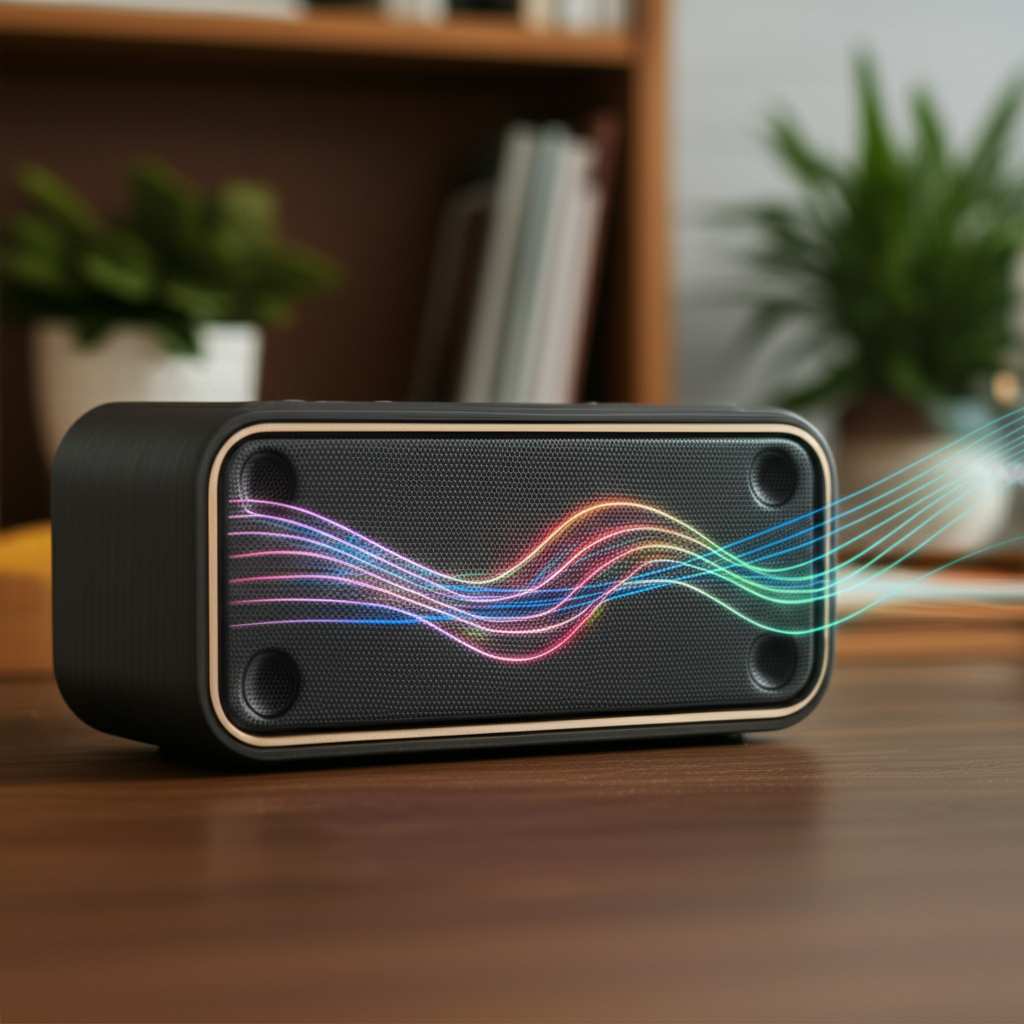
Before we fix things, let’s quickly chat about what makes sound good. It’s all about balance. You want clear highs (like cymbals in music), rich mids (where voices live), and a nice, punchy bass (that deep rumble). A speaker that’s doing its job well delivers all these elements smoothly.
When a speaker sounds off, it usually means one of these parts is weak. Maybe the bass is muddy, the treble is too harsh, or voices sound distant. Our goal is to make sure all these sound waves reach your ears just right, creating a full and immersive experience.
Awesome Fixes to Improve Your Bluetooth Speaker’s Sound Quality at Home
Here are some super simple, yet incredibly effective ways to boost your Bluetooth speaker’s sound quality. You don’t need to be an audio engineer to do these!
1. The Magic of Placement: Where You Put Your Speaker Matters!
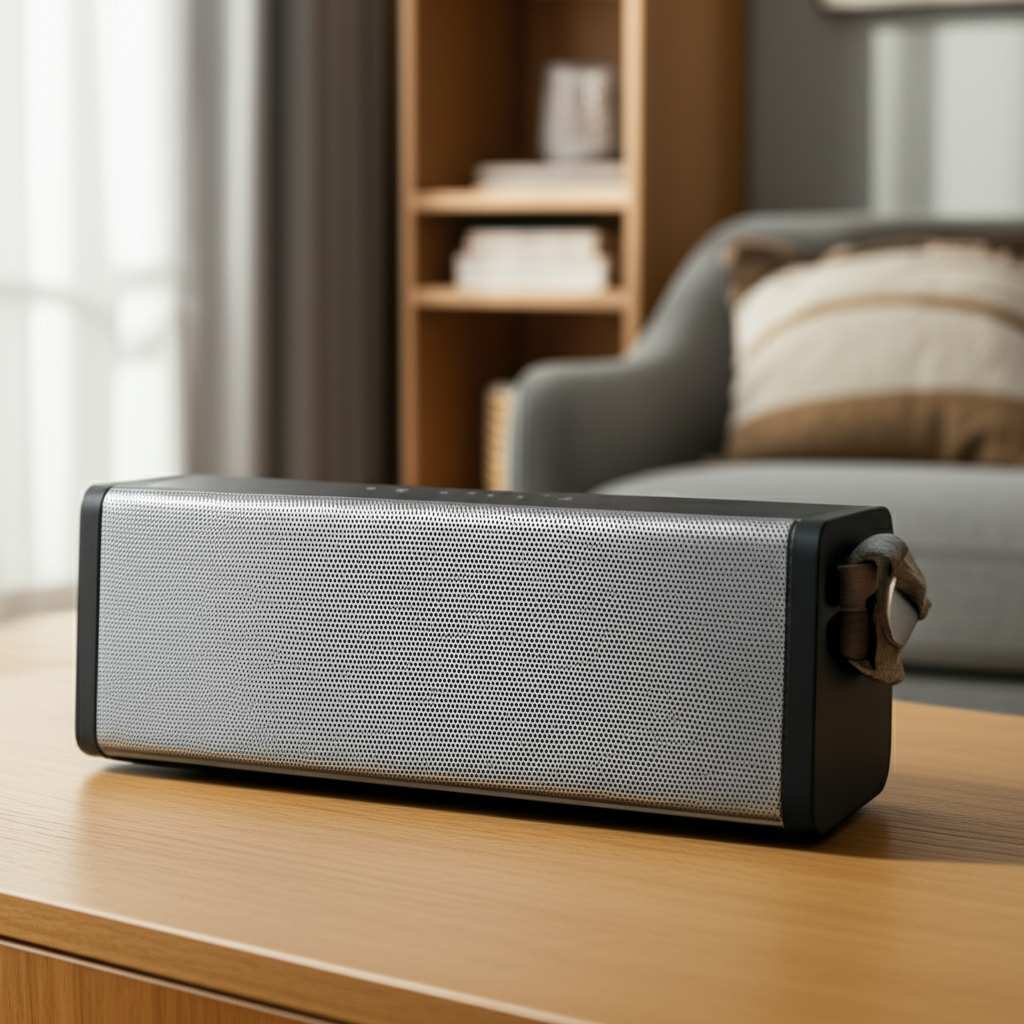
This is probably the biggest game-changer, and it’s totally free! The way sound bounces off walls and furniture can dramatically change how it sounds to you.
- Avoid Corners: Putting your speaker right in a corner can make the bass sound boomy and overwhelming. It’s like turning up the volume knob too high for just one frequency.
- Open Spaces are Better: Try placing your speaker in an open area, away from walls. This lets the sound spread out naturally without getting too much boost from reflections.
- Surface Talk: The surface your speaker sits on also plays a role. A wobbly or hollow surface can make the sound vibrate and sound muddy. A solid, stable surface is best.
- Ear Level is Key: If possible, position your speaker at about ear height. This is how we naturally hear sound, so it often sounds most balanced this way.
Think of it as finding the sweet spot. Sometimes moving your speaker just a foot or two can make a world of difference. It’s like finding the perfect seat in a concert hall!
2. Tweak Your Device’s EQ Settings
Most smartphones and tablets have built-in Equalizer (EQ) settings. This is like a sound control panel! It lets you adjust different frequencies to tailor the sound to your liking.
- Find the EQ: On iPhones, it’s under Settings > Music > EQ. On Android, it varies by device, but often it’s in Sound Settings or a dedicated Music app.
- Experiment: Don’t be afraid to play around! If the bass is weak, try boosting the lower frequencies. If it sounds too harsh, try lowering the higher ones.
- Presets are Your Friends: Many EQs have presets like “Rock,” “Pop,” or “Jazz.” Try these out to see if one fits the music you’re listening to.
- Custom is King: Once you find a preset you like, you can often fine-tune it even further. Your goal is to make the sound clear and balanced for your ears and your speaker.
It’s amazing how much you can improve the sound just by telling your phone how you want it to sound. It’s like giving your speaker a personalized voice!
3. Update Your Speaker’s Firmware
Manufacturers often release updates for their speakers. These aren’t just for new features; they can also include improvements to sound processing and Bluetooth connectivity.
- Check the App: Most modern Bluetooth speakers have a companion app from the manufacturer. This is usually where you’ll find firmware update options.
- Follow Instructions: The app will guide you through the update process. It’s usually pretty straightforward.
- Why It Helps: These updates can optimize how the speaker handles audio signals, leading to better clarity, improved bass response, and more stable connections.
Keeping your speaker’s software up-to-date is like giving it a tune-up. It ensures it’s running at its best.
4. Clean Your Speaker
This might sound too simple, but dust and grime can actually affect sound quality! Tiny particles can clog speaker grilles, muffling the sound.
- Gentle Cleaning: Use a soft, dry brush or a can of compressed air to gently clean the speaker grilles.
- Avoid Liquids: Be careful not to use too much liquid, as it can damage the speaker. A slightly damp cloth for the exterior is usually fine, but keep it away from the actual speaker cone.
A little bit of dusting can go a long way in letting those sound waves escape freely!
5. Check Your Bluetooth Connection Strength
A weak or unstable Bluetooth connection can cause audio dropouts, static, or a generally degraded sound experience. The further away your device is, or the more obstacles there are, the weaker the signal.
- Stay Close: Keep your phone or audio source relatively close to the speaker, especially during initial pairing.
- Minimize Obstacles: Walls, especially thick ones, and other electronic devices (like microwaves or Wi-Fi routers) can interfere with the Bluetooth signal.
- Disconnect Other Devices: If you have multiple Bluetooth devices connected, try disconnecting some to free up bandwidth.
A strong, clear connection is like a smooth highway for your music. No traffic jams mean better sound!
6. Boost Bass (Carefully!)
Sometimes, you just want more oomph! While EQ settings are great, some speakers have dedicated bass boost features, either physical buttons or within their app.
- App Controls: Many higher-end speakers have a bass slider or a “bass boost” option in their dedicated app.
- Physical Buttons: Some older or simpler speakers might have a physical button labeled “Bass Boost.”
- Caution: Be careful not to overdo it! Too much bass can make the sound muddy and distorted, overwhelming the other parts of the music.
It’s all about finding that sweet spot where the bass is powerful but still clear and well-defined.
7. Use the Right Audio Source
The quality of the audio file you’re playing matters. A low-quality MP3 will sound worse than a high-quality stream, no matter how good your speaker is.
- Streaming Services: Most major streaming services (Spotify, Apple Music, Tidal) offer different audio quality settings. Opt for the highest quality option your plan allows.
- File Formats: If you’re playing local files, formats like FLAC or ALAC (Apple Lossless) offer superior quality compared to standard MP3s.
Think of it as feeding your speaker the best ingredients. High-quality source audio will always sound better.
8. Try a Stereo Pair (If Your Speaker Supports It)
Many modern Bluetooth speakers can be paired together to create a stereo sound experience. This means one speaker handles the left channel and the other handles the right.
- Check Compatibility: Make sure your speaker model supports stereo pairing. This is usually advertised on the box or in the product description.
- Pairing Process: The process varies by brand, but typically involves holding down a button on each speaker or using the companion app.
- The Benefit: Stereo pairing creates a much wider, more immersive soundstage. It’s like having a mini concert hall in your room, with sound coming from distinct left and right sources.
This is a fantastic way to fill a larger room with rich, dynamic sound. It’s a game-changer for movies and music!
9. Consider a Bluetooth Audio Receiver
If you have a fantastic older stereo system that doesn’t have Bluetooth, you can add it! A Bluetooth audio receiver can connect to your existing speakers and receive music wirelessly from your phone.
- How It Works: The receiver plugs into your stereo system’s aux-in port and connects to your phone via Bluetooth.
- Quality Boost: Many of these receivers use advanced Bluetooth codecs (like aptX or LDAC) that can transmit higher quality audio than standard Bluetooth.
- Revive Old Gear: This is a great way to get the convenience of Bluetooth without replacing your beloved, high-quality home stereo.
It’s a clever way to get modern features on your classic sound setup.
10. Speaker Positioning for Different Room Types
The room itself has a huge impact. Here’s how to think about it:
- Hardwood Floors/Bare Walls: These surfaces reflect sound a lot, which can make things sound echoey or harsh. Try placing the speaker on a rug or softer surface, or slightly angled away from walls.
- Carpeted Rooms/Lots of Furniture: These absorb sound, which can sometimes make things sound a bit dull. Try pulling the speaker out a bit more from furniture and towards the center of the room.
- Small Rooms: In small spaces, bass can build up quickly. You might need to reduce bass slightly via EQ or experiment with placing the speaker on a different surface.
It’s like tuning your room to be the perfect listening environment for your speaker.
Quick Comparison: Bluetooth Speaker Features That Impact Sound
Here’s a quick look at some features you might see and how they affect sound quality.
| Feature | What It Does | Impact on Sound Quality |
| Bluetooth Codec (e.g., SBC, AAC, aptX, LDAC) | The “language” Bluetooth uses to send audio. | Higher-end codecs (aptX, LDAC) can transmit more detailed audio, resulting in clearer, richer sound. SBC is the most basic. |
| Driver Size | The actual speaker component that produces sound. | Larger drivers can often produce deeper bass and a fuller sound. |
| Passive Radiators | Small, unpowered diaphragms that enhance bass response. | Helpful for smaller speakers to produce a surprisingly deep bass. |
| Water/Dust Resistance (IP Rating) | How well the speaker is protected from water and dust. | Primarily for durability, doesn’t directly impact sound quality but can protect the speaker from damage that would impact sound. |
Understanding these terms can help you choose a speaker that’s more likely to sound great. For example, if you see “aptX HD” or “LDAC” in the specs, that’s a good sign for higher-fidelity audio.
Troubleshooting Common Sound Issues
Let’s tackle a few problems you might run into.
Problem: My speaker sounds muffled or muddy.
- Possible Causes: Speaker placed too close to walls or in a corner; dust blocking speaker grille; low-quality audio source; excessive bass boost.
- Fixes: Reposition the speaker away from corners/walls; clean the grille; use a high-quality audio file; reduce bass via EQ or speaker settings.
Problem: The sound is tinny or lacks bass.
- Possible Causes: Speaker placed in an open space without reflective surfaces; EQ settings are too high on treble, low on bass; speaker is too small to produce deep bass.
- Fixes: Try placing it closer to a wall (but not in a corner); adjust EQ to boost bass and lower treble; consider a larger speaker or one with passive radiators for better bass.
Problem: Audio cuts out or has static.
- Possible Causes: Weak Bluetooth signal; interference from other devices; speaker or phone battery is low.
- Fixes: Move your device closer to the speaker; turn off other Bluetooth devices; ensure both devices are charged; check for firmware updates.
These simple checks can often solve most common sound quality complaints.
Frequently Asked Questions (FAQs)
Q1: Do I really need to update my Bluetooth speaker’s firmware?
Yes, it’s a good idea! Updates can fix bugs, improve performance, and sometimes even enhance sound quality. It’s like giving your speaker a little performance boost.
Q2: Can I use my Bluetooth speaker while it’s charging?
Most of the time, yes! Many speakers are designed to be used while plugged in. Some people believe it can slightly affect sound quality due to power draw, but for most casual listening, it’s perfectly fine.
Q3: My speaker sounds much better outside than inside. Why?
That’s common! Outdoors, sound waves aren’t bouncing off walls and ceilings, so they travel more freely. Inside, reflections can interfere with the direct sound, sometimes making it sound less clear or balanced.
Q4: What’s the difference between Bluetooth and Wi-Fi speakers?
Bluetooth is for short-range connections, great for portability and connecting directly from your phone. Wi-Fi speakers connect to your home network, offering better range, higher quality audio streaming, and often multi-room audio capabilities.
Q5: How can I make my cheap Bluetooth speaker sound better?
Focus on placement, EQ settings on your phone, and ensuring a strong Bluetooth connection. Cleaning the speaker grilles can also help. While a cheap speaker has its limits, these tips can help you get the most out of it!
Q6: Is there a way to improve the bass on my speaker?
Absolutely! Try placing it closer to a wall (but not in a tight corner), use your phone’s EQ to boost bass frequencies, and check if your speaker or its app has a bass boost feature. Just be careful not to overdo it!
Q7: Should I buy two of the same speaker for stereo sound?
If your speaker model supports stereo pairing, then yes! Buying two identical speakers and pairing them for true stereo sound is one of the best ways to dramatically improve your audio experience at home. It creates a much more immersive soundstage.
Wrapping Up Your Sound Journey
There you have it! Improving your Bluetooth speaker’s sound quality at home is totally achievable without needing to be a tech wizard. We’ve covered everything from the simple magic of speaker placement and EQ tweaks to keeping your firmware updated and understanding those fancy Bluetooth codecs.
Remember, it’s often the small adjustments that make the biggest difference. Don’t be afraid to experiment a little. Move your speaker around, play with your phone’s sound settings, and try out some of these tips. You might be surprised at just how much better your music, podcasts, and movies can sound.
For more in-depth looks at audio gear and other tech, you can always check out resources like CNET’s reviews and guides. They’ve got tons of great info!
Now go enjoy amazing sound and make every moment louder and better! Happy listening!