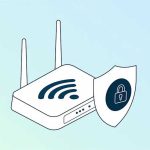
To hide your Wi-Fi network, access your router’s settings, disable the SSID broadcast, and save changes. This makes your network less visible to casual users and adds a layer of privacy. Remember, hiding your Wi-Fi isn’t foolproof but it’s a good step to keep unwanted guests at bay.
Hiding your Wi-Fi network is a simple way to enhance your home network’s privacy. By turning off the broadcast of your network’s name (SSID), you prevent it from appearing in the list of available networks on nearby devices. This can discourage casual attempts to connect, but tech-savvy users can still find your network with the right tools. It’s a useful option for those who want to add an extra layer of security without resorting to complex configurations. Whether you’re concerned about nosy neighbors or just want a cleaner Wi-Fi scan, hiding your network is a quick fix to keep your connection more private.

How to Hide WiFi Network: A Complete Guide
Understanding Why People Hide Their WiFi Networks
Many people choose to hide their WiFi network to increase security and reduce unwanted connections. Hiding your network makes it less visible to outsiders trying to access your internet. This simple step can help protect your privacy and prevent casual hackers from finding your network easily.
What Does It Mean to Hide Your WiFi Network?
Hiding your WiFi network means making it invisible to devices scanning for available networks. When you hide your network, the SSID (Service Set Identifier) no longer appears in the list of available WiFi networks. Only those who know the exact network name can connect to it.
How Hiding Your WiFi Network Adds Security
While hiding your network doesn’t stop determined hackers, it adds an extra layer of security. It prevents casual users from seeing your network during a quick scan. Together with a strong password, hiding your WiFi network helps keep your internet safer from unauthorized access.
Steps to Hide WiFi Network on Your Router
Access Your Router Settings
The first step is logging into your router’s admin panel. Usually, you open a web browser and type your router’s IP address, like 192.168.1.1 or 192.168.0.1. Enter your username and password to access the settings.
Find Wireless Settings
Once logged in, locate the wireless or WiFi section. Different routers have different interfaces, but the option to hide the SSID is typically within the wireless setup.
Disable SSID Broadcast
Look for the option labeled “SSID Broadcast,” “Broadcast Network Name,” or similar. Click the checkbox or toggle to disable or turn off this setting. Save your changes to apply the new configuration.
Confirm Your Settings
After saving, your network will no longer appear in the list of available WiFi networks. Make sure to note your network name and password for future connection.
Connecting to a Hidden WiFi Network
Manually Add Network on Your Device
Since your network is no longer visible, you have to add it manually. On your device, choose “Add Network,” “Connect to Hidden Network,” or similar.
Enter Network Details
Input your WiFi network name exactly as it was before hiding it. Select the correct security type, such as WPA2, and enter your password. Confirm and connect.
Save Your Settings for Future Use
Once connected, save these settings so your device remembers the network. Now, your device will connect automatically even though the network is hidden.
Additional Tips for Securing a Hidden WiFi Network
Use Strong, Unique Passwords
Always set a complex password to prevent unauthorized access. A strong password includes numbers, uppercase, lowercase letters, and symbols.
Enable WPA3 or WPA2 Encryption
Use the latest encryption standards supported by your router for added security. WPA3 offers improved security over WPA2.
Update Router Firmware Regularly
Keeping your router’s firmware updated helps protect against vulnerabilities. Check your router’s manufacturer website regularly for updates.
Disable Remote Management
Turn off remote management features unless you need them. This prevents hackers from accessing your router settings over the internet.
Related Topics: Enhancing WiFi Security
Set Up Guest Networks
A guest network allows visitors to use your WiFi without accessing your main network. It keeps your personal devices more secure.
Enable MAC Address Filtering
This allows you to specify which devices can connect to your network based on their MAC addresses. It adds a layer of control over who accesses your WiFi.
Use VPNs for Extra Privacy
A virtual private network (VPN) encrypts your internet traffic, providing an additional layer of privacy and security when using WiFi networks.
Troubleshooting Common Issues
Unable to Find Hidden Network
Ensure you input the correct SSID and password. Double-check your router settings to confirm the network is truly hidden.
Device Can’t Connect to Hidden Network
Make sure you manually add the network and select the proper security type. Restart your device and try reconnecting.
Network Not Visible After Hiding
Sometimes, devices need to forget the network and re-enter details. Reset your network settings if necessary.
Additional Methods to Hide or Secure WiFi
Change the Default SSID
Rename your network to something unique and unpredictable. Avoid using your name or address for added safety.
Disable WPS
WiFi Protected Setup (WPS) can be vulnerable. Turning WPS off prevents attackers from exploiting this feature.
Implement Network Segmentation
Use separate networks for different devices, like IoT gadgets, to isolate sensitive data and reduce risks.
Comparing Hiding vs. Securing WiFi Networks
While hiding your network makes it less visible, securing it with strong passwords and encryption offers better protection. Combining both approaches is the best way to keep your WiFi safe.
Benefits of Hiding Your WiFi Network
- Reduces visibility to casual users
- Increases security through obscurity
- Easy to implement on most routers
Limitations of Hiding a WiFi Network
- Doesn’t prevent determined hackers
- May complicate connecting newer devices
- Requires manual setup for devices
Final Tips for Keeping Your WiFi Safe
Always combine hiding your network with other security practices. Regularly change passwords and monitor connected devices. Staying vigilant helps protect your internet from potential threats.
Hiding your WiFi network can be a simple yet effective way to boost your home security. Follow the steps carefully, stay updated on best practices, and remember that security is always a layered approach.
How to hide Wifi Network from Public #wifi #hidewifi
Frequently Asked Questions
Can I prevent my Wi-Fi network from appearing in nearby device scans?
Yes, you can hide your Wi-Fi network from being visible during scans. Access your router’s admin interface and look for wireless settings. Disable the option that broadcasts the SSID (network name). Once you do this, your network won’t show up in the list of available networks on devices, but you’ll need to manually connect by entering the network details each time.
What steps should I follow to hide my Wi-Fi network on my router?
Log into your router’s admin panel using your browser. Navigate to the wireless settings section and find the option labeled “SSID Broadcast” or similar. Turn off or disable this setting, then save your changes. Afterward, your Wi-Fi network will be hidden from standard device scans, and you will need to manually connect using your network credentials.
Are there any risks or drawbacks to hiding my Wi-Fi network?
Hiding your Wi-Fi network can improve privacy, but it doesn’t provide complete security. Skilled attackers can still detect hidden networks using specialized tools. Additionally, connecting to a hidden network can be slightly more cumbersome, requiring manual entry of network details on each device. Ensure you also use strong encryption and passwords to safeguard your network.
Will hiding my Wi-Fi network affect device connectivity?
Yes, hiding your network means you’ll need to manually connect your devices by inputting the network name and password each time. Once connected, devices should work normally, but initial setup might require extra steps. Regularly updating device settings ensures continued access without issues.
Can hiding my Wi-Fi network improve its security?
Hiding your network adds a layer of obscurity, making it less visible to casual users. However, it doesn’t prevent determined hackers from detecting your network. Combining hiding your SSID with strong passwords and WPA3 encryption offers better overall security for your Wi-Fi.
Final Thoughts
Hiding your wifi network adds an extra layer of security by making it less visible to others. To do this, access your router’s settings and disable the SSID broadcast. This simple step prevents your network from appearing in nearby device lists.
Remember, ‘how to hide wifi network’ effectively enhances your privacy, but it’s also important to keep your password strong. Regularly updating your router’s firmware helps maintain security. Taking these actions ensures your network stays more private and secure.