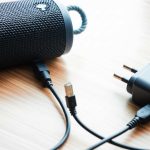
Don’t let a faulty charging port silence your music! This guide provides step-by-step solutions for fixing your Bluetooth sound box’s charging port. From simple cleaning to identifying internal issues, we’ll help you get your device back to full power.
## How to Fix Charging Port on Bluetooth Sound Box
Ah, the trusty Bluetooth sound box! Your portable concert hall, your podcast companion, your background music provider. It’s a fantastic device, until it suddenly refuses to power up. The most common culprit for this sudden silence? A charging port problem. It’s frustrating, but don’t despair! Most of the time, a problematic charging port on your Bluetooth sound box isn’t a death sentence. We’re going to walk through how to fix charging port on Bluetooth sound box issues, from the simplest fixes to when you might need a little extra help.
Imagine this: you’re all set for a picnic, your favorite tunes queued up, but your Bluetooth sound box is dead as a doornail. You plug in the charger, but nothing happens. No charging light, no indication of life. This is a classic scenario, and often, the charging port is the silent saboteur. It’s a small, yet crucial component, and it can suffer from wear and tear, dust, or even minor damage. The good news is, with a little patience and the right approach, you can often get your beloved sound box charging again.
### 1. Initial Assessment: What’s Really Going On?
Before you dive into any fixes, let’s play detective. We need to pinpoint what’s actually wrong with your charging port. This initial assessment will save you time and prevent you from attempting unnecessary repairs.
#### Is it the Port, the Cable, or the Power Source?
This is the golden question. Many times, the problem isn’t with the sound box itself, but with one of its charging accessories.
- The Charging Cable: Have you tried a different USB cable? Cables can fray internally, have loose connections, or simply wear out. If another cable works, you’ve found your culprit!
- The Power Adapter: Is the wall adapter or power bank you’re using functional? Try plugging the cable into a different USB port on a computer or a different wall adapter altogether.
- The Power Outlet: This might seem obvious, but double-check that the outlet you’re using is working.
#### Visual Inspection of the Charging Port
Take a good, close look at the charging port on your Bluetooth sound box.
- Dirt and Debris: Is there any visible gunk, lint, or dust packed inside? This is incredibly common, especially with portable devices.
- Physical Damage: Do you see any bent pins, cracks in the plastic surrounding the port, or does the port feel loose or wobbly?
If the port looks clean and feels secure, the problem might be internal. But if you see debris or damage, we have some cleaning and repair steps to try.
### 2. Cleaning the Charging Port: A Gentle Approach
This is often the most effective and easiest fix for a charging port issue. Dust, pocket lint, and general grime can accumulate over time, preventing a proper connection.
#### What You’ll Need
* Compressed Air: A can of compressed air is your best friend here.
* Non-Metallic Tool: Think a toothpick (wooden or plastic), a small plastic dental pick, or even a thin piece of plastic. Never use anything metallic like paperclips or pins, as this can short-circuit components or damage the delicate pins inside the port.
* Good Lighting: A flashlight or a well-lit area will help you see what you’re doing.
#### Step-by-Step Cleaning Process
1. Power Down: Make sure your Bluetooth sound box is turned off.
2. Blast It: Hold the compressed air can upright and use short, controlled bursts. Aim the nozzle directly into the charging port. You should see some dust and debris fly out. Rotate the can and the sound box to get all angles.
3. Gentle Probing (If Necessary): If compressed air alone doesn’t do the trick, you can very gently use your non-metallic tool. Carefully insert the tip and try to dislodge any stubborn debris. Be extremely gentle – you don’t want to push anything further in or bend any pins. Imagine you’re coaxing out dust bunnies, not digging for treasure.
4. Final Blast: Give it another blast of compressed air to remove anything you’ve dislodged.
5. Test: Try plugging in your charging cable again. See if the charging indicator light comes on.
This process is usually enough to fix a Bluetooth speaker not charging due to a dirty port. If it’s still not working, we move on.
### 3. Checking Your Charging Accessories
We touched on this in the assessment, but it’s worth reiterating and detailing. Your charging setup is as important as the sound box itself.
#### The Ubiquitous USB Cable
USB cables are surprisingly fragile. The connection point where the cable meets the connector can be a weak spot.
- Visual Inspection: Look for any signs of fraying, exposed wires, or bent connector pins.
- Wiggle Test: Plug the cable into the sound box (or any compatible device) and gently wiggle the connector. If the charging indicator flickers or turns on/off, the cable is likely the problem.
- Try a Different Cable: If you have another USB cable of the same type (Micro-USB, USB-C, etc.), use it to test your sound box.
Many people don’t realize how often a faulty cable is the reason their Bluetooth speaker won’t charge. If you’re looking for alternative charging methods, you might find information on how to charge a Bluetooth speaker with a USB port helpful.
#### The Power Source: Adapter and Outlet
Not all USB ports are created equal, and not all wall adapters deliver consistent power.
- Use the Original or a Certified Charger: While many USB cables are interchangeable, the power adapter can be more sensitive. Using the original adapter that came with your sound box, or a reputable, certified alternative, is always best.
- Check the Amperage: If your sound box requires a certain amperage to charge effectively, a low-amperage adapter might not provide enough power, even if it fits.
- Test Different Outlets/Sources: As mentioned before, try a different wall outlet. If you’re using a power bank, ensure it’s adequately charged and functioning. Sometimes plugging into a computer’s USB port can provide a slower, but more stable charge for testing purposes.
If you’re struggling with charging, understanding how to charge a Bluetooth speaker without a charging port might offer some creative solutions, though for a standard port issue, this isn’t the primary fix.
### 4. Addressing Physical Damage to the Port
If cleaning and checking accessories don’t solve the problem, it’s time to look more closely at the physical integrity of the charging port itself. This is where things can get a bit trickier.
#### Bent or Damaged Pins
The internal pins inside the charging port are delicate. They can get bent if you force a charger in, or if the port has been stressed.
- Careful Inspection: Using your flashlight, look directly into the port. Are any of the small metal contacts bent, pushed back, or missing?
- Gentle Realignment (Use Extreme Caution!): If you see a slightly bent pin, you *might* be able to gently nudge it back into place using a very fine, non-metallic tool like a sharpened toothpick. This is a high-risk maneuver. If you’re not confident, or if the pin is severely damaged, do not attempt this. You could easily break the pin off entirely, making the port irreparable without professional help. If a pin is broken, it’s often time for a new sound box or professional repair.
#### Loose or Wobbly Port
If the charging port feels loose and moves around when you plug in the charger, the internal solder points have likely broken.
- Internal Connection Issues: This means the port itself is no longer securely attached to the sound box’s circuit board.
- Professional Repair Recommended: While technically fixable by someone skilled in soldering small electronics, this is beyond the scope of a typical DIY repair for most users. Attempting to solder without the right tools and expertise can cause irreparable damage to the entire circuit board.
If the port is loose, it’s a strong indicator that you might need to explore other options. One such option, for when the port is completely unusable, is to bypass the charging port on your Bluetooth speaker, although this usually involves more advanced modifications.
### 5. When External Fixes Fail: Internal Issues
If you’ve cleaned the port, tested your cables and power sources, and found no obvious physical damage, the problem might be internal. This could involve issues with the charging circuit on the motherboard or the battery itself.
#### Faulty Charging Circuitry
The charging port is connected to a complex circuit board inside your sound box. This board regulates the flow of power from the charger to the battery. If this circuitry is damaged (perhaps due to a power surge, a drop, or manufacturing defect), the port won’t function, even if it looks fine.
- Signs of Internal Damage: Sometimes, you might notice other electronic quirks with your speaker if the internal circuitry is failing, such as intermittent power issues or trouble connecting to Bluetooth.
- Professional Diagnosis Needed: Diagnosing and repairing these internal electronic issues requires specialized knowledge, tools (like multimeters and soldering irons), and schematics for your specific model.
#### Battery Problems
A failing battery can sometimes manifest as charging issues. If the battery can no longer hold a charge, or if its charging contacts are damaged, it might prevent the sound box from charging properly.
- Battery Health: Batteries have a finite lifespan. If your sound box is several years old and has seen heavy use, the battery might simply be at the end of its life.
- Signs of Battery Failure: Look for the sound box dying much faster than usual, or not holding a charge at all, even after extended charging times.
In cases of suspected battery failure, replacement might be an option, but this is often an involved process that requires opening the device. For some devices, if the speaker won’t turn on at all, you might be looking at a guide on how to fix a Bluetooth speaker not turning on, where charging is a primary concern.
### 6. Professional Repair or Replacement: The Final Decision
If you’ve gone through all the DIY steps and your Bluetooth sound box still won’t charge, it’s time to consider your options.
#### When to Seek Professional Help
* You’re Uncomfortable with Disassembly: Opening up electronic devices can be daunting. If you’re not confident in your ability to do so without causing further damage, it’s best to leave it to the pros.
* The Problem Seems Internal: If you suspect motherboard issues, faulty circuitry, or a complex battery problem, a repair shop has the tools and expertise to diagnose and fix it.
* Your Device is Under Warranty: If your sound box is still under warranty, attempting DIY repairs could void it. Contact the manufacturer first.
* Cost-Benefit Analysis: Get a quote for professional repair. Sometimes, the cost of repairing an older or less expensive sound box might be close to the price of a new one.
#### When It Might Be Time for a New Device
Sometimes, even with professional help, the cost of repair can outweigh the benefit, especially for budget-friendly speakers. If your sound box is old, heavily used, or the repair quote is high, it might be more economical to invest in a new Bluetooth sound box. This is especially true if the sound quality has degraded over time, making a guide on how to improve sound quality on bike Bluetooth speaker less relevant than simply getting a new, better-sounding device.
**Conclusion**
A dead Bluetooth sound box due to a charging port issue is a bummer, but it’s often a fixable problem. By systematically working through the steps of cleaning the port, testing your accessories, and inspecting for damage, you can revive your speaker and get the music flowing again. Remember to always be gentle, use the right tools, and know when it’s time to call in the professionals or consider an upgrade. Happy listening!
- Assess the Problem: Determine if the charging port is loose, dirty, damaged, or if the issue lies with the cable or power source.
- Clean the Charging Port: Use compressed air and a non-metallic tool to gently remove debris without causing further damage.
- Check the Charging Cable and Adapter: Ensure your charging accessories are functional and compatible with your sound box.
- Inspect for Physical Damage: Look for bent pins, cracks, or loose connections within the charging port itself.
- Test with a Different Power Source: Rule out issues with the wall outlet or power bank you are using.
- Consider Internal Component Issues: If external fixes don’t work, the charging port’s internal connection or battery might be the culprit, potentially requiring professional repair.
- When to Seek Professional Help: If you’re uncomfortable with disassembly or the problem persists, it’s time to consult a repair technician.
Frequently Asked Questions
My Bluetooth speaker’s charging port is loose. What should I do?
If your Bluetooth speaker’s charging port feels loose, it likely means the internal connections have broken. While some minor wobbles might be fixable with careful manipulation, a severely loose port usually requires professional soldering and repair. If you’re not experienced with electronics repair, it’s best to consult a technician.
I tried a different cable, but my Bluetooth sound box still isn’t charging. What else could it be?
If a new cable doesn’t resolve the charging issue, the problem might lie with the power adapter, the power outlet, or the charging port itself. Double-check that your power adapter is functioning correctly and try a different wall socket. If those are fine, the charging port might have internal damage or debris that needs cleaning.
Can I use a toothpick to clean my Bluetooth sound box’s charging port?
Yes, a wooden or plastic toothpick is a suitable tool for gently cleaning debris from a Bluetooth sound box’s charging port. It’s important to use a non-metallic tool to avoid short-circuiting any components or damaging the delicate pins inside the port. Always be gentle when probing.
My Bluetooth sound box is charging very slowly. Is this a port issue?
Slow charging can be caused by a few things. It could be a partially blocked port, a weak charging cable, or an underpowered charging adapter. Ensure your port is clean and try using a higher-amperage charger if your sound box supports it. If the issue persists, the battery itself might be degrading.
Is it safe to try and bend back a bent pin in the charging port?
Attempting to bend back a bent pin in a charging port is risky. While it’s possible to do with extreme care using a very fine, non-metallic tool, you could easily break the pin off entirely, rendering the port irreparable without professional help. If a pin is bent, professional repair is the safest route.
My Bluetooth sound box won’t charge at all, even after cleaning the port. What’s the next step?
If cleaning the port and testing your accessories doesn’t work, the issue is likely internal. This could be a problem with the charging circuitry on the device’s motherboard or a failing battery. At this point, it’s advisable to seek professional repair or consider if it’s time to replace the sound box.