Your Bluetooth speaker won’t charge? Don’t worry! We’ve got quick fixes to get your music back on. Try these simple steps to solve common charging problems and enjoy your tunes again soon.
Hey there, tech adventurer! Isn’t it frustrating when your trusty Bluetooth speaker suddenly decides to take a nap and won’t power up? You’re ready for some awesome music, a fun movie night, or even just some background tunes while you work, but your speaker is stubbornly silent. It’s like having a party pooper when you’re ready to dance!
I totally get it. Picking out the perfect Bluetooth speaker can be a whole journey in itself, with all those specs and features. And then, when it’s not charging, it feels like a tech mystery you just don’t have time for. But guess what? Most of the time, these charging hiccups are super easy to fix.
You don’t need to be a tech wizard to solve this. We’re going to go through some simple, step-by-step solutions together. Think of me as your friendly guide, walking you through each little trick. We’ll get that speaker back to life, making sure you can enjoy your favorite sounds without any more drama.
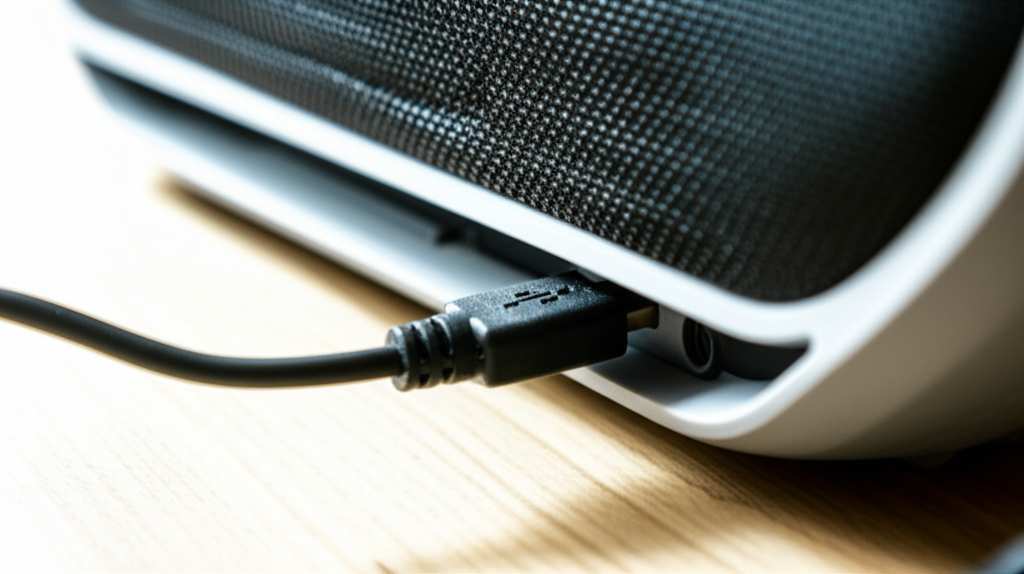
Ready to dive in and troubleshoot? Let’s make this easy and get your speaker charging again!
Why Won’t My Bluetooth Speaker Charge? Let’s Figure It Out!
It’s a classic tech puzzle: you plug in your Bluetooth speaker, expecting that satisfying charging light to come on, but… nothing. It’s a bit like trying to start your car and just hearing a click. A Bluetooth speaker that won’t charge can really put a damper on your day. Whether it’s for your backyard barbecue, a study session, or just chilling at home, no power means no sound.
But here’s the good news: most of the time, the reason your speaker isn’t charging is something you can fix yourself. It’s usually not a big, scary problem that requires a whole new speaker. We’re talking about simple things like cables, ports, or even just a little patience.
We’re going to break down the most common reasons why your speaker might be refusing to charge. Then, we’ll go through some easy fixes. You’ll feel like a tech detective by the end of this!
The Usual Suspects: What Could Be Causing the Charge Issue?
Before we start fixing, it’s helpful to know what we’re looking for. Think of these as the main characters in our “speaker won’t charge” drama.
The Power Source: Is the wall outlet actually working? Sometimes the simplest things are overlooked!
The Charging Cable: Is it damaged? Is it the right type of cable?
The Charging Port: Is it clean and free of debris?
The Speaker’s Battery: Is it just really, really drained, or is there something else going on?
The Speaker Itself: In rare cases, there might be a deeper issue with the speaker’s internal components.
We’ll tackle each of these one by one. Don’t worry, it’s all straightforward!
Quick Fix 1: Check Your Power Source and Cables – The Foundation!
This is where we start, with the absolute basics. If your speaker isn’t charging, the first thing to check is where the power is coming from.
Is the Wall Outlet Working?
It sounds silly, but it happens!
Try plugging another device, like a phone charger or a lamp, into the same wall outlet.
If that device doesn’t work, the outlet might be the problem. Try a different outlet in your home.
If you’re using a power strip or surge protector, make sure it’s switched on and functioning correctly. Sometimes a tripped breaker can be the culprit.
Inspect Your Charging Cable and Adapter
Your charging cable and the power adapter (the little plug that goes into the wall) are crucial.
Look for damage: Carefully examine the cable for any cuts, frays, or bent pins. Check the adapter for cracks or burn marks. If you see any damage, it’s time for a new cable and adapter.
Use the right gear: Make sure you’re using the original charging cable and adapter that came with your speaker, or a compatible high-quality replacement. Not all USB cables are created equal! Some are only for data transfer and won’t deliver enough power to charge.
Try a different cable/adapter: If you have another compatible USB cable and adapter, try using those. This is a great way to isolate whether the problem is with the cable/adapter or the speaker.
It’s like checking if your car has gas before you worry about the engine!
Quick Fix 2: Clean the Charging Port – A Little TLC Goes a Long Way!
Over time, the charging port on your speaker can collect dust, lint, or other gunk. This can prevent a good connection, stopping the charge from getting through.
How to Safely Clean the Port
You’ll need a few simple tools for this.
What you’ll need: A toothpick (wooden or plastic is best), a can of compressed air, or a very soft, dry brush (like a clean makeup brush or paintbrush).
Be gentle: Never use anything metal, like a paperclip or needle, as you could short-circuit the port or damage the pins.
The cleaning process:
1. Visual inspection: Look closely into the charging port. Can you see any obvious debris?
2. Compressed air: If you have it, a short blast of compressed air can often dislodge loose dust. Hold the can upright and use short bursts.
3. Toothpick method: If compressed air doesn’t work, gently use a wooden or plastic toothpick to carefully scrape out any visible gunk. Be patient and avoid pushing too hard.
4. Soft brush: A soft, dry brush can also help sweep out dust.
After cleaning, try plugging in your charger again. You might be surprised how often this simple step solves the problem!
Quick Fix 3: Give Your Speaker a Restart – The Classic “Turn It Off and On Again”!
Sometimes, electronics just need a good old-fashioned reboot. This can clear out any temporary glitches that might be preventing the speaker from recognizing the charging signal.
How to Perform a Speaker Restart
This usually involves a simple process:
Unplug the speaker: Make sure it’s not connected to any power source.
Press and hold the power button: For most speakers, holding down the power button for 15-30 seconds (even if the speaker is off) can perform a hard reset. Check your speaker’s manual if you’re unsure about the exact procedure.
Wait a moment: Let the speaker sit for a minute or two.
Plug it back in: Connect your charging cable and adapter.
Check for the charging light: See if the charging indicator light comes on.
This trick is a lifesaver for many electronic devices. It’s like giving your speaker a fresh start!
Quick Fix 4: Let it Charge for a While – Patience is a Virtue!
If your speaker’s battery is completely drained, it might need a little extra time to “wake up” before it shows signs of charging.
Give it time: Plug in your speaker and leave it to charge for at least 30 minutes to an hour, even if you don’t see a charging light immediately.
Check the manual: Some speakers have a deep discharge protection. They might need a certain amount of charge before they even start the charging process.
Look for subtle signs: While it’s charging, keep an eye out for any faint indicator lights or sounds that might suggest it’s receiving power.
This is especially true for speakers that haven’t been used in a long time. The battery might be at rock bottom.
Quick Fix 5: Try a Different Charging Port on the Speaker (If Available)
Some larger Bluetooth speakers or portable sound systems might have multiple USB ports. One might be for charging the speaker itself, while others are for outputting power to charge other devices (like your phone).
Identify the correct port: Make sure you are plugging your charging cable into the port specifically designed for charging the speaker. This is usually labeled as “DC In,” “Charge,” or has a battery icon.
Avoid output ports: If you accidentally plug into a USB output port (often used to charge your phone), it won’t charge the speaker.
It’s easy to mix them up sometimes, so a quick check of your speaker’s labels can save you a lot of head-scratching!
Quick Fix 6: Check for Firmware Updates – Keeping Things Fresh!
While less common for charging issues, sometimes a speaker’s internal software (firmware) can have bugs that affect charging.
Visit the manufacturer’s website: Go to the support or downloads section for your specific speaker model.
Look for firmware updates: If an update is available, follow the instructions carefully to install it. You might need to connect your speaker to a computer for this.
Why this helps: Updates can fix bugs, improve performance, and sometimes even resolve power management issues.
It’s like giving your speaker a software tune-up!
Quick Fix 7: Test the Speaker with a Different Device
If you’ve tried everything else, it might be worth testing your charging setup with another device.
Use your speaker’s cable and adapter: Try charging a different USB-powered device, like a smartphone or another Bluetooth speaker, with the same cable and adapter you use for your problematic speaker.
If the other device charges: This suggests the cable and adapter are working fine, and the issue is likely with your speaker.
If the other device also doesn’t charge: This strongly points to a faulty charging cable, adapter, or possibly the power outlet.
This helps you narrow down exactly where the problem lies.
When All Else Fails: Contacting Support or Considering a Repair
If you’ve gone through all these quick fixes and your Bluetooth speaker still refuses to charge, it might be time to consider other options.
Check your warranty: If your speaker is still under warranty, contact the manufacturer. They can guide you through advanced troubleshooting or arrange for a repair or replacement.
Manufacturer support: Even if your warranty is expired, the manufacturer’s support team can offer advice or tell you about repair services. You can often find their contact info on their website.
Professional repair: For out-of-warranty speakers, you might consider a local electronics repair shop. However, for many Bluetooth speakers, the cost of repair might be close to the cost of a new one.
Sometimes, a speaker just reaches the end of its charging life. It’s a bummer, but it happens to all gadgets eventually.
Understanding Speaker Charging Specs: What to Look For
When you’re troubleshooting or even thinking about a new speaker, knowing a bit about charging specs can be super helpful. It’s not as complicated as it sounds!
Here’s a quick rundown of what you might see:
USB Type: Most modern speakers use USB-C for charging, which is reversible and faster. Older ones might use Micro-USB.
Charging Voltage & Amperage: This is like the “flow” of power. For example, 5V/2A means 5 Volts and 2 Amps. A higher amperage generally means faster charging.
Battery Capacity (mAh): This is measured in milliampere-hours and tells you how much power the battery can hold. A higher mAh means longer playtime.
Let’s look at a quick comparison table for some common charging methods.
| Port Type | Typical Voltage | Typical Amperage | Charging Speed | Notes |
|---|---|---|---|---|
| Micro-USB | 5V | 0.5A – 1.5A | Slow to Moderate | Older standard, common in budget speakers. |
| USB-C | 5V – 9V (with Power Delivery) | 1A – 3A+ | Moderate to Fast | Modern, reversible connector. Can support faster charging. |
| Proprietary Charger | Varies | Varies | Varies | Some high-end speakers use specific chargers. |
See? It’s not too scary. Generally, USB-C offers the best and fastest charging experience for most portable devices these days. Always try to use the charger that came with your speaker if possible, or a reputable brand that matches the specs.
Fun Fact!
Did you know that most Bluetooth speakers have a lithium-ion battery? These are the same type of batteries found in smartphones and laptops. They’re great because they hold a lot of power and can be recharged many times. However, like all batteries, they do degrade over time.
Troubleshooting Table: Speaker Not Charging Symptoms & Solutions
Let’s put some common symptoms and their likely fixes into a handy table. This can help you quickly identify what might be going on.
| Symptom | Likely Cause | Quick Fix |
|---|---|---|
| No charging light at all. | Faulty cable, adapter, or power source. Port debris. | Check outlet, try different cable/adapter, clean port. |
| Charging light comes on briefly, then goes off. | Bad connection, faulty battery, or charging circuit issue. | Ensure cable is firmly plugged in, try different cable/port, restart speaker. |
| Speaker charges very slowly. | Low amperage charger, long/damaged cable, or battery health declining. | Use a higher amperage charger (if compatible), check cable condition. |
| Speaker doesn’t turn on even after charging. | Battery completely dead, or internal hardware issue. | Leave plugged in for extended period, try hard reset, contact support. |
This table is just a guide, of course. Every speaker is a little different. But it gives you a good starting point for figuring out the problem!
Why is My Speaker Not Charging: A Deeper Dive
Sometimes, the issue isn’t as simple as a loose cable. Let’s explore a couple of slightly more involved possibilities.
Battery Health and Longevity
Every rechargeable battery has a lifespan. Over hundreds or thousands of charge cycles, the battery’s ability to hold a charge will decrease. If your speaker is several years old and has been used frequently, the battery itself might simply be worn out.
Signs of a worn-out battery: Shorter playtime than usual, speaker shutting off unexpectedly, or failure to hold a charge even after being plugged in for a long time.
What to do: Unfortunately, battery replacement for most portable Bluetooth speakers is difficult for the average user. This is often when contacting the manufacturer for repair options or considering a new speaker becomes necessary.
It’s a natural part of a gadget’s life, like us needing more sleep as we get older!
Internal Component Issues
In rare cases, the problem might be with the speaker’s internal charging circuitry. This could be a damaged charging port connector inside the speaker, a faulty charging IC (integrated circuit), or other internal damage.
When this might happen: If the speaker has been dropped, exposed to moisture, or experienced a power surge, internal components could be affected.
Diagnosis: These issues are usually beyond simple DIY fixes and require professional diagnosis.
If you suspect an internal issue, it’s best to consult the manufacturer or a qualified repair technician.
A Quick Note on Fast Charging
You know how your phone charges super fast now? Some newer Bluetooth speakers are starting to adopt similar fast-charging technologies, often via USB-C with Power Delivery (PD) or Qualcomm Quick Charge.
What it means: You can get hours of playtime from just a few minutes of charging.
Important: To get fast charging, you need a compatible speaker, a fast-charging wall adapter, and a USB-C cable that supports fast charging. If any part of that chain isn’t compatible, it will just charge at a standard speed.
It’s a cool feature if your speaker has it! For example, some models from brands like Anker or Ultimate Ears offer impressive charging speeds.
Frequently Asked Questions (FAQ)
Got more questions? We’ve got friendly answers!
Q1: My speaker was working fine yesterday, but now it won’t charge. What’s the first thing I should do?
Start with the simplest things! Check your power outlet by plugging in another device. Then, inspect your charging cable and adapter for any visible damage. Make sure the cable is plugged in securely to both the speaker and the adapter.
Q2: How long should I leave my Bluetooth speaker to charge if it’s completely dead?
If your speaker’s battery is completely drained, it might need at least 30 minutes to an hour to show signs of charging. Some speakers might need even longer before the charging indicator lights up. It’s best to leave it plugged in for a few hours to ensure it gets a full charge.
Q3: Can I use any USB cable to charge my Bluetooth speaker?
While many speakers use standard USB-A to Micro-USB or USB-C cables, it’s best to use the original cable that came with your speaker or a high-quality, compatible replacement. Some cheap cables might not deliver enough power for charging, or they could even damage your speaker. Check your speaker’s manual for recommended cable types.
Q4: My speaker’s charging port is loose. Can I fix it?
A loose charging port can be tricky. If it’s just a slightly wobbly connection, try ensuring the cable is inserted as firmly as possible. However, if the port is very loose or damaged, it likely needs professional repair. Trying to fix it yourself could cause more damage. Contact the manufacturer or a repair shop.
Q5: Is it bad to leave my Bluetooth speaker plugged in all the time?
Modern Bluetooth speakers have built-in circuitry to prevent overcharging. Once the battery is full, the speaker will stop drawing power or switch to a trickle charge. So, it’s generally safe to leave them plugged in, especially if you use them frequently. However, for long-term storage, it’s often recommended to leave the battery at around 50% charge.
Q6: My speaker charges, but the battery drains very quickly. What’s wrong?
This usually indicates that the battery’s capacity has degraded over time. If your speaker is old, the battery might simply be nearing the end of its usable life. You can try a factory reset on the speaker, but if that doesn’t help, it’s likely a battery issue. Contact the manufacturer for battery replacement options or consider upgrading.
Q7: Can I charge my speaker while I’m using it?
Yes, most Bluetooth speakers can be charged and used simultaneously. However, playing music at high volumes while charging might slightly increase charging time. If you notice the speaker getting excessively hot while doing this, it’s best to stop using it until it’s fully charged.
Conclusion: Get Your Groove Back On!
So there you have it! You’ve learned the common reasons why your Bluetooth speaker might not be charging and, more importantly, how to fix them. From checking those simple cables and ports to giving your speaker a quick restart, you’ve got the tools to troubleshoot most charging issues like a pro.
Remember, most of the time, it’s a quick fix that gets your music flowing again. Don’t let a dead speaker stop the party! Give these steps a try, and you’ll likely be back to enjoying your favorite tunes in no time.
If you’ve tried everything and your speaker is still stubborn, it might be time to explore warranty options or consider if it’s time for an upgrade. But for now, I’m betting one of these tips will get you back up and running.
Now go enjoy amazing sound and make every moment louder and better! Happy listening!