
Want to blast music from multiple Bluetooth speakers around your pool? It’s totally doable! Just follow these easy steps to sync your speakers and create an awesome sound oasis for your next party or chill session. Get ready for epic pool tunes!
Hey there, fellow tech explorers! Max here from AffTechy.com, your go-to buddy for all things gadgety. You know, sometimes technology can feel like a puzzle, right? All those buttons and settings can make your head spin. Especially when you just want to enjoy some great music by the pool. Imagine this: you’re having a summer barbecue, the sun is shining, and the water is sparkling. You want music everywhere, not just from one spot. But how do you get your favorite tunes echoing from multiple speakers without a tangled mess of wires?
It’s a common question, and honestly, it used to be a bit of a headache. You’d try to connect one speaker, then another, and often, the first one would disconnect. Frustrating, I know! But here’s the exciting part: connecting multiple Bluetooth speakers is much easier than you might think these days. It’s all about finding the right tech and knowing a few simple tricks. We’re going to break it all down, nice and easy, so you can go from confused to a sound system maestro in no time. Let’s dive in!
Let’s Talk About Sound: Why Multiple Speakers Rock
Think about your favorite songs. They have different layers, right? A strong beat, a smooth melody, maybe some cool background vocals. Now imagine experiencing that depth of sound all around you, not just coming from one direction. That’s the magic of having multiple speakers!
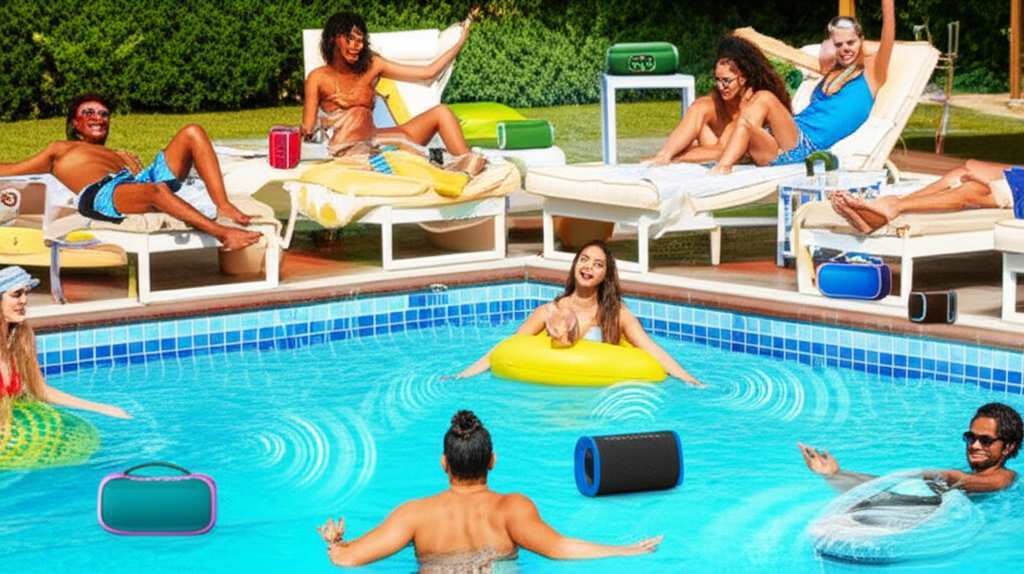
For pool parties, backyard gatherings, or just a relaxing afternoon by the water, consistent sound is key. You don’t want pockets of silence or areas where the music is muffled. Multiple speakers ensure everyone gets to enjoy the same vibrant audio experience, no matter where they are. It truly elevates the whole vibe, turning a good time into an unforgettable one.
The Tech Behind the Tunes: How Bluetooth Speaker Pairing Works
Before we jump into connecting, let’s quickly understand how Bluetooth works with speakers. Bluetooth is a wireless technology that lets devices talk to each other over short distances. Think of it like a secret handshake between your phone and your speaker.
Usually, your phone or tablet can only “shake hands” with one Bluetooth speaker at a time. This is the standard way most Bluetooth devices are set up. It’s simple and works great for most everyday uses. But for that amazing pool sound, we need to get a little more advanced!
Unlocking Multi-Speaker Magic: What You Need to Know
So, how do we get more than one speaker to play at once? There are a couple of cool ways this happens, and it often depends on the speakers themselves.
Speaker-Based Pairing (The Easiest Way!)
Many modern Bluetooth speakers are designed with this multi-speaker feature built-in. They call it different things, like “Stereo Pairing,” “Party Mode,” “Dual Speaker,” or “Connect+.” The exact name varies by brand. These speakers can talk to each other directly, bypassing some of the usual phone limitations.
Here’s the cool part: you usually need two of the exact same speaker model from the same brand. This is because they use a specific technology to link up. It’s like they’re programmed to find their identical twin!
How it typically works:
- Turn on both of your identical speakers.
- Put them in pairing mode.
- On one speaker, press and hold a specific button (check your manual!). This tells it to look for its partner.
- The speakers will find each other and connect.
- Then, you connect your phone to just one of the speakers.
- Boom! Music plays from both!
This is the most seamless way to get stereo sound or expanded coverage around your pool. You get a much richer, fuller sound experience.
App-Based Pairing (Smart and Flexible!)
Some brands offer apps that let you manage and connect multiple speakers. This is super handy if you have several speakers from the same manufacturer, even if they aren’t identical pairs.
These apps act as a central hub. You add your speakers to the app, and then you can group them together to play the same audio source. It’s like being the conductor of your own personal orchestra!
What to expect with an app:
- Download the brand’s specific app (e.g., JBL Connect, Sony Music Center, Bose Connect).
- Turn on all the speakers you want to use.
- Open the app and let it discover your speakers.
- Follow the app’s instructions to create a “group” or “party” with your selected speakers.
- Connect your phone to the main speaker or the group via Bluetooth.
- Enjoy synchronized music across all your connected speakers!
This method offers more flexibility if you have speakers from different lines within the same brand, or if you want to control volume and settings for each speaker individually through the app.
Source Device Pairing (Less Common, More Techy)
This is where your phone or tablet plays a direct role in connecting multiple speakers. Some newer smartphones and operating systems have features that allow them to connect to two Bluetooth audio devices simultaneously. This is sometimes called “Dual Audio” or “Audio Sharing.”
How it works:
- Turn on your first Bluetooth speaker and connect it to your phone.
- Turn on your second Bluetooth speaker.
- Go to your phone’s Bluetooth settings.
- Look for an option to connect to a second audio device.
- Select your second speaker.
If your phone supports this, music should now play through both speakers. However, there are a couple of things to watch out for. Sometimes, the audio might not be perfectly in sync, leading to a slight echo effect. Also, the volume control might be separate for each speaker, which can be a bit fiddly. This method works best if the speakers are close together or if perfect synchronization isn’t critical.
Bluetooth Transmitters (For Older Devices)
What if your speakers don’t have built-in pairing, and your phone can’t do dual audio? Don’t worry! You can get a Bluetooth transmitter. These little gadgets plug into an audio output (like your TV or stereo) and broadcast the sound wirelessly to multiple Bluetooth receivers (your speakers).
You’ll need a transmitter that supports connecting to two or more devices at once. Some transmitters can even connect to four or more speakers! This is a fantastic solution for older sound systems or devices that lack built-in Bluetooth.
Steps for using a transmitter:
- Plug the Bluetooth transmitter into your audio source (e.g., headphone jack on a stereo).
- Turn on your Bluetooth speakers and put them in pairing mode.
- Turn on the Bluetooth transmitter and put it in pairing mode.
- The transmitter will scan for and connect to your speakers.
- Once connected, the audio from your source will be sent to all paired speakers.
This setup is great for creating a whole-house audio system or ensuring your older gear can join the wireless party. You can find some great options on sites like Amazon, and they often have excellent reviews detailing their multi-speaker capabilities.
Choosing the Right Speakers for Your Poolside Oasis
Now that you know how to connect, let’s chat about picking the best speakers for that amazing pool sound. Not all speakers are created equal, especially when it comes to outdoor use and multi-speaker setups.
Key Features to Look For:
- Water Resistance (IP Rating): This is a big one for pool speakers! Look for an IPX rating. IPX7 means it can be submerged in water for a short time (perfect for accidental splashes or a quick dip!). IPX5 is good for protection against water jets.
- Durability: Outdoor use means your speakers might get knocked around. Look for rugged designs that can handle a bit of rough handling.
- Battery Life: You don’t want your music cutting out halfway through the party. Aim for speakers with at least 10-12 hours of battery life.
- Sound Quality: Do you prefer booming bass or clear highs? Read reviews to see how the speakers perform across different music genres.
- Multi-Speaker Technology: As we discussed, check if they have built-in stereo pairing, app support for grouping, or if they are designed to work with a specific brand’s multi-speaker system.
- Portability: Consider size and weight. Do you want something compact you can easily move, or are you setting up a more permanent sound station?
Let’s Compare: Popular Multi-Speaker Options
To give you a clearer picture, here’s a look at how some popular speaker types stack up for multi-speaker setups. Prices and features can change, so always check the latest specs!
| Speaker Type | How to Connect Multiple | Water Resistance (Typical) | Battery Life (Typical) | Pros | Cons |
|---|---|---|---|---|---|
| Brand-Specific Stereo Pairing (e.g., JBL Flip/Charge, Bose SoundLink) | Two identical speakers pair directly; some brands allow >2 via app. | IPX7 | 12-20 hours | Seamless, high-quality stereo sound; easy setup for pairs. | Requires buying two identical speakers; brand-locked. |
| Brand-Specific App Grouping (e.g., Sony SRS-XB series, Ultimate Ears) | Use the brand’s app to group multiple speakers (often >2). | IPX5 – IPX7 | 10-24 hours | Flexible grouping (can mix models sometimes); app control. | App required; may need multiple speakers from the same brand. |
| Phone’s Dual Audio Feature (e.g., Samsung Galaxy S series) | Connects two speakers directly from phone settings. | Varies by speaker | Varies by speaker | No extra hardware needed if phone supports it. | Audio sync issues possible; limited to 2 speakers; not all phones support it. |
| Universal Bluetooth Transmitter/Receiver | Transmitter connects to source, broadcasts to multiple receivers (speakers). | Varies by speaker | Varies by speaker | Works with almost any audio source and speakers; can connect many devices. | Extra device needed; setup can be slightly more complex; potential audio lag. |
This table gives you a quick overview! For example, if you’re looking for that immersive stereo sound, getting two identical speakers from brands like JBL or Bose that offer direct stereo pairing is often the smoothest experience. They’re designed to work together perfectly, giving you a wide soundstage. On the other hand, if you already have a few different speakers from Sony, their app-based grouping system might be your best bet for making them all sing in harmony. Remember to always check the specific model’s features!
Step-by-Step: Connecting Your Speakers (The Practical Guide)
Alright, let’s get hands-on! Here’s a general guide. Remember, the exact steps might differ slightly based on your speaker brand and model, so always keep your user manual handy.
Scenario 1: Using Two Identical Speakers with Stereo Pairing
This is for speakers like the JBL Flip 5, Charge 5, or Bose SoundLink speakers that have a direct pairing feature.
- Charge Up: Make sure both of your speakers are fully charged or have plenty of battery life.
- Power On: Turn on both speakers.
- Activate Pairing Mode: On one of the speakers, press and hold the designated “Connect” or “Stereo Pair” button. This is often indicated by a Bluetooth symbol or a specific icon. Your speaker might make a sound or flash a light to show it’s searching.
- Wait for Connection: The speaker will search for its identical partner. Once found, they will automatically connect to each other. You’ll usually hear a confirmation sound or see a steady light on both speakers.
- Connect to Your Device: Now, go to your phone or tablet’s Bluetooth settings. Find the name of one of your speakers (they’ll likely have the same name, but you just pick one) and tap to connect.
- Enjoy the Sound: Music should now play from both speakers simultaneously, creating a wider, more immersive sound. Adjust the volume on your phone as needed.
Scenario 2: Using an App to Group Multiple Speakers
This applies to brands like Sony, Ultimate Ears (UE), or others that use a dedicated app.
- Download the App: If you haven’t already, download the manufacturer’s app for your speakers (e.g., Sony | Music Center, UE BOOM app).
- Turn On Speakers: Power on all the speakers you wish to connect. Ensure they are in Bluetooth pairing mode or already paired to your phone individually.
- Open the App: Launch the app on your smartphone or tablet.
- Discover Speakers: The app should automatically scan for nearby speakers. If not, look for an option like “Add Speaker” or “Connect New Device.”
- Create a Group: Once your speakers are detected, select the ones you want to include in your audio group. Follow the app’s prompts to “Link Speakers,” “Create Party,” or “Stereo Pair” (even if it’s more than two speakers).
- Connect Your Device: The app will usually guide you to connect your phone to the main speaker or the newly formed group via Bluetooth.
- Play Your Music: Start playing music from your preferred app. It should now stream to all the speakers in your connected group.
Scenario 3: Using Your Phone’s Dual Audio Feature
This is for phones that support connecting to two Bluetooth audio devices at once (common on Samsung, some other Androids, and newer iPhones).
- Connect First Speaker: Turn on your first Bluetooth speaker and pair it with your phone as you normally would. Start playing music to confirm it’s working.
- Connect Second Speaker: Turn on your second Bluetooth speaker.
- Access Advanced Bluetooth Settings: Go to your phone’s Bluetooth settings. You might need to tap on “Advanced,” “More Settings,” or look for a specific feature name like “Dual Audio” (Samsung) or “Audio Sharing” (iPhone).
- Enable and Connect: Find the option to connect a second audio device. Your phone will scan for the second speaker. Select it to connect.
- Check Sync and Volume: Your music should now play from both speakers. You might notice that the audio isn’t perfectly synchronized, or you may need to control the volume for each speaker separately.
Tips for Amazing Pool Sound Setup
Getting the speakers connected is just the first step. Here are some pro tips to make your poolside audio truly amazing:
- Placement is Key: Don’t just plop all your speakers in one spot. Spread them out around the pool area to create an even sound distribution. Place them at different heights and angles to avoid dead zones.
- Consider the Environment: Water can affect sound. Try to keep speakers away from direct splashes and extreme heat. Placing them on a table or shelf is usually better than on the ground.
- Test Before the Party: Always do a test run before your guests arrive. Check battery levels, connection stability, and sound quality.
- Mind the Distance: Bluetooth has a range. While modern Bluetooth is pretty good, don’t place your source device (phone) too far from the speakers, especially if using the phone’s dual audio feature.
- Use a Durable Case: If your speakers aren’t inherently rugged, consider a protective case, especially for poolside use.
- Keep it Clean: After use, wipe down your speakers to remove any water droplets or pool chemicals. This helps them last longer.
A fun fact: The range of Bluetooth 5.0 (a common standard now) is up to 800 feet (240 meters) in open space, but this is for direct device-to-device communication. When multiple devices or interference are involved, like around a pool with people and water, the effective range is usually much less, often around 30-50 feet (10-15 meters) for reliable audio.
For more in-depth reviews and buying guides on the latest Bluetooth speakers, sites like CNET are fantastic resources. They often test speakers in real-world conditions, giving you valuable insights.
Frequently Asked Questions (FAQ)
Q1: Can I connect any Bluetooth speakers together?
A: Generally, no. You usually need speakers that are designed to work together. This often means they are from the same brand and sometimes even the same model, using proprietary pairing technology or a brand app. Some phones can connect to two different speakers, but this isn’t a universal feature.
Q2: My phone says it’s connected to two speakers, but I only hear sound from one. What’s wrong?
A: This can happen! First, check your phone’s advanced Bluetooth settings to ensure the dual audio feature is enabled and both speakers are actively connected. Sometimes, you might need to manually assign audio output to both. Also, try disconnecting and reconnecting both speakers. If problems persist, your phone might not fully support simultaneous audio for those specific speakers.
Q3: How do I know if my Bluetooth speaker supports multi-speaker pairing?
A: Check the speaker’s product description, the user manual, or the manufacturer’s website. Look for terms like “Stereo Pairing,” “Party Mode,” “Connect+,” “SoundShare,” “UE Boom app,” “JBL Connect App,” or similar phrases. If it’s not mentioned, it likely only supports connecting to one device at a time.
Q4: Will connecting multiple speakers drain my phone’s battery faster?
A: Yes, slightly. Your phone’s Bluetooth radio is working harder to maintain connections with multiple devices. However, the impact is usually not drastic, especially with newer Bluetooth versions. The speakers themselves will also consume battery power as usual.
Q5: What’s the difference between Stereo Pairing and Party Mode?
A: Stereo Pairing usually means two speakers are linked to create a left and right channel, giving you true stereo sound. Party Mode (or similar terms) often means multiple speakers are linked to play the same audio source, effectively extending the sound coverage area. Some systems offer both options.
Q6: Can I connect Bluetooth speakers to my TV?
A: Yes, if your TV has Bluetooth output. Many smart TVs do. If not, you can use a Bluetooth transmitter plugged into your TV’s headphone jack or optical audio out. You can then pair your TV’s Bluetooth signal with one or multiple speakers, depending on the TV’s capability or your transmitter’s features.
Q7: How do I prevent audio lag or delay between speakers?
A: True stereo pairing or app-based grouping from the same brand is usually the best way to ensure perfect synchronization. When using your phone’s dual audio or a universal transmitter, there’s a higher chance of slight delay, especially if the speakers are far apart or using different Bluetooth versions. For critical listening or movies, stick to single-speaker or stereo-paired setups if lag is an issue.
Conclusion: Your Poolside Soundtrack Awaits!
There you have it! Connecting multiple Bluetooth speakers for that amazing pool sound is totally within your reach. Whether you’re using two identical speakers that magically link up, a handy brand app, or even a clever Bluetooth transmitter, you can transform your backyard into an immersive audio paradise.
Don’t let confusing tech jargon hold you back. With these simple steps and tips, you’re ready to create the perfect atmosphere for your next gathering, relaxation session, or just a fun day by the water. It’s all about making technology work for you, so you can enjoy more of what you love – like great music filling the air.
So, go ahead, experiment, and find the setup that works best for you. Now go enjoy amazing sound and make every moment louder and better!


