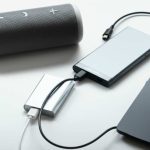
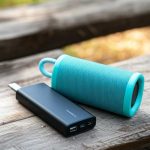
Yes, you absolutely can use a power bank to charge most sound boxes! Power banks offer a convenient way to keep your audio devices powered up when you’re away from a wall outlet. Just ensure your power bank has sufficient capacity and the correct output to safely charge your sound box.
# Can I Use Power Bank to Charge Sound Box
Imagine you’re out and about, enjoying your favorite tunes from your portable sound box, maybe at a picnic, a beach day, or even just in your backyard. The music is great, the vibe is perfect, but then… the battery starts to die. The dreaded low battery warning flashes, and the music fades. What do you do? If you’re like many people, you might reach for a power bank, that handy portable charger you use for your phone. But the question naturally arises: **can I use a power bank to charge my sound box?** The short answer is: usually, yes!
This might seem like a simple question, but there are a few important things to consider to make sure you’re doing it right and safely. Modern portable sound boxes, especially those that are Bluetooth-enabled, are designed with portability in mind, which often means they can be charged using readily available power sources. Power banks have become an indispensable tool for keeping our gadgets alive when we’re on the go, and their versatility often extends beyond just smartphones.
### Understanding How Sound Boxes Get Their Power
Before we dive into the specifics of power banks, let’s quickly touch on how sound boxes typically get their power. Most portable sound boxes are battery-operated. This internal battery is what allows them to be truly portable – no need to be tethered to a wall socket. When that battery runs low, it needs to be recharged. This usually happens via a charging cable plugged into a wall adapter or, increasingly, directly into a USB port on a computer or other device.
The key here is the *charging input* on the sound box. This is usually a specific port designed to accept a certain type of connection and power delivery. For many modern sound boxes, this input is a USB port – either the older Micro-USB standard or the newer, more robust USB-C. Some older or larger models might use a dedicated barrel connector or even a proprietary charging port. The type of port dictates the type of cable you’ll need, and by extension, the type of power source you can use.
### Power Banks: Your Portable Power Solution
Power banks are essentially portable batteries designed to store electrical energy and then discharge it to charge other electronic devices. They come in various capacities, measured in milliampere-hours (mAh), and offer different output ports, most commonly USB-A and USB-C. The beauty of a power bank lies in its ability to provide power wherever you are, making it a perfect companion for portable electronics like sound boxes.
The fundamental principle is that if a power bank can supply the correct type of power that your sound box needs, then you can use it. Think of it like using an extension cord – if the plug fits and the power is compatible, you can extend your reach. In the case of sound boxes, this connection is usually made through a charging cable.
### How to Connect Your Power Bank to Your Sound Box
The process of connecting a power bank to your sound box is generally straightforward, but it relies on having the right components.
#### 1. Identify the Charging Port on Your Sound Box
First things first, take a look at your sound box. Find the port where you normally plug in the charger. Is it a Micro-USB port? A USB-C port? Or something else? Most portable speakers these days use either Micro-USB or USB-C. This is usually located on the back or side of the device.
#### 2. Choose the Right Cable
Once you know the port type, you’ll need the corresponding cable.
* If your sound box has a Micro-USB port, you’ll need a Micro-USB to USB-A cable (the standard rectangular USB connector that goes into most power banks).
* If it has a USB-C port, you’ll need a USB-C to USB-A or a USB-C to USB-C cable, depending on the output port of your power bank. USB-C is becoming more common, and it offers faster charging speeds in many cases.
* If your sound box has a barrel connector, you might need a specific cable that converts a USB output to that barrel plug. These are less common for portable speakers but can be found.
It’s always best to use the original charging cable that came with your sound box. If you’ve lost it, opt for a reputable brand and ensure it’s rated for data transfer and charging, as some cheaper cables are only for data.
#### 3. Connect to the Power Bank
Plug the USB-A or USB-C end of the cable into the output port of your power bank. Then, plug the other end (Micro-USB, USB-C, or barrel connector) into your sound box.
#### 4. Start Charging
Once connected, your sound box should start charging. You’ll usually see an indicator light on the sound box that shows it’s receiving power. The same applies to the power bank; some power banks have indicator lights that show they are outputting power.
### What to Consider for Safe and Effective Charging
While connecting is easy, there are a few factors to keep in mind to ensure you’re charging your sound box effectively and safely.
Power Bank Capacity (mAh)
This is perhaps the most crucial factor. The mAh rating tells you how much energy the power bank can store. A typical portable Bluetooth speaker might have a battery capacity ranging from 2,000 mAh to 10,000 mAh, or even more for larger, more powerful units.
* **A 10,000 mAh power bank** can generally charge most smaller to medium-sized sound boxes multiple times.
* **A 20,000 mAh power bank** offers even more juice, allowing for many full charges.
* If your sound box has a larger battery, you’ll need a power bank with a higher mAh rating to get a full charge or multiple charges. You can often find articles detailing how many times a specific power bank capacity can charge a particular device, like checking how many times a 10000mAh power bank can charge an Android phone, which gives you a good idea of its overall potential.
Voltage and Amperage Output
Most modern power banks designed for mobile devices output at 5V (volts). This is the standard for USB charging. Your sound box will likely expect this 5V input. The amperage (A) rating indicates the current the power bank can supply. Most sound boxes won’t draw a huge amount of amperage. A power bank with a 1A or 2A output is usually sufficient. In fact, using a power bank as a power source is quite common for many devices, and the 5V standard is very widespread.
Charging Speed
The amperage of the power bank and the charging port on your sound box can affect charging speed. If your sound box supports fast charging and your power bank has a high amperage output (e.g., 2.4A or higher), you might get a faster charge. However, the sound box itself must also be designed to accept that faster charge. For most sound boxes, standard USB charging speeds are perfectly adequate.
Overcharging and Battery Health
Modern electronics, including most sound boxes and power banks, have built-in protection against overcharging. This means that once the sound box’s battery reaches 100%, it will stop drawing power from the power bank. You don’t usually need to worry about leaving it connected overnight. However, it’s always a good practice to unplug devices when they are fully charged, especially if you’re unsure about their protection mechanisms. For general advice on this, you can check if it’s okay to use a power bank every day.
Cable Quality
Never underestimate the importance of a good charging cable. A flimsy or low-quality cable can not only charge slowly but can also be a safety hazard. Always use the cable that came with your sound box or a certified replacement from a reputable brand.
### Can All Sound Boxes Be Charged by a Power Bank?
For the vast majority of portable sound boxes, especially those with USB charging ports, the answer is a resounding yes. This includes most Bluetooth speakers. For instance, if you’re wondering can I charge a Bluetooth speaker using a portable power bank, the answer is overwhelmingly positive.
However, there are always exceptions.
* **Very old or specialized audio equipment:** Some older sound systems might have proprietary charging ports that aren’t compatible with standard USB power banks.
* **Non-portable, mains-powered units:** Obviously, if your sound box is designed to be plugged directly into a wall outlet and doesn’t have a built-in rechargeable battery, a power bank won’t be able to power it.
* **Devices with extremely high power demands:** While rare for typical portable sound boxes, some very large or professional audio equipment might require a power source with higher voltage or amperage than a standard power bank can provide.
In general, if your sound box charges via a USB cable, it’s very likely compatible with a power bank.
### Benefits of Using a Power Bank for Your Sound Box
There are several great reasons to use a power bank to keep your sound box alive:
* **Ultimate Portability:** It liberates your sound box from the need for a wall outlet. Take your music anywhere – hiking, camping, long road trips, or just to a friend’s house.
* **Extended Playtime:** Never let a dead battery cut your party short. A power bank acts as a portable extension of your sound box’s battery life.
* **Convenience:** Power banks are compact and easy to carry. They can often charge multiple devices simultaneously (if they have multiple ports), making them a versatile travel companion. You can even charge your phone and sound box from the same power bank.
* **Emergency Power:** In situations where power outages occur, a charged power bank can be a lifesaver for keeping your entertainment going.
### Practical Tips for Power Bank Charging
Here are some practical tips to make the most of using a power bank with your sound box:
* **Keep your power bank charged:** Don’t let your power bank sit dead for extended periods. Charge it up whenever you have access to a power outlet, perhaps even while you’re charging your phone. You can even explore if you can charge a power bank and phone at the same time if your power bank supports that feature.
* **Carry the right cables:** Always have the necessary charging cables for both your power bank and your sound box with you when you travel.
* **Monitor your power bank’s health:** Like all batteries, power banks degrade over time. If you notice it’s not holding a charge as well as it used to, it might be time for a replacement. You can find resources on how to charge a power bank portable charger effectively to prolong its lifespan.
* **Understand charging times:** Charging a sound box from a power bank might take a bit longer than charging from a dedicated wall adapter, depending on the amperage.
* **Consider the environment:** Extreme temperatures can affect battery performance. Avoid leaving your sound box and power bank in direct sunlight or freezing conditions for prolonged periods.
### Conclusion
So, to circle back to our initial question: **Can I use a power bank to charge my sound box?** Absolutely! It’s a convenient, practical, and increasingly common way to keep your audio experience going wherever life takes you. Just ensure you have the right cable, a power bank with sufficient capacity, and that your sound box is designed for USB charging. With these simple checks, you can enjoy your music without the worry of a dying battery, thanks to the versatility of modern power banks. Happy listening!
Key Takeaways
- Compatibility is Key: Most modern sound boxes, especially portable Bluetooth speakers, can be charged by a power bank as long as the power bank provides the correct voltage and amperage.
- Check Your Ports: Look at the charging port on your sound box (usually USB-C, Micro-USB, or sometimes a barrel connector) and ensure your power bank has a compatible output port and cable.
- Power Bank Capacity Matters: The mAh (milliampere-hour) rating of your power bank determines how many times you can charge your sound box. Higher mAh means more charges.
- Voltage and Amperage (Output): While less common for basic charging, ensure your power bank’s output voltage (typically 5V for USB) matches your sound box’s requirements. Amperage should ideally be equal to or greater than what the sound box draws.
- Charging Cables are Crucial: Always use the original charging cable that came with your sound box, or a high-quality replacement, to ensure safe and efficient charging from the power bank.
- Safety First: Avoid using damaged cables or power banks. Always unplug when fully charged if your sound box doesn’t have overcharge protection.
Frequently Asked Questions
Can I use a power bank to charge any sound box?
You can use a power bank to charge most portable sound boxes, especially those that use USB for charging. However, very old or non-portable sound systems that require mains power might not be compatible.
What kind of cable do I need to charge a sound box with a power bank?
You’ll need a cable that matches the charging port on your sound box (usually Micro-USB or USB-C) and the output port on your power bank (typically USB-A or USB-C).
How do I know if my power bank has enough power to charge my sound box?
Check the mAh (milliampere-hour) rating of your power bank. A higher mAh means it can store more energy and charge your sound box more times. A 10,000 mAh power bank is generally sufficient for multiple charges of most portable sound boxes.
Will charging my sound box with a power bank damage it?
As long as you use the correct cable and a standard 5V power bank, it is unlikely to damage your sound box. Most modern devices have overcharge protection.
Can I use a power bank to charge my sound box while it’s playing music?
Yes, in most cases, you can charge your sound box with a power bank while it’s in use. The charging speed might be slower if the sound box is actively playing music and drawing power.
What if my sound box has a barrel connector for charging?
If your sound box uses a barrel connector, you will need a special adapter cable that converts a USB output from your power bank to the specific barrel plug required by your sound box.