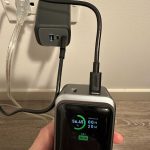
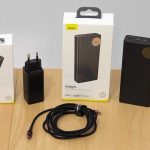
To charge your power bank portable charger quickly and efficiently, simply connect it to a power source using a compatible charging cable and allow it to recharge fully before your next use. For the fastest results, use a wall socket rather than a computer or car charger, and avoid overcharging by unplugging it once fully charged.
Charging your power bank is straightforward—just plug it into a power outlet with the right cable, and let it rest until the indicator shows it’s full. Ensuring proper charging habits not only prolongs your device’s lifespan but also guarantees your gadgets stay powered when needed most. Whether you’re new to portable chargers or just want some tips to optimize their use, understanding how to properly charge your power bank can make all the difference. In this guide, we’ll walk you through the best practices so your portable charger is always ready for action.

How to Charge Power Bank Portable Charger
Knowing how to properly charge your power bank portable charger is essential to keep your devices powered up when you’re on the go. Proper charging not only extends the life of your power bank but also ensures safety and efficiency. In this section, we’ll explore the best methods and tips for charging your portable charger effectively.
Understanding Your Power Bank’s Charging Indicators
Most modern power banks come with LED indicators or digital displays. These show the current charge level and help you decide when to recharge.
When the LED lights flicker or the digital display shows low battery, it’s time to plug in your power bank. Always keep an eye on these indicators to prevent over-discharging.
Choosing the Right Charging Cable and Adapter
Use the cable that came with your power bank or a compatible, high-quality cable. Cheap or damaged cables can slow down charging or cause damage.
For charging your power bank, opt for an adapter with a power output matching the manufacturer’s recommendations. Usually, a 5V/2A charger works well for most models.
Charging Your Power Bank: Step-by-Step Process
- Connect your power bank to a power source using the appropriate cable and adapter.
- Make sure the connection is secure for optimal charging.
- Observe the LED indicators or screen to monitor charging progress.
- Charge until the indicators show full capacity—typically all lights on or the display reads 100%.
- Unplug the power bank once fully charged to prevent overcharging.
Optimal Charging Times and Practices
Avoid charging your power bank for too long once it reaches full capacity. Overcharging can reduce the lifespan of the battery.
It’s best to charge your power bank overnight or during periods when you don’t need immediate use. Regular, partial charges are better than letting it fully discharge frequently.
How Fast Can You Charge a Power Bank?
Charging times vary depending on the capacity of your power bank and the output of your charger. For example, a 10,000mAh power bank usually takes 3 to 4 hours with a 2A charger.
Some newer models support fast charging, reducing the time needed. Always refer to the manufacturer’s specifications for accurate information.
Using Fast Charging Features Safely
If your power bank supports fast charging, ensure you use a compatible fast-charging adapter. Not all cables are designed for high power transfer, so check for cables marked as compatible with fast charging.
Fast charging can generate more heat, so avoid charging in hot environments. Overheating can damage the battery and reduce lifespan.
Charging in Different Scenarios
Charging from a Wall Outlet
This is the most common method. Simply plug the cable into a wall socket and connect it to your power bank.
Charging via USB Port on a Computer or Laptop
Most power banks can be charged from a USB port. However, this might take longer, especially if the USB port provides low power output.
Using Solar Chargers
Some power banks are compatible with solar chargers, making them suitable for outdoor use. Keep in mind that solar charging is slower and depends on sunlight hours.
Safe Charging Tips for Power Banks
- Always use quality cables and adapters to prevent damage and ensure safety.
- Avoid charging the power bank in extremely hot or cold environments.
- Do not leave your power bank plugged in for extended periods after it’s fully charged.
- Keep your power bank in a dry place and away from water.
Maintaining Your Power Bank’s Battery Health
To extend the life of your portable charger, avoid letting it drain completely before recharging.
It’s advisable to perform partial charges regularly. Keep the battery between 20% and 80% for ideal longevity.
Troubleshooting Common Charging Issues
| Issue | Possible Cause | Solution |
|---|---|---|
| Power bank not charging | Damaged cable or faulty port | Try a different cable or port, or check for debris inside the port |
| Slow charging | Using a low-output charger | Switch to a higher-output charger compatible with your power bank’s specifications |
| Power bank not holding charge | Battery degradation | Replace the power bank if it no longer retains power efficiently |
Related Topics for Better Charging Practices
- How to extend the lifespan of your power bank battery
- Best portable chargers for travel
- Differences between fast-charging and standard chargers
- How to care for lithium-ion batteries
By following these detailed steps and tips, you’ll ensure your power bank remains in good condition and charges efficiently. Proper charging not only protects your investment but also guarantees you have power whenever and wherever you need it.
how to charge power bank
Frequently Asked Questions
What type of cable should I use to charge my power bank?
Use the cable provided with your power bank or a compatible USB cable, such as a USB-A to USB-C or Micro USB, depending on your device’s charging port. Ensure the cable is in good condition and supports fast charging if your power bank offers that feature.
How should I position the power bank during charging?
Place the power bank on a flat, stable surface in a cool, dry environment. Keep the charging port clean and free from dust or debris to ensure proper contact. Avoid exposing the device to direct sunlight or heat sources during charging.
Is it better to charge my power bank fully or partially?
It’s best to charge your power bank fully when the battery is low and maintain regular charges. Avoid letting the battery drain completely before recharging. Partial charges are acceptable, but keeping the battery between 20% and 80% can help prolong its lifespan.
How long does it take to fully charge a power bank?
The charging time varies depending on the capacity of the power bank and the output power of the charger. Generally, it takes between 4 to 8 hours to fully charge a typical power bank using a standard charger. Using a higher-output charger can reduce this time.
Can I leave my power bank plugged in after it is fully charged?
Yes, most modern power banks have built-in protection circuits that prevent overcharging. However, it’s advisable to unplug the power bank once it reaches full capacity to conserve energy and maintain the battery’s health over time.
Final Thoughts
To charge a power bank portable charger, connect it to a power source using the appropriate cable. Ensure the charger is turned off during the process to prevent unnecessary power drain. Use a compatible wall adapter or USB port for efficient charging.
Knowing how to charge power bank portable charger properly extends its lifespan and ensures quick, reliable power when needed. Follow the manufacturer’s instructions for optimal results and avoid overcharging to protect your device.