Yes, many modern home theater sound boxes can play Dolby Digital audio. This is a standard feature for immersive surround sound. Ensure your sound system, player (like a Blu-ray player or streaming device), and content all support Dolby Digital for the best experience.
So, you’ve got this awesome home theater setup, complete with a sound box – maybe it’s a soundbar, a receiver, or even a more compact system. You’re settling in for a movie night, ready to be blown away by epic explosions and subtle whispers. But then the question pops into your head: “Can my home theater sound box actually play Dolby Digital?” It’s a great question, and the answer is usually a resounding “yes,” but with a few important details to understand.
Dolby Digital isn’t just some fancy buzzword; it’s the technology that brought true surround sound into our living rooms. Before Dolby Digital, home theater audio was often limited to stereo or a simulated surround effect. Dolby Digital changed all that by offering discrete channels of sound, creating an immersive experience that pulls you right into the action. Think of it as the difference between watching a movie and *feeling* it.
Understanding if your home theater sound box is up to the task is crucial for unlocking the full potential of your entertainment. Let’s dive in and figure out what makes a sound box Dolby Digital-ready and what you need to know to get that cinematic sound at home.
Key Takeaways
- Dolby Digital is a common audio format: Most contemporary home theater sound boxes are designed to decode and play Dolby Digital soundtracks.
- Compatibility is key: For Dolby Digital to work, your audio source (Blu-ray player, streaming device, game console), the sound box itself, and the content you’re watching must all support it.
- Connection matters: Using HDMI or optical (Toslink) cables generally ensures a digital signal that can carry Dolby Digital audio effectively.
- Decoding is essential: Your sound box needs a built-in Dolby Digital decoder to process the audio signal and send it to the appropriate speakers.
- Look for logos: Identifying Dolby Digital compatibility is often as simple as looking for the Dolby Digital logo on your sound box and player.
- Setup is usually straightforward: Once connected, most systems automatically detect and play Dolby Digital when available, but settings might need minor adjustments.
📑 Table of Contents
What Exactly is Dolby Digital?
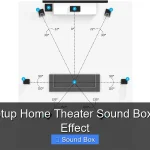
Before we talk about your sound box playing it, let’s get a handle on what Dolby Digital actually is. At its core, Dolby Digital is a family of digital audio compression standards developed by Dolby Laboratories. The most common version, Dolby Digital (often referred to as AC-3), is a surround sound format that typically encodes up to 5.1 discrete audio channels. These channels are:
* **Front Left:** For audio coming from the left side of the screen.
* **Front Right:** For audio coming from the right side of the screen.
* **Center:** Primarily for dialogue, ensuring voices are clear and come from the center of the screen.
* **Surround Left:** For ambient sounds and effects from the left rear.
* **Surround Right:** For ambient sounds and effects from the right rear.
* **Low-Frequency Effects (LFE) .1 channel:** This is the “point one” in 5.1, dedicated to deep bass sounds like explosions and rumble, usually delivered by a subwoofer.
What makes Dolby Digital special is its efficiency. It uses advanced compression techniques to deliver high-quality surround sound without requiring massive amounts of bandwidth or storage space. This was revolutionary when it first came out and continues to be a cornerstone of home theater audio. Newer variations like Dolby Digital Plus and Dolby TrueHD offer even higher quality and more channels, but the fundamental concept of discrete surround sound remains.
Is My Home Theater Sound Box Dolby Digital Compatible?
For the vast majority of modern home theater sound boxes, the answer is a big “yes!” Dolby Digital has been the standard for surround sound for decades, so most soundbars, AV receivers, and even some more advanced all-in-one sound systems manufactured in the last 15-20 years will include Dolby Digital decoding capabilities.
How to Check for Dolby Digital Compatibility
So, how do you know for sure if your specific sound box can handle Dolby Digital?
* **Check the Manual:** This is the most reliable source. Look for specifications related to audio formats supported. You’ll want to see “Dolby Digital” or “AC-3” listed.
* **Look for the Logo:** Many sound boxes will have a sticker or imprint of the Dolby Digital logo on the front, top, or back of the unit.
* **Consult the Manufacturer’s Website:** If you still have the box or can find the model number, a quick search on the manufacturer’s website should bring up the full specifications.
* **Product Reviews and Listings:** If you bought it recently, product listings online or reviews often highlight supported audio formats.
If you have an older, very basic sound system, it’s *possible* it might not support Dolby Digital. However, for anything marketed as a “home theater sound box” or “surround sound system,” it’s highly probable. This includes many popular soundbars, which are essentially integrated speaker systems designed to improve TV audio. In fact, when considering what features to look for in amazing home cinema sound, Dolby Digital support is usually a baseline expectation.
The Role of Your Audio Source

Visual guide about Can Home Theater Sound Box Play Dolby Digital
Image source: oldtimemusic.com
It’s not enough for just your sound box to be Dolby Digital compatible. Your audio source – the device playing the movie or show – also needs to output a Dolby Digital signal. This is where things can sometimes get a little tricky, but usually, it’s straightforward.
Common Audio Sources and Dolby Digital
* **Blu-ray Players and UHD Blu-ray Players:** These are almost universally Dolby Digital compatible and often support more advanced Dolby formats like Dolby TrueHD.
* **Streaming Devices (Roku, Apple TV, Fire TV, etc.):** Most modern streaming devices can output Dolby Digital. Some may even support Dolby Digital Plus or Dolby Atmos (which is an enhancement *on top of* Dolby Digital or Dolby TrueHD). Ensure your streaming service subscription also supports the audio format for the content you’re watching.
* **Game Consoles (PlayStation, Xbox):** Newer consoles are excellent at outputting surround sound formats, including Dolby Digital.
* **Cable/Satellite Set-Top Boxes:** Many of these boxes can output Dolby Digital, especially for premium channels or broadcasts.
* **Smart TVs:** Many smart TVs have built-in app support for streaming services that offer Dolby Digital audio. The TV’s own audio output (e.g., HDMI ARC or Optical) needs to be able to pass this signal through to your sound box.
If your source device is set to output audio in a format that your sound box can’t understand, you might end up with no sound or just basic stereo. It’s important to check the audio output settings on your source device and ensure it’s configured to output the best possible format your system supports, often labeled as “Bitstream” or “Dolby Digital.”
Connecting Your Sound Box for Dolby Digital

Visual guide about Can Home Theater Sound Box Play Dolby Digital
Image source: hillstone-software.com
The way you connect your sound box to your audio source plays a vital role in whether Dolby Digital can be transmitted properly. For the best results, you want a connection that handles digital audio signals cleanly.
Recommended Connection Methods
* **HDMI:** This is the gold standard for home theater connectivity. HDMI cables transmit both high-definition video and high-quality digital audio, including Dolby Digital, Dolby Digital Plus, Dolby TrueHD, and even the most advanced formats like Dolby Atmos. If both your source device and your sound box have HDMI ports, this is almost always your best bet. Look for ports labeled “HDMI ARC” (Audio Return Channel) or “eARC” for the most seamless connection, especially when connecting directly from your TV to your soundbar.
* **Optical (Toslink) Cable:** This is another excellent digital connection method. Optical cables use light to transmit audio data and are capable of carrying Dolby Digital signals. They are a great option if your devices don’t have enough HDMI ports or if you’re using an older TV.
* **Coaxial Digital Cable:** Similar to optical, coaxial digital cables transmit digital audio signals. They use electrical signals rather than light.
Connections to Avoid for Dolby Digital
* **Analog RCA Cables (Red and White):** These cables transmit analog audio signals. While they will produce sound, they cannot carry discrete multi-channel surround sound formats like Dolby Digital. You’ll typically only get stereo audio from these connections.
* **Headphone Jacks:** These are for stereo audio output and are not suitable for surround sound.
The type of cable you use can also make a difference. While for standard HDMI and optical cables, the quality differences are often minimal for Dolby Digital, using cheap or damaged cables can lead to signal dropouts or errors. For home cinema systems, it’s often worth investing in decent quality cables. For instance, you might wonder can cheap speaker cables affect home cinema sound quality, and the answer is yes, especially if they degrade the signal integrity required for advanced audio formats. Similarly, how to choose speaker cable for your home cinema system is important to ensure a clean signal path.
Setting Up Your Sound Box for Dolby Digital
Once everything is connected, setting up your sound box to play Dolby Digital is usually quite simple. Most modern systems are designed to be plug-and-play for common formats.
Automatic Detection
In most cases, your sound box will automatically detect an incoming Dolby Digital signal and switch to the appropriate decoding mode. You don’t need to manually select “Dolby Digital” every time you play a movie.
Checking Audio Settings
However, it’s always a good idea to familiarize yourself with your sound box’s settings menu (if it has one) or the accompanying app. You might find options like:
* **Audio Input:** Ensure the correct input is selected (e.g., HDMI 1, Optical).
* **Surround Sound Mode:** Some systems allow you to force specific modes, but it’s usually best to leave this on “Auto” or “Direct” to let the system handle detection.
* **Speaker Configuration:** If your sound box has separate speakers (like a soundbar with wireless rears), ensure they are all paired and configured correctly. If you have a more complex system with an AV receiver, you’ll definitely want to run the auto-setup or calibration routine.
Troubleshooting Common Issues
If you’re not getting surround sound, here are a few things to check:
1. **Confirm Source Output:** Double-check that your Blu-ray player, streaming device, or TV is set to output Dolby Digital or Bitstream audio.
2. **Verify Connection:** Ensure your HDMI or optical cable is securely plugged into both the source and the sound box. Try a different cable if you suspect it might be faulty.
3. **Content Matters:** Not all content has a Dolby Digital soundtrack. Check the audio options for the movie or show you are watching. Streaming services sometimes offer different audio tracks.
4. **Sound Box Settings:** Review your sound box’s audio settings for any options that might be preventing surround sound.
Sometimes, even with the right equipment, you might wonder if you can get advanced features like Dolby Atmos without a massive investment. Fortunately, you can get Dolby Atmos surround speakers under $500, offering a taste of premium immersive audio.
Beyond Dolby Digital: What’s Next?
While Dolby Digital is a fantastic standard for immersive sound, the world of home theater audio has continued to evolve. Many modern sound boxes also support:
* **Dolby Digital Plus:** An enhanced version of Dolby Digital that offers higher bitrates and more advanced compression, often used for streaming services.
* **Dolby TrueHD:** A lossless audio format that preserves the original studio master audio, offering the highest fidelity. This is commonly found on Blu-ray discs.
* **DTS (Digital Theater Systems):** A competitor to Dolby, DTS also offers various surround sound formats, including DTS Digital Surround, DTS-HD High Resolution Audio, and DTS-HD Master Audio. Most good sound boxes will support both Dolby and DTS formats.
* **Dolby Atmos:** This is a more advanced object-based audio format. Instead of just discrete channels, sound is placed precisely in three-dimensional space, including overhead. This requires speakers that can fire upwards or dedicated ceiling speakers, along with a compatible sound box or AV receiver. While Dolby Atmos builds upon Dolby Digital, it’s a significant step up in immersion.
As you look at upgrading your setup, you might consider the best home theater center channel speaker, as this is crucial for dialogue clarity. A good center channel speaker is fundamental to a great home cinema experience, whether you’re listening in stereo or full surround.
Conclusion: Enjoying Immersive Sound
So, to wrap it all up, can your home theater sound box play Dolby Digital? In most cases, absolutely! Dolby Digital is a well-established standard that has brought the magic of surround sound to millions of homes. By ensuring your audio source, your sound box, and your connections are all compatible, you’re well on your way to experiencing movies, shows, and games with a new level of immersion.
Don’t be afraid to explore your system’s settings and capabilities. With a little understanding, you can transform your living room into a true cinematic haven. The goal is to hear every detail, from the faintest whisper to the loudest roar, just as the filmmakers intended. So go ahead, cue up your favorite action flick, and let the Dolby Digital magic unfold around you!
Frequently Asked Questions
Can I connect my TV to a Bluetooth speaker and still get Dolby Digital?
Generally, no. Most Bluetooth connections are designed for stereo audio and are not capable of transmitting the discrete multi-channel data required for Dolby Digital. You will typically get stereo sound if you connect a TV to a standard Bluetooth speaker. Some newer TVs and specialized Bluetooth systems might offer limited surround sound capabilities, but it’s not the same as true Dolby Digital.
Do I need a special app to play Dolby Digital?
No, you don’t usually need a special app. The Dolby Digital decoding is handled by your home theater sound box (like a soundbar or AV receiver) or sometimes by your audio source device (like a Blu-ray player or streaming box). The content you’re watching from a streaming service or disc will contain the Dolby Digital audio information, and your equipment will process it.
What’s the difference between Dolby Digital and Dolby Atmos?
Dolby Digital provides discrete surround sound channels (like 5.1). Dolby Atmos builds upon this by adding height and object-based audio, meaning sounds can be placed precisely in a 3D space, including coming from above you. Atmos is a more advanced and immersive format that requires compatible speakers and processing.
My sound box says it supports Dolby Digital, but I only hear stereo. What could be wrong?
This often means either your audio source is not sending a Dolby Digital signal, or your connections are not set up correctly. Check your TV, streaming device, or Blu-ray player’s audio output settings to ensure it’s set to Bitstream or Dolby Digital. Also, ensure you are using an HDMI or optical cable, as analog connections won’t carry Dolby Digital.
Can I use a soundbar with wireless rear speakers to play Dolby Digital?
Yes, absolutely! Many modern soundbars come with wireless rear speakers specifically designed to work together to create a true surround sound experience. As long as the soundbar itself supports Dolby Digital decoding and receives a Dolby Digital signal from your source, it will send the appropriate channels to the front and rear speakers.
Is Dolby Digital the best surround sound format available?
Dolby Digital is a very good and widely supported surround sound format, but it’s not the absolute “best” or most advanced available today. Formats like Dolby TrueHD, Dolby Atmos, DTS-HD Master Audio, and DTS:X offer higher fidelity, more channels, or object-based audio for an even more immersive experience. However, Dolby Digital remains an excellent standard for compelling surround sound.