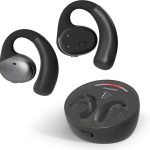
While an AI sound box can enhance your audio, directly streaming Netflix audio from the service to most standalone AI sound boxes isn’t a standard feature. However, by connecting your TV or streaming device to an AI sound box, you can absolutely achieve a premium Netflix audio experience. Explore the ways AI sound boxes can elevate your home entertainment.
## Can AI Sound Box Stream Netflix Audio? Exploring the Sound Revolution
Imagine settling in for a movie night, the popcorn is ready, and the lights are dimmed. You’re about to dive into a thrilling new series on Netflix. But as the opening credits roll, the audio feels… a bit flat. It’s a common problem. The built-in speakers on many TVs, while convenient, often lack the depth and clarity to truly immerse you in the cinematic experience. This is where the allure of an “AI sound box” comes in. You might be wondering, can this fancy piece of technology actually stream Netflix audio directly, or is it just a fancy speaker? Let’s break it down.
The term “AI sound box” can be a little broad, and it’s important to understand what it usually entails. Often, it refers to devices like smart speakers with advanced audio processing, soundbars with AI features, or even sophisticated home theater systems. These devices are designed to enhance your listening experience, whether it’s music, podcasts, or, crucially, the audio from your favorite streaming services like Netflix. The question isn’t always about *direct* streaming from Netflix to the AI sound box itself, but rather about how you can route Netflix’s audio output through one of these advanced sound systems.
This article will delve into the capabilities of AI sound boxes in relation to streaming Netflix audio. We’ll explore the technical aspects, the different connection methods, and the real-world scenarios that allow you to unlock a truly immersive audio experience for your binge-watching sessions. So, grab your remote, and let’s get to the bottom of whether your AI sound box can deliver that thunderous movie soundtrack or crisp dialogue you crave.
## Understanding AI Sound Boxes and Audio Streaming
Before we can answer whether an AI sound box can stream Netflix audio, we need to clarify what an AI sound box is and how audio streaming generally works. The “AI” in AI sound box typically refers to intelligent features that enhance sound quality and user experience. This can include things like adaptive equalization that adjusts sound based on room acoustics, AI-powered noise cancellation for clearer dialogue, or even voice control integration for smart home functionalities. However, most AI sound boxes are designed as audio output devices, not as standalone streaming platforms for services like Netflix.
Netflix, like other streaming services, provides audio content as part of its video stream. This audio is then picked up by the device playing Netflix – typically a smart TV, a streaming stick (like a Roku or Fire TV), a gaming console, or a computer. From there, the audio needs to be sent to an external audio system for enhanced playback. The AI sound box’s role is to receive and process this audio signal to deliver a superior sound experience.
### The Role of AI in Sound Enhancement
The artificial intelligence integrated into these sound boxes plays a crucial role in optimizing your listening pleasure. It’s not about the AI *being* Netflix, but about the AI making the audio *from* Netflix sound incredible. For instance, some AI sound boxes can analyze the type of content being played – be it a dramatic explosion, a whispered conversation, or a musical score – and automatically adjust the sound profile. This adaptive technology ensures you’re getting the best possible audio output tailored to the scene. This can be particularly beneficial for Netflix, which offers a wide range of content with diverse audio mixes.
### How Streaming Services Deliver Audio
Streaming services like Netflix don’t typically “stream” audio directly to a separate sound device in the way you might stream music from Spotify to a Bluetooth speaker. Instead, the audio is part of the overall video stream that is delivered to your primary playback device. Your TV, streaming stick, or console decodes this stream and outputs the audio. Your task, then, is to ensure that this audio is routed to your AI sound box. This is where connectivity comes into play.
## Connecting Your AI Sound Box to Netflix Audio
The most common and effective way to get Netflix audio through your AI sound box is by connecting your TV or streaming device to the sound box. Direct streaming from Netflix to the AI sound box itself is rarely an option because Netflix is a content platform, not an audio output protocol for third-party hardware.
### Using HDMI ARC/eARC for Seamless Integration
One of the most modern and convenient ways to connect your TV to a sound box is through HDMI ARC (Audio Return Channel) or eARC (Enhanced Audio Return Channel). If your TV and AI sound box both support HDMI ARC/eARC, this is often the best option. Simply connect an HDMI cable from the ARC/eARC-enabled HDMI port on your TV to the corresponding port on your sound box. Once connected, you’ll need to go into your TV’s audio settings and select the HDMI ARC/eARC output. This allows the audio from any app on your TV, including Netflix, to be sent directly to your sound box. eARC offers higher bandwidth, supporting more advanced audio formats like Dolby Atmos, which can further enhance your Netflix experience.
### Bluetooth Connectivity: The Wireless Convenience
Bluetooth is another popular method, offering a wire-free solution. Many AI sound boxes, especially soundbars and smart speakers, come equipped with Bluetooth capabilities. To use this, you’ll need to pair your sound box with your TV or streaming device. The process varies slightly depending on the devices, but generally, you put your sound box into Bluetooth pairing mode and then search for it on your TV or streaming device’s Bluetooth settings.
It’s important to note that Bluetooth can sometimes introduce a slight audio delay, known as latency. This can be noticeable, especially during fast-paced action scenes or in games. While many modern Bluetooth implementations have improved latency reduction, it’s something to be aware of. If you’re experiencing a noticeable delay, you might want to consider the HDMI ARC/eARC option if available. For example, if you’re using a Roku device, you might wonder can you Bluetooth speaker to Roku TV for amazing sound. The answer is often yes, but the best connection method for audio quality and minimal delay is usually via HDMI if both devices support it. Similarly, the question of can I connect Roku TV to Bluetooth speaker amazing sound is relevant here, and the answer often depends on the specific Roku model and the sound box.
### Optical Audio Cables: A Reliable Wired Alternative
For older TVs or sound boxes that may not have HDMI ARC/eARC, an optical audio cable (also known as TOSLINK) is a reliable wired connection. This cable transmits digital audio signals, providing good sound quality. You’ll connect the optical output port on your TV to the optical input port on your sound box. Similar to HDMI ARC, you’ll need to configure your TV’s audio settings to use the optical output.
### Streaming Device Direct Connections
If you’re using a dedicated streaming device like an Apple TV, Nvidia Shield, or even a gaming console like a PlayStation or Xbox to watch Netflix, you can often connect the sound box directly to that device. Many of these devices have their own audio output options, including HDMI and sometimes Bluetooth. For instance, if you’re using a PlayStation, you might be interested in can I connect PS4 to Bluetooth speaker for amazing sound or can I connect Bluetooth speaker to PS5 amazing sound. These consoles can often output audio via HDMI to a soundbar, or in some cases, via Bluetooth directly to a speaker, though HDMI is generally preferred for higher fidelity.
## Smart Speakers as Netflix Audio Output Devices
The lines between “AI sound box” and “smart speaker” can blur. Devices like Amazon Echo or Google Home are AI-powered smart speakers. Can they be used to stream Netflix audio? Yes, but again, not typically by “streaming” directly from Netflix in a proprietary way.
### Using Smart Speakers with TVs
Many smart speakers, like the Amazon Echo or Google Nest series, can function as Bluetooth speakers. This means you can pair them with your TV if your TV supports Bluetooth output. Once paired, the audio from your TV, including Netflix, will play through the smart speaker. For example, you might ask can Echo Pop be used as Bluetooth speaker, and the answer is generally yes, allowing you to get better sound for your TV. Similarly, can Alexa be Bluetooth speaker is a common inquiry, and the answer is often affirmative, enabling you to use your Echo device for enhanced TV audio.
Some smart speakers also integrate with specific streaming apps or platforms. While Netflix itself doesn’t typically offer a direct integration for audio output to smart speakers (beyond voice commands or casting), the smart speaker might be able to receive audio via casting protocols from a phone or tablet that is playing Netflix. This is a workaround rather than a direct streaming solution.
### Casting and Screen Mirroring
Another indirect method involves casting. If you’re watching Netflix on your smartphone or tablet, you might be able to cast that content to a smart display or a device that acts as a receiver for your AI sound box. However, this usually casts the entire screen or stream, and the audio is routed through the receiving device. It’s more common for music streaming services to have direct casting integration with smart speakers.
## Maximizing Your Netflix Audio Experience
Regardless of the connection method, there are several ways to ensure you’re getting the absolute best audio experience for your Netflix viewing with an AI sound box.
### Choosing the Right AI Sound Box for Your Needs
The type of AI sound box you choose will significantly impact your experience.
- Soundbars: These are elongated speakers designed to sit below your TV. Many come with built-in AI features for sound enhancement and often support advanced audio formats like Dolby Atmos. They are a popular choice for upgrading TV sound.
- Home Theater Systems: For the ultimate immersive experience, a full home theater system with multiple speakers offers surround sound. AI capabilities in these systems can help optimize the acoustics and speaker placement.
- Smart Speakers: While some smart speakers can be used for TV audio, they might not offer the same level of surround sound immersion as a dedicated soundbar or home theater system. However, for clearer dialogue or a boost over TV speakers, they can be effective.
### Ensuring Compatibility and Audio Formats
When setting up your AI sound box, always check for compatibility with the audio formats your TV or streaming device supports. Netflix offers content in various audio formats, including stereo, Dolby Digital, Dolby Digital Plus, and Dolby Atmos. For the best experience, ensure your AI sound box can decode and reproduce these formats. For example, if you want to know can Bluetooth speakers replace home theater system, the answer often comes down to the advanced features and multi-channel support of a dedicated home theater system versus the convenience of a Bluetooth speaker.
### Optimizing Settings
Don’t forget to dive into the settings of both your TV and your AI sound box. Look for options to enable ARC/eARC, select the correct audio output, and explore any AI-driven sound modes. Experiment with different settings to find what sounds best for your specific content and room. Many AI sound boxes have modes optimized for movies, dialogue, or music, which can make a noticeable difference.
## Limitations and Future Possibilities
While AI sound boxes can greatly enhance your Netflix audio, it’s important to acknowledge current limitations. As mentioned, direct Netflix audio streaming to an AI sound box is not a standard feature. The “AI” is primarily for processing and enhancing sound that is *sent* to it, not for pulling content directly from Netflix.
However, the technology is constantly evolving. We might see future integrations where smart speakers or sound boxes have more direct access to streaming service audio streams, perhaps through more sophisticated app integrations or partnerships. The trend is towards more seamless connectivity and intelligent audio processing. For instance, the question of can smart speakers stream music from all platforms hints at the direction technology is moving, and this could eventually extend to video streaming audio.
## Conclusion: Elevating Your Netflix Soundscape
So, to circle back to our original question: Can an AI sound box stream Netflix audio? The answer is a nuanced yes. While an AI sound box won’t typically pull Netflix audio directly from the service on its own, it is an incredibly effective tool for *receiving* and *enhancing* the audio that your TV or streaming device outputs. By connecting your viewing setup to an AI sound box via HDMI ARC/eARC, Bluetooth, or optical cable, you can transform your Netflix viewing experience from ordinary to extraordinary.
The AI capabilities within these sound boxes are designed to process and refine the audio signal, delivering richer bass, clearer dialogue, and more immersive surround sound. Whether you opt for a sleek soundbar, a robust home theater system, or even a capable smart speaker, the goal is the same: to bring the cinematic sound of Netflix directly into your living room. With the right setup and a little bit of configuration, you can ensure that every explosion, every whisper, and every musical cue sounds precisely as the filmmakers intended. It’s all about leveraging the smart technology of the AI sound box to amplify the audio that’s already there, creating a truly captivating entertainment experience.
- Direct streaming of Netflix audio to most AI sound boxes is not a native feature. Netflix audio is typically accessed through specific apps or devices.
- Connecting your TV or streaming device to an AI sound box is the primary method for enjoying Netflix audio through it.
- AI sound boxes excel at processing and enhancing audio signals, offering superior sound quality compared to built-in TV speakers.
- Bluetooth and HDMI ARC are common connection methods that enable AI sound boxes to receive audio from your television.
- Some smart AI speakers can potentially act as output devices for specific streaming apps, but this depends on app and device compatibility.
- The “AI” in an AI sound box often refers to its audio processing capabilities and smart home integration, not direct content streaming services.
- Ensure your AI sound box and TV/streaming device support compatible audio codecs for the best possible sound.
Frequently Asked Questions
Can an AI sound box directly connect to Netflix?
No, most AI sound boxes cannot directly connect to Netflix to stream audio. They are audio output and enhancement devices. You typically need to connect your TV or streaming device (which plays Netflix) to the AI sound box to receive the audio.
What is the best way to connect a TV to an AI sound box for Netflix audio?
The best way is usually via HDMI ARC or eARC, as this offers high-quality audio transmission and minimal latency. An optical audio cable is a reliable wired alternative if HDMI ARC/eARC is not available.
Will my AI sound box automatically enhance Netflix audio?
Yes, the AI features in your sound box are designed to automatically analyze and enhance the audio signal it receives. This means that once connected, it will work to improve the sound quality of your Netflix streams without extra effort from you.
Can I use a Bluetooth-enabled AI sound box for Netflix audio?
Yes, you can use a Bluetooth-enabled AI sound box by pairing it with your TV or streaming device if they both support Bluetooth. However, be aware that Bluetooth can sometimes introduce a slight audio delay.
Does Netflix support advanced audio formats like Dolby Atmos with AI sound boxes?
Netflix does offer content in Dolby Atmos on certain plans and devices. If your TV, AI sound box, and the content itself support Dolby Atmos (and you’re using a compatible connection like HDMI eARC), you can experience this immersive audio format.
What if I experience audio delay with my AI sound box and Netflix?
If you notice an audio delay, try switching to a wired connection like HDMI ARC/eARC or an optical cable, as these generally have less latency than Bluetooth. Also, check your TV and sound box settings for any audio sync or delay adjustment options.