Your Bluetooth speaker keeps turning off? It’s usually a simple fix! Common culprits include low battery, power-saving modes, or connection issues. We’ll guide you through easy steps to get your music playing non-stop again.
Hey there, tech explorers! Ever been right in the middle of your favorite song, or a crucial part of a movie, and BAM! Your Bluetooth speaker just dies on you? It’s super frustrating, right? It’s like the party just stops without a warning. I’ve been there, and I know how much a good speaker can add to our lives, whether it’s for jamming out, enhancing game time, or just making movie nights epic.
Sometimes, the tech we love can feel a bit mysterious. You might wonder if you did something wrong or if the speaker is just… broken. But don’t worry! Most of the time, these little glitches are totally fixable with a few simple tricks. We’re going to dive into why your speaker might be shutting off unexpectedly.
Think of me as your friendly tech buddy. My goal is to make technology feel as easy and fun as it should be. We’ll skip the confusing jargon and get straight to what matters. So, grab your speaker, and let’s figure this out together, step by step.
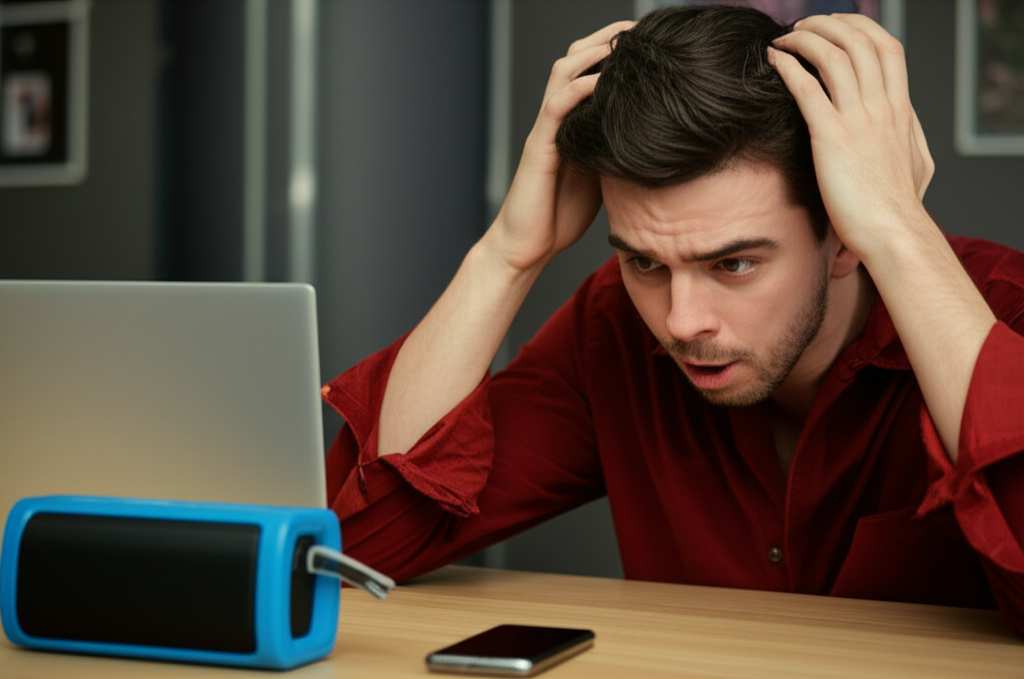
Why Does My Bluetooth Speaker Keep Turning Off? Let’s Find Out!
So, your trusty Bluetooth speaker has decided to take an early nap? This is a super common problem, and thankfully, it’s usually not a sign of a major issue. There are a few usual suspects that cause this. Understanding them is the first step to getting your sound back.
One of the most frequent reasons is the speaker’s battery. Just like your phone, if the battery is low, it won’t stay powered on for long. It’s like trying to run a marathon on empty! Another big reason is the speaker’s built-in power-saving features. These are designed to conserve battery, but sometimes they can be a little too eager to shut things down.
We’ll go through each of these possibilities and explore some easy fixes. By the end of this, you’ll know exactly what’s likely causing the problem and how to solve it. Let’s make sure your tunes can keep playing!
The Usual Suspects: Common Reasons for Speaker Shutdowns
When your Bluetooth speaker decides to go silent, it’s usually for a few predictable reasons. Let’s break down the most common ones. Knowing these will help you troubleshoot faster next time.
1. The Battery is Low (Or Dying!)
This is the most obvious one. Most Bluetooth speakers run on rechargeable batteries. If the battery level gets too low, the speaker will often shut itself off to prevent deep discharge, which can damage the battery over time. It’s a smart feature, but it can be annoying when it happens mid-playlist.
Think of it like your phone. When the battery icon turns red, you know it’s time to find a charger. Speakers do something similar, often with a flashing light or a warning sound before they go completely dark.
2. Power-Saving Mode is Too Aggressive
Many speakers have an auto-off or power-saving mode. This feature is great for saving battery life. It usually kicks in after a certain period of inactivity, meaning if no device is connected or no sound is playing. Some speakers are just a bit too sensitive and might turn off even if you’re actively using them.
This can be a bit of a balancing act. You want the speaker to save power, but not at the expense of your listening experience. We’ll look at how to adjust these settings if your speaker allows it.
3. Connection Issues
Sometimes, the speaker might think it’s disconnected from your device. If the Bluetooth connection drops, the speaker might go into standby or shut off. This can happen if you move too far away from your phone or if there’s interference.
A weak or unstable connection can trick the speaker into thinking it’s no longer needed. This is less about the speaker itself and more about the link between your speaker and the device playing music.
4. Overheating
This is less common for basic usage, but it can happen. If your speaker is playing very loudly for a long time, especially in direct sunlight or a hot environment, it can overheat. Many speakers have thermal protection that will shut them down to prevent damage.
It’s like your laptop getting too hot and shutting down to protect its components. If your speaker feels unusually warm to the touch, this could be the reason.
5. Faulty Charging Port or Cable
If your speaker won’t hold a charge, it might be an issue with the charging port or the cable you’re using. A damaged port or a faulty cable won’t deliver enough power to the battery. This means it might seem like it’s charging, but it’s not getting a full, stable charge.
This can lead to the speaker dying quickly after you unplug it, or even shutting off while it’s plugged in if the connection is intermittent.
6. Software Glitches or Firmware Issues
Like any electronic device, Bluetooth speakers have software. Sometimes, this software can have bugs or glitches that cause unexpected behavior, like shutting down randomly. Outdated firmware can also cause problems.
Manufacturers sometimes release updates to fix these issues. Keeping your speaker’s firmware up-to-date can prevent many software-related problems.
Troubleshooting Steps: Getting Your Speaker Back Online
Alright, let’s roll up our sleeves and get this fixed! These steps are designed to be easy for anyone to follow. We’ll start with the simplest solutions and move towards more involved ones.
Step 1: Check the Battery Level
This is the easiest fix. Make sure your speaker is fully charged. Plug it in using the charger that came with it.
How to do it: Connect your speaker to its power adapter. Let it charge for at least an hour, or until the charging indicator light shows it’s full.
Why it works: A dead battery is the most common reason for a speaker to turn off. Giving it a good charge often solves the problem immediately.
Pro-tip: Try using a different USB cable or power adapter if you have one. Sometimes, the charger itself might be the issue.
Step 2: Reset Your Speaker
Many electronic devices have a reset button or a reset procedure. This can clear out temporary glitches.
How to do it: Look for a small reset button, often a pinhole, on your speaker. You might need a paperclip to press it. Some speakers require you to hold down the power button and another button (like Bluetooth or volume down) for several seconds. Check your speaker’s manual for specific instructions.
Why it works: Resetting can clear the speaker’s memory and restart its operating system, fixing minor software bugs.
Cool Fact: Think of a reset like rebooting your computer. It clears out temporary data and can fix a lot of small problems without losing any important settings.
Step 3: Check and Adjust Power-Saving Settings
If your speaker has an app or advanced settings, you might be able to adjust the auto-off timer.
How to do it: Open the speaker’s companion app on your phone or tablet. Look for settings related to “power,” “auto-off,” or “sleep mode.” Increase the timer or disable the feature if possible.
Why it works: This stops the speaker from shutting down too quickly due to inactivity.
Example: Some speakers let you set the auto-off timer to 15 minutes, 30 minutes, or even “never.” If yours has a “never” option, that’s your best bet to stop it from turning off unexpectedly.
Step 4: Forget and Re-pair Your Bluetooth Device
Sometimes, the connection itself can cause issues. Re-pairing can create a fresh, stable link.
How to do it: On your phone or tablet, go to Bluetooth settings. Find your speaker in the list of paired devices. Tap “Forget Device” or “Unpair.” Then, put your speaker back into pairing mode and connect it again as if it were new.
Why it works: This clears out any corrupted pairing data between your device and the speaker, allowing for a cleaner connection.
Tip: Make sure your speaker is not actively connected to another device when you try to re-pair it.
Step 5: Check for Interference
Other electronic devices can interfere with Bluetooth signals.
How to do it: Move your speaker and your connected device away from other wireless devices like Wi-Fi routers, microwaves, or other Bluetooth gadgets. Try using the speaker in a different room.
Why it works: Bluetooth operates on a 2.4 GHz frequency, which is also used by many other devices. Reducing interference can stabilize the connection.
Did You Know? The range of a typical Bluetooth speaker is about 30 feet (10 meters). Obstacles like walls can reduce this range and the signal strength.
Step 6: Ensure Proper Ventilation and Avoid Overheating
If your speaker feels hot, let it cool down.
How to do it: Turn off the speaker and unplug it. Move it to a cooler spot, away from direct sunlight or heat sources. Ensure the speaker’s vents are not blocked.
Why it works: Overheating can cause internal components to shut down to prevent damage. Letting it cool down allows it to function normally again.
Example: Leaving a speaker in a hot car or on a sunny windowsill can easily lead to overheating.
Step 7: Update Speaker Firmware
Check if there’s a firmware update available for your speaker.
How to do it: Connect your speaker to its app on your smartphone or tablet. The app will usually notify you if a firmware update is available. Follow the on-screen instructions to install it.
Why it works: Firmware updates often include bug fixes that can resolve issues like random shutdowns.
Important: Make sure your speaker is fully charged and your phone’s Bluetooth is on before starting a firmware update.
When to Consider a New Speaker
If you’ve tried all these steps and your speaker still keeps turning off, it might be time to consider that it’s nearing the end of its life. Batteries degrade over time, and sometimes internal components can fail.
Here’s a quick look at what might be going on if your speaker is older:
| Component/Issue | Likelihood of Failure | Typical Signs |
| :———————- | :——————– | :———————————————— |
| Rechargeable Battery | High (after 2-3 years) | Won’t hold a charge, shuts off quickly |
| Charging Port | Medium | Speaker doesn’t charge, intermittent connection |
| Internal Circuitry | Low to Medium | Random shutdowns, no power, distorted sound |
| Bluetooth Module | Low | Connection drops frequently, won’t pair |
If your speaker is only a year or two old and you’re experiencing persistent issues, contacting the manufacturer’s customer support is a good next step. They might offer repair services or further troubleshooting advice.
However, if your speaker is several years old, it might be more cost-effective to invest in a new one. Modern Bluetooth speakers offer improved battery life, better sound quality, and more features.
Choosing the Right Speaker for You (and Avoiding Future Headaches!)
When you’re looking for a new speaker, or even just understanding your current one better, a few key features make a big difference. This can help you pick a reliable model and avoid the frustration of it turning off all the time.
Key Features to Look For:
Battery Life: This is huge! Look for speakers that offer at least 10-12 hours of playback on a single charge. Some premium models can go for 20 hours or more.
Auto-Off Timer Settings: Check if the speaker allows you to customize or disable the auto-off feature. This is a lifesaver for preventing unexpected shutdowns.
Firmware Update Capability: Speakers that can be updated via an app are generally better supported and more likely to have bugs fixed.
Charging Speed: Some speakers offer fast charging, meaning you can get a few hours of playback from just a short charge.
Build Quality: A well-built speaker with good ventilation is less likely to overheat or suffer from physical damage.
Quick Buying Tips:
Read Reviews: Always check user reviews on retail sites and tech review sites like CNET or TechRadar. Look for comments about battery life and reliability.
Consider Your Usage: Will you use it outdoors? Do you need it to be waterproof? Think about where and how you’ll use it most.
* Brand Reputation: Stick with reputable brands known for quality electronics. They often have better customer support and more reliable products.
Here’s a little comparison of popular speaker types and what you might expect:
| Speaker Type | Typical Battery Life | Key Features | Best For |
| :—————— | :——————- | :——————————————— | :—————————————- |
| Portable Mini | 8-12 hours | Compact, easy to carry, often budget-friendly | Quick listening, travel, small rooms |
| Rugged Outdoor | 12-20 hours | Waterproof, dustproof, shockproof | Camping, beach, parties, active lifestyles |
| Home Smart Speaker| N/A (Plug-in) | Voice control, Wi-Fi connectivity, great sound | Living rooms, kitchens, hands-free use |
| High-Fidelity | 10-15 hours | Superior sound quality, deeper bass | Audiophiles, dedicated music listening |
Remember, investing a little more in a quality speaker from a trusted brand can save you a lot of frustration down the line.
Frequently Asked Questions (FAQ)
Got more questions? We’ve got answers! Here are some common things people wonder about their Bluetooth speakers.
Q1: How often should I charge my Bluetooth speaker?
A1: You should charge your speaker whenever the battery is low, or before you plan to use it for an extended period. Most speakers will give you a warning light or sound when the battery is critically low. It’s good practice to charge it fully before each significant use.
Q2: Can I use my Bluetooth speaker while it’s charging?
A2: Yes, most Bluetooth speakers can be used while they are charging. However, some speakers might perform slightly better or have a more stable connection when not actively charging, especially if they are older models or have a less robust charging system.
Q3: My speaker keeps disconnecting. Is it broken?
A3: Not necessarily! Frequent disconnections are often due to Bluetooth interference, being too far from your device, or a weak signal. Try moving closer to your device, reducing interference from other electronics, and re-pairing the speaker. If the problem persists, it could be a hardware issue.
Q4: How do I know if my speaker’s battery needs replacing?
A4: If your speaker used to last for many hours but now only lasts for a short time, even after a full charge, its battery is likely degraded. Also, if it shuts off unexpectedly even when showing a good charge level, the battery could be the culprit.
Q5: Is it bad to leave my Bluetooth speaker plugged in all the time?
A5: For most modern speakers with smart charging circuits, it’s generally fine. They are designed to prevent overcharging. However, to prolong battery health in the long run, it’s often recommended to let the battery drain a bit before recharging, rather than keeping it at 100% constantly.
Q6: What is the difference between Bluetooth pairing and connecting?
A6: Pairing is the initial process where your speaker and device recognize each other and create a secure link. Connecting is simply re-establishing that link once they are paired. You only need to pair a device once. After that, they should connect automatically when both are on and in range.
Q7: My speaker sounds distorted or quieter than usual. What could be wrong?
A7: Distortion can be caused by playing music at maximum volume for too long, or by a weak Bluetooth connection. If it’s quieter, check the volume levels on both your speaker and your connected device. Sometimes, a firmware update or resetting the speaker can also resolve sound quality issues.
Bringing the Music Back: Your Speaker, Your Rules!
So there you have it! We’ve explored why your Bluetooth speaker might be deciding to take unscheduled breaks and, more importantly, how to fix it. From checking that trusty battery to understanding power-saving modes and connection quirks, you’re now equipped to troubleshoot like a pro.
Remember, most of these issues are simple fixes. A quick charge, a fresh re-pair, or a simple reset can often bring your speaker back to life. And if you’re in the market for a new one, you know what features to look for to ensure a smooth and enjoyable experience.
Don’t let a few technical hiccups stop the rhythm. You’ve got the power to get your sound system working perfectly again. Now go enjoy that uninterrupted music, crystal-clear podcasts, or immersive movie sound! Make every moment louder and better!