
Don’t let beeping disrupt your audio! This article dives deep into why your Bluetooth sound box might be making that annoying beeping noise. We’ll cover everything from low battery warnings and connection status to potential interference and software glitches. Get your Bluetooth sound box back to silent, quality sound with our expert troubleshooting tips.
Are you enjoying your favorite tunes or an important podcast, only to be jolted by a sudden, jarring beep from your Bluetooth sound box? It’s a common frustration, isn’t it? That little sound, often unexpected and unwelcome, can completely derail your listening experience. You might wonder, “Why on earth is my Bluetooth sound box making that noise?” It’s a question many of us have asked, staring at the silent speaker with a mixture of confusion and annoyance.
This beeping isn’t usually random. Your Bluetooth sound box is trying to tell you something. Think of it as its own little language, a way to communicate its current status or a potential problem. Understanding these beeps is the first step to silencing them and getting back to what you love – uninterrupted audio. This guide is designed to be your friendly companion, walking you through the most common reasons your Bluetooth sound box might be beeping and, more importantly, how to fix it.
Whether you’re a tech novice or a seasoned pro, the beeping sound box can be a mystery. But don’t worry, we’re going to demystify it together. We’ll explore everything from the simple and obvious to the slightly more technical. By the end of this article, you’ll be equipped with the knowledge to diagnose and resolve most beeping issues, ensuring your Bluetooth sound box performs as it should.
Key Takeaways
- Low Battery Indicator: The most frequent reason for a Bluetooth sound box to beep is a critically low battery, signaling the need for a recharge.
- Connection Status Alerts: Beeping can indicate the sound box is attempting to connect, has lost its connection to your device, or has successfully paired.
- Pairing Mode Confirmation: Some sound boxes emit a beep to confirm they have entered pairing mode and are ready to be discovered by new devices.
- Error or Malfunction Warnings: Less commonly, a persistent or unusual beep might signify an internal error or a hardware malfunction requiring attention.
- Firmware or Software Glitches: Outdated or corrupted firmware can sometimes cause unexpected behaviors, including beeping sounds.
- Interference and Signal Issues: Environmental factors like other wireless devices can interfere with the Bluetooth signal, leading to connection drops and beeps.
📑 Table of Contents
The Low Battery Blues: A Common Culprit
Let’s start with the most frequent offender: the low battery warning. It’s the digital equivalent of your car’s fuel light coming on. Your Bluetooth sound box needs power to operate, and when its internal battery level drops below a certain threshold, it often uses a beep (or a series of beeps) to alert you. This is a helpful feature, preventing you from being suddenly cut off mid-song, but it can be startling if you’re not expecting it.
Understanding the Low Battery Beep
The exact sound and frequency of the low battery beep can vary between different brands and models of Bluetooth sound boxes. Some might emit a single, distinct beep every minute or so, while others might have a more insistent, rapid series of chirps. Some even have a visual indicator, like a flashing LED light, that accompanies the beep. The key is that this sound is designed to be noticeable.
What to Do When You Hear the Beep
The solution here is straightforward: plug in your Bluetooth sound box and let it charge. Most sound boxes come with a USB charging cable. Find a power source – a wall adapter, a USB port on your computer, or a power bank – and connect your sound box. Allow it to charge for the recommended time, usually specified in the product manual. You’ll often notice that once the battery is sufficiently charged, the beeping will stop automatically. Don’t ignore this beep; it’s your sound box’s way of asking for sustenance.
Tips for Preventing Low Battery Beeps
To avoid the annoyance of low battery beeps altogether, try to get into a habit of charging your sound box when you’re not using it, especially if you know you’ll be using it for an extended period soon. Many users find it convenient to plug it in overnight. Also, be aware of how long a single charge typically lasts for your specific model and plan accordingly.
Connection Status: What the Beeps Mean
Beyond battery life, your Bluetooth sound box uses beeps to communicate its connection status with your paired device (like your smartphone or tablet). This can include confirmation of pairing, disconnection alerts, and even the sound box’s attempt to establish a connection.
The Sound of Pairing Success and Failure
When you first try to pair a new Bluetooth sound box with a device, it usually needs to enter “pairing mode.” Often, the sound box will beep or emit a specific tone to indicate it’s now discoverable by other devices. Once your phone or tablet finds and successfully connects to it, you might hear another distinct beep or chime to confirm the successful connection. Conversely, if the sound box tries to connect to a device but fails, it might also issue a beep to let you know.
Disconnection Alerts: When the Link Breaks
One of the more noticeable beeps your Bluetooth sound box might produce is when it loses its connection to your device. This usually happens if you move your device too far away from the sound box, if Bluetooth on your device is turned off, or if another device takes over the connection. The beep serves as an immediate notification that your audio stream is about to be interrupted or has already been.
Troubleshooting Connection Beeps
If you’re hearing connection-related beeps, especially disconnections, here are a few things to check:
- Range: Ensure your device is within the Bluetooth range of the sound box (typically around 30 feet or 10 meters, but this can vary).
- Bluetooth Enabled: Verify that Bluetooth is turned on on your device.
- Interference: Check for potential sources of Bluetooth interference (more on this later).
- Re-Pairing: Sometimes, the simplest solution is to “forget” the Bluetooth sound box in your device’s Bluetooth settings and then re-pair it from scratch.
- Multiple Connections: If your sound box supports connecting to multiple devices simultaneously, ensure another device isn’t accidentally taking over the connection.
The specific beeps for connection status are often subtle but crucial for understanding the Bluetooth link.
Pairing Mode and Device Discovery
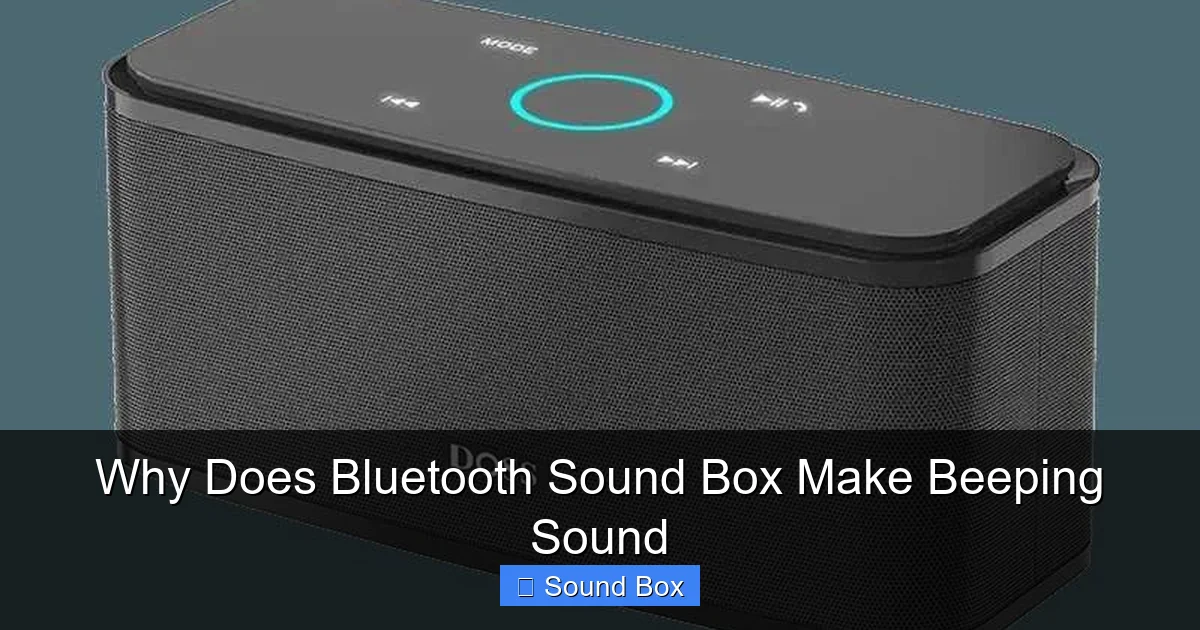
Visual guide about Why Does Bluetooth Sound Box Make Beeping Sound
Image source: techsynchron.com
Entering and confirming pairing mode is a vital function of any Bluetooth device, and beeps play a role in this process for many sound boxes. This mode is how your sound box announces its availability to new devices.
Initiating Pairing Mode
To initiate pairing mode, you usually need to press and hold a specific button on your Bluetooth sound box. This action often triggers an audible cue – a beep or a tone – signaling that the sound box is now ready to be discovered by your phone, tablet, or computer. If you don’t hear this confirmation beep, it might mean you haven’t correctly activated pairing mode.
Confirmation of Discovery
Once your device starts scanning for Bluetooth devices, your sound box, in pairing mode, should appear in the list. Upon successful selection and connection by your device, many sound boxes will emit a confirming beep or chime. This sound is your cue that the pairing process has been successful and you can now start playing audio.
When Pairing Mode Beeps Aren’t Happening
If you press the pairing button and hear nothing, or the expected confirmation beep doesn’t occur, consider these points:
- Button Functionality: Ensure the button itself is working correctly.
- Device State: The sound box might already be connected to another device, preventing it from entering pairing mode. Disconnect it from any existing connections first.
- Manual Check: Always consult your Bluetooth sound box’s user manual. It will detail the exact button presses and the corresponding sounds to expect for pairing mode.
These beeps are part of the initial setup dance, ensuring your devices can find each other.
Error and Malfunction Warnings
While less common than battery or connection issues, your Bluetooth sound box might beep to signal an internal error or a more serious malfunction. These beeps are often more urgent or different in tone compared to standard alerts.
Recognizing Error Beeps
Error beeps can be persistent, irregular, or sound distinctly different from the usual low battery or connection alerts. For instance, a rapid, continuous beeping might indicate a critical system error. A single, loud, and unusual beep that occurs randomly could also point to a problem. The context is key: if the beeping doesn’t correspond to battery level, connection status, or pairing, it’s more likely an error.
Potential Causes of Malfunctions
Several factors can lead to a Bluetooth sound box malfunctioning and beeping:
- Overheating: If the sound box gets too hot, it might shut down or signal an error with beeps. Ensure it’s in a well-ventilated area.
- Software Glitches: Like any electronic device, a temporary software glitch can occur. A restart might resolve this.
- Hardware Damage: Physical damage, exposure to moisture, or internal component failure can cause erratic behavior, including beeping.
- Firmware Issues: Sometimes, the internal software (firmware) can become corrupted, leading to unexpected sounds.
If you suspect a malfunction, it’s crucial to consult your user manual for error code explanations or contact customer support.
What to Do for Error Beeps
1. Restart the Sound Box: Turn the sound box off completely, wait for about 30 seconds, and then turn it back on. This can clear minor software glitches.
2. Factory Reset: Many sound boxes have a factory reset option. This usually involves holding a specific button or combination of buttons for an extended period. This will erase all saved settings and pairings, returning the device to its original state. Consult your manual for instructions.
3. Check the Manual: Look for a troubleshooting section that might describe specific beep patterns and their meanings.
4. Contact Support: If the beeping persists after trying these steps, it’s time to reach out to the manufacturer’s customer support. There might be a warranty issue or a need for repair.
Interference and Signal Integrity
The wireless nature of Bluetooth means it’s susceptible to interference from other electronic devices and environmental factors. This interference can disrupt the connection, leading to beeps as the sound box tries to re-establish a stable link.
Sources of Bluetooth Interference
Several common household items can interfere with Bluetooth signals:
- Wi-Fi Routers: Both Bluetooth and Wi-Fi operate in the 2.4 GHz frequency band, which can lead to congestion and interference.
- Microwave Ovens: When in use, microwaves emit strong electromagnetic radiation that can temporarily disrupt Bluetooth connectivity.
- Other Wireless Devices: Cordless phones, wireless mice, keyboards, and even other Bluetooth devices in close proximity can sometimes cause interference.
- Physical Obstructions: Thick walls, metal objects, and even bodies of water can weaken or block Bluetooth signals.
When interference causes the connection to drop, your Bluetooth sound box might beep to alert you to the lost link.
Strategies to Minimize Interference
1. Increase Distance: Keep your Bluetooth sound box and your device away from common sources of interference, especially during critical listening periods.
2. Reduce Device Density: If you have many wireless devices active, try turning off those not in use to free up the airwaves.
3. Optimize Placement: Position your sound box and device in a more open area, away from dense clusters of electronics or large metal objects.
4. Consider Newer Bluetooth Standards: If your sound box and device support newer Bluetooth versions (like Bluetooth 5.0 and above), they often have better interference management.
5. Update Firmware: Sometimes, firmware updates for your sound box or your connected device can improve Bluetooth performance and resistance to interference.
Firmware Updates and Software Glitches
Just like your smartphone or computer, your Bluetooth sound box has internal software, known as firmware. This firmware controls its operations, and occasionally, it can develop glitches or become outdated, leading to unexpected behaviors like beeping.
The Role of Firmware
Firmware is the low-level software that dictates how the hardware components of your Bluetooth sound box communicate and function. It’s responsible for everything from managing Bluetooth connections to controlling audio output and handling user inputs.
When Firmware Goes Awry
If the firmware encounters a bug or becomes corrupted, it can lead to unpredictable actions. This might manifest as random beeps, unresponsiveness, or connection problems. These are often temporary issues that can be resolved with a firmware update or a reset.
How to Update Firmware
The process for updating firmware varies greatly by manufacturer and model. Some advanced sound boxes might have a companion app on your smartphone that guides you through the update process wirelessly. Others might require you to connect the sound box to a computer via USB and use specific software provided by the manufacturer.
- Check the Manufacturer’s Website: This is the primary place to look for firmware updates and instructions.
- Use Companion Apps: If your sound box has a dedicated app, check within the app for firmware update options.
- Follow Instructions Carefully: Firmware updates are critical. Always follow the manufacturer’s instructions precisely to avoid bricking the device (making it unusable).
Keeping your Bluetooth sound box’s firmware up-to-date can prevent many issues, including those annoying beeps.
In conclusion, the beeping sound from your Bluetooth sound box is rarely a sign of impending doom. More often than not, it’s a clear and intentional signal from the device itself. From the simple necessity of a recharge to more complex connection hiccups or even a plea for a firmware update, each beep has a purpose. By understanding these different signals and knowing how to respond, you can quickly resolve most issues and return to enjoying your audio without interruption. So, next time you hear that beep, don’t panic – just listen closely, and you’ll likely find your sound box is just trying to have a conversation with you.
Frequently Asked Questions
Why does my Bluetooth speaker beep when I turn it on?
This is often a confirmation beep indicating the speaker has powered on successfully. It might also signal that the speaker is attempting to reconnect to the last device it was paired with, or that it has entered pairing mode, ready for a new connection.
My Bluetooth sound box beeps and then disconnects. What’s wrong?
This usually means the Bluetooth connection has been lost. The beep is an alert that the link to your device has been broken. Check if your device is too far away, if Bluetooth is turned off on your device, or if there’s significant interference in the area.
Can a Bluetooth sound box beep because it’s too loud?
While most Bluetooth sound boxes don’t beep specifically for being “too loud” in terms of volume, some might have a protective mechanism that triggers a beep or automatic volume reduction if they are pushed to a level that could damage the internal components or speakers. This is rare but possible.
How do I reset my Bluetooth sound box if it’s beeping constantly?
Many Bluetooth sound boxes can be factory reset by pressing and holding a specific button or a combination of buttons for an extended period (often 5-10 seconds) while the device is on or off. Consult your sound box’s user manual for the exact procedure, as it varies by model.
Does the color of the beeping light on my sound box mean anything?
Yes, often the color and blinking pattern of an LED light on your Bluetooth sound box work in conjunction with beeps to communicate status. For example, a red flashing light might indicate low battery, while a solid blue light could mean it’s connected. Always refer to your product manual for a precise key to these indicators.
Is it possible for a Bluetooth sound box to beep due to a virus or malware?
No, a Bluetooth sound box itself cannot get a virus or malware in the way a computer or smartphone does. The beeping sounds are purely related to the device’s internal hardware, software (firmware), battery status, or Bluetooth connection. Issues are typically related to these functions, not malicious software.


