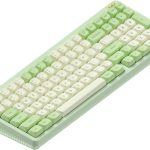
The Nuphy Air75 V3 is one of the most popular low-profile mechanical keyboards for good reason. When it comes to Nuphy Air75 V3 Switch Compatibility: What Can You Actually Replace? the short answer is you can swap in Gateron low-profile switches and Nuphy's own low-profile switches. But the moment you step outside those two families, things get tricky.
The board's hot-swap sockets accept a specific 3-pin layout, and Nuphy's switch stems use a compressed MX-style design. That means a handful of switch brands simply won't fit without modification. Let's start with what actually works, then walk through the details.
What the Air75 V3 Actually Accepts (Quick Answer)
The Air75 V3 works with Gateron low-profile switches and Nuphy's own low-profile switches. Kailh Choc switches don't fit without modifications. The board uses a 3-pin socket and a compressed MX-style stem.
That quick answer covers most people's needs. As of 2026, Nuphy sells four switch options directly: Night Breeze, Wisteria, Moss, and Cowberry. You can also buy Gateron low-profile Red, Brown, or Blue switches from third-party retailers, and they'll drop straight in.
Here's a quick compatibility breakdown:
| Switch Family | Fits Air75 V3 | Pin Layout | Stem Design | Keycap Compatibility |
|---|---|---|---|---|
| Nuphy Low-Profile (Night Breeze, Wisteria, Moss, Cowberry) | Yes | 3-pin | Compressed MX-style cross | Nuphy low-profile keycaps |
| Gateron Low-Profile (Red, Brown, Blue, Silent series) | Yes | 3-pin | Compressed MX-style cross | Gateron/Nuphy low-profile keycaps |
| Kailh Choc V1/V2 | No, requires modification | Different pitch | Central peg, not cross | Choc-specific keycaps |
| Outemu Low-Profile | Mostly no | Different pin spacing | Varies | Varies |
If you're shopping for your first set of replacement switches, stick with Gateron low-profile or Nuphy's own. They're the only options that fit without surgery.
Why "Hot-Swappable" Doesn't Mean "Any Switch Fits"
"Hot-swappable" simply means you can pull a switch out and push a new one in without soldering. The socket underneath still has specific dimensions, contact positions, and a mounting plate cut to a certain footprint. That's where compatibility headaches start.
Low-profile mechanical switches are not a single standard. The most common families are Gateron low-profile, Kailh Choc, and Outemu low-profile. They look similar at a glance, but their pins, stems, and overall measurements differ.
A switch made for a Choc board won't align with the Air75 V3's socket holes.
What the "hot-swap" label actually tells you:
- You can swap switches without a soldering iron.
- You can experiment with different switch types in minutes.
- You have to stick to a switch family that matches the PCB's socket design.
- You still need to check keycap stem compatibility separately.
The Air75 V3's PCB is built for Gateron low-profile sockets. That's the reference all other options are measured against. Anything that deviates from that footprint will need a closer look.
The Two Big Compatibility Checks: Pins and Stem
If you want to know whether a switch will fit the Air75 V3, check two things: the pin layout and the stem shape. Get both right, and you're good. Get either wrong, and you're shopping for a different keyboard.
Pin Layout and Socket Type
The V3 uses a Gateron low-profile socket with a 3-pin layout. That means two metal contact pins and one center plastic guide pin. Most Gateron low-profile switches match this exactly.
Some variants add two extra plastic positioning pins, but you can clip those off if they don't fit.
Kailh Choc switches, on the other hand, use a wider pin pitch. Their metal legs are spaced further apart than Gateron's. Even if you force them into the socket, they likely won't make proper contact with the PCB's pads.
Stem Shape and Keycap Fit
Nuphy low-profile switches use a compressed MX-style cross stem. It's shorter than a full-size MX stem but still a cross shape. That works with Nuphy's low-profile keycaps and Gateron low-profile keycaps.
Kailh Choc switches use a different stem entirely. It's a small central peg that doesn't fit standard MX keycaps. So even if you managed to force a Choc switch into the socket, you wouldn't have keycaps that attach properly.
Here's a quick comparison:
| Check | Gateron Low-Profile | Kailh Choc V1/V2 |
|---|---|---|
| Pin Pitch | Matches the V3 | Wider, doesn't fit |
| Center Post | Present | Present, different position |
| Stem Shape | MX-style cross | Central peg |
| Usable Keycaps | Gateron / Nuphy low-profile | Choc-specific only |
Short version: if a switch family isn't Gateron-compatible, treat it as incompatible until proven otherwise.
Gateron Low-Profile Switches: The Safe, Drop-In Options
Gateron low-profile switches are the default choice for the Air75 V3. That's because Nuphy's own switches are built by Gateron to Nuphy's specifications. The socket interface is identical, so the entire Gateron low-profile lineup drops in without any modification.
The most common Gateron low-profile variants include Red (linear), Brown (tactile), and Blue (clicky). There are also silent versions of Red and Brown that reduce the noise from the switch's upstroke and downstroke.
Manufacturer specs for Gateron low-profile switches typically list a total travel of 3.2mm and a pre-travel of 1.7mm. Actuation force ranges from around 45g for Red to 60g for Blue, with Brown sitting near 55g. These numbers vary slightly by batch, so check the listing before you order.
Here's a reference table:
| Gateron Low-Profile Variant | Type | Actuation Force | Pre-Travel | Total Travel | Factory Lubed |
|---|---|---|---|---|---|
| Red | Linear | 45g | 1.7mm | 3.2mm | Some batches |
| Brown | Tactile | 55g | 1.7mm | 3.2mm | Some batches |
| Blue | Clicky | 60g | 1.7mm | 3.2mm | No |
| Silent Red | Linear (quiet) | 45g | 1.7mm | 3.2mm | Some batches |
| Silent Brown | Tactile (quiet) | 55g | 1.7mm | 3.2mm | Some batches |
If you're replacing the switches that came with your Air75 V3, you can use the official Gateron spec sheet from gateron.com to confirm the current lineup. The key takeaway: Gateron low-profile switches are the safe, zero-worry path for most users.
Nuphy's Own Switches: Night Breeze, Wisteria, Moss, and Cowberry
Nuphy's own low-profile switches are the easiest to recommend because they're designed specifically for the Air75 V3. They use the correct 3-pin socket, the correct compressed MX-style stem, and they're all factory-lubed for a smoother feel. Nuphy sells them in packs, so you can restock or swap to a different feel without hunting for third-party listings.
Here's the roster:
- Night Breeze (linear, 35g actuation). Light and smooth. Great for fast typists who don't want any bump or click.
- Wisteria (tactile, 45g actuation). Soft bump that's noticeable but not sharp. A balanced pick for all-day typing and casual gaming.
- Moss (tactile, 55g actuation). Heavier bump with more resistance. Good if you want stronger feedback and more precise feel.
- Cowberry (linear, 45g actuation). Smooth, medium weight, and snappy. Many users pick this as the default go-to for gaming and office work.
All four use the same socket interface, so swapping between them is just a pull-and-press process. Nuphy's official product page at nuphy.com lists the exact specifications and stock availability.
As of 2026, these four remain Nuphy's standard low-profile switch options for the Air series. They're the only switches guaranteed to work with the V3's keycaps straight out of the box.
Kailh Choc Switches: Why They Usually Don't Fit (and When They Might)
Kailh Choc switches are the other major low-profile option, but they're built to a different standard. The pins are spaced wider than Gateron low-profile, so they don't align with the Air75 V3's socket holes. Even if you press hard enough to seat one, the contacts often miss the PCB pads entirely.
The stem is a bigger problem. Kailh Choc uses a small central peg rather than a cross-shaped stem. Nuphy's keycaps won't attach.
Choc keycaps won't fit Nuphy's switch housings. You'd need to replace keycaps too, and even then, the socket mismatch remains.
When might Choc switches work? If you're willing to modify the PCB socket, widen the holes, and swap in Choc-specific keycaps, it's technically possible. But that's a soldering project, not a switch swap.
For the Air75 V3, we don't recommend it. The risk of bending pins or tearing a socket pad is high for no real benefit.
Other Brands and "Compatible" Switches: What to Watch For
Beyond Gateron and Kailh, you'll see low-profile switches from Outemu and a few smaller brands. Some of these claim Gateron compatibility, but the claim only tells part of the story. You still need to check pin layout, stem shape, and total switch height.
Outemu low-profile switches, for example, have a different pin configuration than Gateron in most production runs. They look similar in photos, but the electrical contacts don't line up. Buying them without checking the spec sheet is a quick way to waste money.
If you find a switch pack labeled "Gateron low-profile compatible," verify three things before ordering: pin pitch, stem shape, and housing dimensions. A visual comparison against Nuphy's stock switch specs is usually enough to confirm. When in doubt, stick with Gateron or Nuphy.
Cheap compatible switches are a gamble that often ends in a return.
Keycap Compatibility: It's Not Just About the Switch
Swapping switches is only half the upgrade. Keycaps must match the switch stem, and low-profile keycaps aren't interchangeable across families. Gateron low-profile and Nuphy switches use a compressed MX-style cross stem.
Kailh Choc switches use a different peg entirely.
That means if you install a switch that doesn't share the stem design, your stock keycaps won't lock on. They'll sit loose, pop off with a light tap, and feel terrible to type on. Even some "low-profile" keycap sets sold online are designed for Choc stems and won't fit Nuphy's board.
Before you buy new keycaps, confirm they're built for Gateron low-profile, not Kailh Choc. Nuphy's own keycap sets are the safest bet. Cherry MX and OEM keycaps won't fit either, because the switch stems are shorter and the housing sits flush against the plate.
How to Swap Switches on the Air75 V3 (Step-by-Step)
The Air75 V3 makes switch swapping genuinely easy. Here's the process that works reliably:
- Unplug the keyboard from your computer.
- Remove the keycap from the switch with a wire keycap puller. Pull straight up, not at an angle.
- Grip the switch with the included switch puller, engaging both sides.
- Pull upward with steady, even pressure. The switch should pop out cleanly.
- Inspect the socket for bent pins or debris.
- Align the new switch's pins with the socket holes. The metal pins go at the bottom, the plastic center post in the middle.
- Press the switch straight down until it clicks into the plate.
- Reinstall the keycap and press until it seats fully.
- Test the switch with a keyboard tester before moving on.
If a switch resists seating, stop and recheck alignment. Forcing it can bend pins or crack the socket. The whole process takes about 10 minutes for a full board.
Common Mistakes That Damage Sockets (And How to Avoid Them)
A few slip-ups show up again and again in user forums. The most common one is pulling switches out at an angle. That bends the metal pins, and a bent pin can scrape the socket's contact pad the next time you push a switch in.
Another mistake is using the keycap puller as a switch puller. They look similar, but the prongs are too wide and can scratch the plate. Use the tool Nuphy includes in the box.
Seating a switch with excessive force is also risky. If it doesn't click in, the pins are likely misaligned. Pressing harder doesn't fix alignment.
It bends pins and damages the socket housing, and a broken socket means soldering or a new PCB.
Finally, leaving the keyboard plugged in during swaps can cause static discharge or short circuits. Unplug it first. One wrong contact while the board is powered could kill a row of LEDs or the microcontroller.
Real-World Switch Pairings: Typing, Gaming, and Office Use
If you type for hours each day, Wisteria is the balance you're looking for. The tactile bump gives clear feedback without slowing you down, and the 45g actuation keeps long sessions comfortable. Moss is the heavier option if you want a stronger bump under every keypress.
For gaming, Cowberry or Gateron Red are the faster picks. They're linear, so there's no bump to push through. The smooth travel and quick rebound make rapid keystrokes feel effortless.
In an open office, quiet is the priority. Gateron Silent Red and Silent Brown variants cut the bottom-out noise significantly. Night Breeze is also office-friendly because the light spring reduces the clack on the downstroke.
| Use Case | Recommended Switch | Why It Works |
|---|---|---|
| Typing all day | Wisteria or Moss | Tactile feedback without fatigue |
| Gaming | Cowberry or Gateron Red | Smooth linear, fast rebound |
| Open office | Silent Red or Silent Brown | Reduced noise, softer landing |
| Travel or light use | Night Breeze | Feather-light spring, easy on fingers |
Once you've got the switches dialed in, a high-refresh gaming display pairs well with a snappy linear setup.
FAQs: Quick Answers to What You're About to Search
Can I put Kailh Choc switches in my Nuphy Air75 V3?
No, Kailh Choc switches use a wider pin pitch and a different stem design. They won't fit the V3's Gateron low-profile sockets without modifying the PCB. That's not a swap you should attempt without soldering experience.
Do Gateron low-profile switches work with Nuphy keycaps?
Yes. Gateron low-profile switches and Nuphy's own switches share the same compressed MX-style cross stem. Your stock Nuphy keycaps will lock onto Gateron low-profile switches without any modifications.
What's the difference between Nuphy's Night Breeze and Cowberry switches?
Night Breeze is a lighter linear at 35g actuation. Cowberry is a heavier linear at 45g actuation. Night Breeze feels softer and quicker, while Cowberry feels more solid and stable.
Typists often prefer Night Breeze, and gamers lean toward Cowberry.
Will a switch swap void my keyboard's warranty?
Nuphy designs the Air75 V3 for hot-swapping, so routine switch changes don't normally void the warranty. Physical damage from forced installs or bent pins can still be denied. If you're unsure, ask Nuphy support before modifying a new board.
Upgrading your desk with a 27-inch OLED panel is another easy improvement alongside a fresh switch set.
The Bottom Line: What Should You Actually Buy?
For most users, Nuphy's own switches are the safest purchase. They fit perfectly, feel great, and come factory-lubed. If you want to experiment, Gateron low-profile Red, Brown, and Silent variants are the only third-party options we'd recommend.
Avoid Kailh Choc and Outemu low-profile switches on the V3. The pin mismatch and stem differences aren't worth the risk. As of 2026, there's no reason to gamble when the compatible options are easy to find.
Think of it like picking between different display tiers. You'd compare budget OLED options against premium ones, and the same logic applies here. A quick look at mainstream OLED choices shows how much research goes into a good buy.
The same approach works for your switches.
If you're still unsure, buy a multi-switch tester from Nuphy, or grab a single pack of Wisteria and Cowberry. Try them for a week, then pick the one that feels natural. That's the real beauty of the Air75 V3: you can make it yours without opening a single tool.
A quality setup isn't just about the keyboard. A solid 1440p OLED monitor completes the experience.