Want better sound from your portable Bluetooth speaker? You can! Learn simple tricks like speaker placement, EQ settings, and keeping it charged to boost your music experience.
Hey there, tech explorers! Max here from AffTechy.com, your friendly guide to all things gadgety. Ever feel like your portable Bluetooth speaker isn’t quite hitting those high notes or delivering that deep bass you love? It’s like having a great recipe but missing one key ingredient – something just feels a little… off. We all want our music, podcasts, and movie sound effects to sound their absolute best, right?
Choosing a portable Bluetooth speaker can sometimes feel like navigating a maze. You see all sorts of numbers and fancy terms, and it’s easy to get a little lost. But don’t worry! I’m here to break it all down for you. My goal is to make technology feel super simple and fun. We’ll explore how to unlock the full potential of the speaker you already have.
Think of your portable speaker like a tiny musician. It needs the right environment and a little bit of help to perform its best. We’ll cover some easy tips and tricks that don’t require a degree in audio engineering. You’ll be surprised at the difference these simple changes can make. Ready to turn up the awesome? Let’s dive in and make that speaker sing!

Why Does My Bluetooth Speaker Sound… Just Okay?
It’s a question many of us ask. You bought a speaker hoping for amazing sound, but sometimes it falls a bit flat. There are a few reasons why this happens, and thankfully, most are super easy to fix. Your speaker is a marvel of modern tech, packing a lot of sound into a small package. But like any tool, it works best when used correctly and in the right conditions.
Sometimes, it’s not the speaker itself, but how and where you’re using it. Think about it: a tiny speaker trying to fill a huge room might struggle. Or maybe it’s placed in a spot where sound waves get all jumbled up. We’ll explore how these small details can make a big difference to your listening pleasure. Get ready to discover the secrets to richer, fuller sound.
Let’s Talk About Sound: The Basics
Before we tweak, let’s understand a little about sound. Sound travels in waves. When your speaker plays music, it’s pushing air to create these waves. The shape and strength of these waves determine what you hear – the clear highs, the punchy mids, and the deep bass. Portable speakers have tiny drivers (the parts that make sound) and small enclosures, which can limit how well they reproduce very low or very high frequencies.
Think of it like trying to get a big wave from a small pebble dropped in a puddle. It’s possible, but it won’t have the same power as a wave from a big rock in the ocean. Portable speakers are designed for convenience, but this often means a trade-off in ultimate sound fidelity compared to larger home systems. However, with a few smart adjustments, we can get much closer to that rich, immersive sound we crave.
The Magic of Placement: Where You Put Your Speaker Matters!
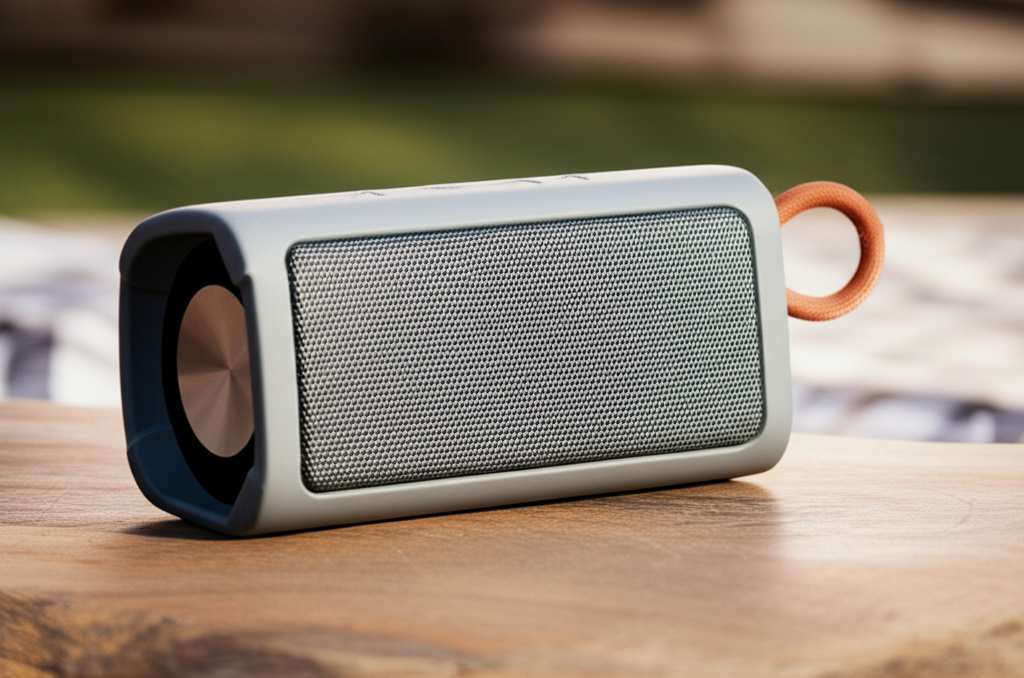
This is probably the easiest and most impactful tip. Where you place your portable Bluetooth speaker can dramatically change how it sounds. Walls, corners, and even the surface it sits on can affect the sound waves. It’s like setting up your stage for the best performance!
Here’s how to get it right:
Corners are King (Sometimes): Placing your speaker in a corner can boost bass frequencies. This is because the sound waves bounce off two walls, effectively making the bass sound louder and fuller. It’s a neat acoustic trick!
Near a Wall, Not Too Close: If a corner is too much, placing the speaker a foot or two away from a wall can still enhance bass without making it muddy. Experiment with the distance to find the sweet spot.
Avoid Open Spaces: In a large, open area, your speaker might sound thin. It has no surfaces to bounce sound off, so the energy dissipates quickly. Try to position it where it has some boundaries.
Surface Matters: A hard surface like a table or shelf is generally better than a soft, absorbent surface like a sofa or carpet. Soft surfaces can soak up sound, especially higher frequencies.
Elevation Helps: Placing the speaker at ear level, if possible, makes a big difference. This way, the sound is directed right at you, rather than bouncing around inefficiently.
I remember one time I was having a backyard party, and my speaker sounded so weak. I moved it from the middle of the lawn to a patio table near the house, and bam! The sound was so much richer and filled the space. It’s all about working with your environment.
Let’s Get Equal: Tweaking Your EQ Settings
Many portable Bluetooth speakers, and the devices they connect to (like your phone or tablet), have Equalizer (EQ) settings. Think of an EQ as a sound sculptor. It lets you adjust the levels of different frequencies – bass (lows), mids (middle tones), and treble (highs). This is where you can really fine-tune the sound to your liking.
How to find and use your EQ:
Check Your Phone/Tablet App: Most music apps (Spotify, Apple Music, etc.) have built-in EQ settings. Look for them in the app’s settings menu.
Speaker Manufacturer App: Some brands offer dedicated apps for their speakers. These apps often have more advanced EQ controls and preset sound profiles.
Experiment with Presets: Start with presets like “Rock,” “Pop,” or “Bass Boost.” See which one gets you closer to the sound you want.
Manual Adjustments: If presets aren’t perfect, try adjusting the sliders yourself.
Boost Bass: Slide the low-frequency sliders up. Be careful not to overdo it, or the sound can become muddy.
Clearer Mids: Adjust the middle sliders. This helps vocals and instruments stand out.
Crisper Highs: Move the high-frequency sliders up for more sparkle and detail in cymbals or vocals. Again, too much can sound harsh.
I found that for my favorite acoustic playlists, turning down the bass a notch and boosting the mids just a little made the guitars and vocals sound incredibly clear. It’s all about personal preference and what sounds best to you.
Power Up Your Sound: Battery Life and Performance
This might seem a little odd, but a speaker’s battery level can actually affect its sound quality. When the battery is low, many speakers will reduce their power output to conserve energy. This can result in lower volume and less dynamic range – meaning the difference between loud and soft sounds is reduced.
Here’s the scoop:
Keep It Charged: For the best performance, always try to use your speaker when it has a good amount of charge. A fully charged speaker will generally sound better and louder.
Avoid “Low Power” Sound: If you notice your speaker suddenly sounding weak or distorted at lower volumes, check the battery. It might just need a charge!
Consider Power Source: If you’re using a speaker that can be plugged in while it plays, it will likely perform at its peak. This is because it’s not limited by battery power.
It’s like a car – it runs best with a full tank of gas! So, don’t be surprised if your speaker sounds a bit sluggish when it’s running on fumes.
Pairing Perfection: Bluetooth Version and Codecs
The way your speaker connects to your device via Bluetooth also plays a role. Newer Bluetooth versions and better audio codecs can transmit higher quality audio. Bluetooth 5.0 and above are generally better than older versions. As for codecs, think of them as languages for transmitting audio.
Here’s a quick rundown:
Bluetooth Version: While not always a user-adjustable setting, knowing your speaker’s Bluetooth version can be helpful. Newer versions offer more stable connections and potentially better audio.
Audio Codecs: These are technical terms, but the most common ones you might see are SBC (standard), AAC (better for Apple devices), aptX, and LDAC (higher quality). Your device and speaker need to support the same codec for it to work.
SBC: This is the most basic and universally supported codec. It’s good, but not the best.
AAC: Often found on Apple devices, it offers improved quality over SBC.
aptX & aptX HD: These are Qualcomm technologies that provide near CD-quality audio over Bluetooth.
LDAC: Developed by Sony, this is one of the highest-quality Bluetooth audio codecs available.
You don’t need to be an expert, but if you’re buying a new speaker, looking for support for aptX HD or LDAC can indicate a focus on sound quality. For most users, however, the standard SBC or AAC is perfectly fine for everyday listening.
Keeping It Clean: Maintenance for Better Sound
Sometimes, the simplest things make the biggest difference. Dust and debris can accumulate in and around your speaker’s drivers, which can subtly muffle the sound. A little bit of regular cleaning can go a long way.
Here’s how to do it safely:
Gentle Dusting: Use a soft, dry microfiber cloth to gently wipe down the speaker’s exterior and speaker grilles.
Compressed Air (Carefully!): For stubborn dust in grilles, a can of compressed air can be useful. Hold it upright and use short bursts from a distance. Don’t spray directly into the speaker drivers.
Avoid Liquids: Never use water or cleaning solutions directly on the speaker, as this can damage the electronics.
Think of it like cleaning your glasses – a little care makes everything clearer!
Understanding Speaker Features: What to Look For
When you’re looking at portable Bluetooth speakers, a few features can hint at better sound quality. While specs can be confusing, some are worth knowing.
Here are a few key things to consider:
Driver Size: Larger drivers generally produce fuller sound and better bass. However, it’s not the only factor!
Power Output (Watts): Higher wattage usually means louder sound, but it doesn’t automatically mean better quality. A well-designed 10W speaker can sound better than a poorly designed 20W speaker.
Water Resistance Rating (IPX): While not directly about sound quality, a good IPX rating means you can use your speaker in more places (like the beach or pool), expanding its utility.
Stereo Pairing: Some speakers can be paired with another identical speaker to create a true stereo soundstage, which is a significant upgrade.
Let’s look at a quick comparison of how these might play out in different types of speakers:
| Speaker Type | Typical Use Case | Key Features for Sound | Potential Sound Quality |
|---|---|---|---|
| Mini Pocket Speaker | Personal listening, podcasts | Compact size, basic Bluetooth | Functional, can be tinny |
| Standard Portable Speaker | Group listening, picnics | Mid-size drivers, decent battery, IPX rating | Good all-rounder, balanced sound |
| Rugged/Outdoor Speaker | Adventures, pool parties | Durable build, good battery, often water/dustproof | Can be bass-heavy, good for outdoors |
| High-Fidelity Portable | Music enthusiasts, home use | Larger drivers, advanced codecs (aptX HD, LDAC), stereo pairing | Rich, detailed, immersive sound |
This table shows that a speaker designed for outdoor adventures might prioritize bass for open spaces, while a high-fidelity model will focus on clarity and detail. Knowing what you want your speaker for helps you choose one that’s already geared for it.
The Role of the Source: Your Music Files Matter!
Believe it or not, the quality of the music file you’re playing has a huge impact. A super high-quality speaker playing a low-quality MP3 file will still sound… well, low-quality.
Here’s a quick guide:
Lossless vs. Lossy:
Lossless (like FLAC, ALAC): These files contain all the original audio data. They sound the best but take up more storage space.
Lossy (like MP3, AAC): These files have had some data removed to reduce size. The quality varies depending on the bitrate (e.g., 128kbps is lower quality than 320kbps).
Streaming Service Quality: If you use streaming services like Spotify, Apple Music, or Tidal, check their settings. You can usually choose a higher streaming quality, which will send a better audio signal to your speaker.
For example, streaming music on “Normal” quality in Spotify uses about 40MB per hour. If you switch to “Very High” quality, it uses about 150MB per hour but sounds much better. It’s a trade-off, but for a better listening experience, higher quality is often worth it. You can find more info on streaming quality settings on sites like CNET.
Stereo Pairing: Double the Speakers, Double the Fun!
If your speaker supports stereo pairing (sometimes called TWS for True Wireless Stereo), this is a game-changer for sound quality. It means you can connect two identical speakers together. One speaker acts as the left channel, and the other as the right channel.
Why this is awesome:
True Stereo Sound: This creates a much wider, more immersive soundstage, just like you’d get from a home stereo system.
More Power: Two speakers working together can often produce more volume and a fuller sound.
Better Separation: You can hear instruments and vocals more distinctly, as they are placed in their respective left or right channels.
Setting this up is usually straightforward. You typically press a button on one speaker to initiate pairing, then do the same on the second speaker. Check your speaker’s manual for exact steps. It’s a fantastic way to elevate your outdoor gatherings or home listening experience without buying a whole new system. For more on this, check out reviews on TechRadar.
When to Consider an Upgrade
Sometimes, despite all our efforts, a speaker might just be at its limit. If you’ve tried all these tips and you’re still not getting the sound you want, it might be time to consider a new speaker.
Think about upgrading if:
Your speaker is old: Older Bluetooth versions and aging drivers might not perform as well.
It lacks features: It doesn’t have EQ, stereo pairing, or support for better codecs.
It just doesn’t meet your needs: You want more bass, clearer vocals, or simply more volume than it can provide.
Don’t feel bad if it’s time for an upgrade! Technology moves fast, and there are some truly amazing portable speakers out there now that offer incredible sound for their size.
Frequently Asked Questions (FAQs)
Here are some common questions beginners have about improving their portable Bluetooth speaker sound.
Q1: Will placing my speaker on a different surface really make a difference?
Absolutely! Hard surfaces like wood or metal tables reflect sound waves, which can boost bass and make the sound fuller. Soft surfaces like carpets or curtains absorb sound, making it sound duller. Experiment with different surfaces to hear the change!
Q2: How do I know if my phone supports better Bluetooth codecs like aptX?
Most modern smartphones (especially Android) support aptX. iPhones typically use AAC, which is also a good codec. You can usually find this information in your phone’s technical specifications online. Don’t worry too much if yours is basic; the standard codec still works well!
Q3: My speaker sounds distorted when I turn it up loud. What’s wrong?
This usually means you’re pushing the speaker beyond its capabilities. It’s called “clipping” or distortion. Try turning the volume down a bit on the speaker and increasing the volume on your phone instead, or vice-versa. If it still distorts, the speaker might simply not be powerful enough for that volume level.
Q4: Can I use my speaker while it’s charging?
Yes, most portable Bluetooth speakers can be used while they are plugged in and charging. In fact, this often allows them to perform at their maximum volume and sound quality, as they aren’t limited by battery power.
Q5: Is it better to use a music app’s EQ or the speaker’s app EQ?
It depends on the speaker! If the speaker has a dedicated app with good EQ controls, it might offer more precise adjustments for that specific speaker. However, your phone’s music app EQ is usually very effective and easy to use for quick adjustments. Try both and see which one sounds best to you!
Q6: My speaker sounds tinny. How can I fix that?
A “tinny” sound often means there’s too much treble and not enough bass or mid-range. Try boosting the bass and mid-frequency sliders on your EQ settings. Also, try moving the speaker closer to a wall or corner, as this can naturally enhance bass.
Q7: What’s the difference between sound quality and loudness?
Loudness is simply how much volume a speaker can produce. Sound quality refers to how clear, detailed, and balanced the sound is – including the bass, mids, and treble. A speaker can be very loud but sound terrible, or be quiet but sound amazing!
Wrapping It All Up: Your Sound, Your Way!
So there you have it! Improving the sound quality of your portable Bluetooth speaker is totally achievable with a few smart moves. We’ve covered everything from the simple magic of speaker placement and EQ tweaking to understanding battery life and even the importance of your music files. You’ve learned how small adjustments can lead to big improvements in how your music sounds.
Remember, the goal is to make your listening experience more enjoyable. Don’t be afraid to experiment with these tips. Play around with the EQ, try different spots in your room, and check your music app’s settings. You might be surprised at just how much better your favorite tunes can sound!
Now go forth and enjoy your music to the fullest. Crank up the volume (responsibly!), get lost in the melodies, and make every moment louder and better! Happy listening!