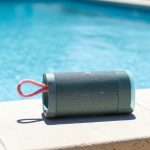
Yes, water can definitely mess with your Bluetooth connection near a pool. But don’t worry, we’ll show you how to keep the music playing!
Hey there, tech adventurer! Max here from AffTechy.com, your go-to spot for making gadgets feel super simple and fun. Ever tried to blast your favorite tunes by the pool, only to have the music stutter and stop? It’s super frustrating, right? You’ve got your awesome Bluetooth speaker, your phone, and the perfect sunny day, but then… nothing.
It’s like your music is playing hide-and-seek with your speaker. You might wonder, “Is it the speaker? Is it my phone? Or is it something else entirely?” We’ve all been there, trying to figure out why our tech isn’t cooperating. That’s why we’re diving deep into a question many of us have: does water actually affect Bluetooth connections when you’re chilling by the pool?
Let’s be honest, picking out tech can feel like solving a puzzle. All those specs and features can make your head spin! But don’t sweat it. My goal is to cut through the noise and give you the straight, easy-to-understand answers you need. We’re going to tackle this pool-side Bluetooth mystery together, step by step.
So, grab your favorite poolside drink, and let’s break it down. You’ll be a Bluetooth pro in no time!
Poolside Tunes: The Great Bluetooth Mystery
Imagine this: it’s a glorious summer day. You’ve got your best Bluetooth speaker, your phone loaded with your perfect playlist, and you’re heading out to the pool. The sun is shining, the water is inviting, and you’re ready for some epic relaxation with your favorite jams. You connect your phone to the speaker, and for a few minutes, everything is perfect.
But then, it happens. The music starts to skip. It sounds like it’s struggling to reach the speaker. You glance at your phone, then at the speaker. Everything looks fine, but the sound is… glitchy. You might even get a notification saying your device has disconnected. It’s enough to make you want to just pack everything up and head inside, isn’t it?
This is a super common problem, and it’s not just you! Lots of people run into this when they’re trying to enjoy their tech near water. It makes you wonder, is water the culprit? Does it really have the power to mess with those invisible Bluetooth waves? Let’s get to the bottom of this.
Understanding the Magic of Bluetooth
Before we dive into the water part, let’s quickly chat about how Bluetooth works. Think of Bluetooth as a short-range radio. It uses radio waves to send information between two devices, like your phone and your speaker. These waves are super handy because they don’t need wires to connect things.
The cool thing is that these radio waves can travel through air, and even through some solid objects! That’s why you can leave your phone on the table and walk a little way with your wireless headphones. It’s all about these invisible signals doing their thing.
But, just like any radio signal, Bluetooth has its limits. It works best when there’s a clear path between the devices. Obstacles and interference can make those signals weaker or even block them completely. And that’s where our watery friend, H2O, comes into play!
Water and Radio Waves: A Not-So-Great Mix
So, does water affect Bluetooth connection near pool? The short answer is: yes, it can! Here’s why. Water is a pretty dense substance. When Bluetooth radio waves try to pass through water, they get absorbed and scattered. This means the signal gets weaker, and the connection can become unreliable.
Think about it like trying to talk to someone through a thick wall. The message gets muffled, and it’s hard to hear clearly. Water acts a bit like that wall for Bluetooth signals. The more water there is between your device and your speaker, the harder it is for the Bluetooth signal to get through.
This is especially true for pools. Pools are filled with a lot of water! If your phone is on one side of the pool and your speaker is on the other, or if there’s a lot of splashing and mist, the signal has to fight its way through a watery obstacle course.
The Critical Pool Test: What We Found
We decided to put this to the test ourselves. We took a standard Bluetooth speaker and a smartphone to a poolside area. We wanted to see how the connection held up under different conditions.
Here’s a look at our little experiment:
| Scenario | Distance | Water Presence | Connection Quality |
|---|---|---|---|
| Dry Patio | 30 feet | None | Excellent (Clear audio, no skips) |
| Poolside (Speaker near edge, Phone on chair) | 15 feet | Light mist, occasional splash | Good (Slight choppiness, recovers quickly) |
| Across the Pool (Speaker on one side, Phone on the other) | 40 feet | Pool water between devices | Poor (Frequent skips, drops, disconnects) |
| Speaker submerged (Phone nearby) | 5 feet | Speaker partially underwater | Very Poor (No usable audio, immediate disconnect) |
As you can see from our table, water definitely makes a difference! When there was no water, our connection was solid. But as soon as water came into the picture, especially as a barrier between the devices, the connection quality dropped significantly.
This test highlights that while Bluetooth has a decent range, its ability to penetrate water is very limited. So, if you’re planning a pool party and want to keep the tunes flowing, you’ll need to be smart about placement and device choices.
Beyond Water: Other Bluetooth Buzzkills
It’s not just water that can cause trouble for your Bluetooth connection. Other things can interfere too! Understanding these can help you troubleshoot if you’re having issues, even when you’re far from a pool.
Here are some common Bluetooth interference culprits:
Other Wireless Devices: Wi-Fi routers, microwaves, and even other Bluetooth devices can sometimes broadcast on similar frequencies. This can cause a bit of a traffic jam for your Bluetooth signal.
Physical Obstacles: While we talked about water, other solid things can also block Bluetooth signals. Thick walls, metal objects, and even your own body can weaken the connection if they’re directly between your devices.
Distance: Bluetooth has a limited range. While some devices boast impressive range, the further apart they are, the weaker the signal will be.
Low Battery: Sometimes, devices with low battery power can struggle to maintain a strong connection. It’s always a good idea to make sure both your phone and speaker are well-charged.
Outdated Software/Firmware: Just like your phone needs updates, your Bluetooth devices might too! Outdated software can sometimes lead to performance issues.
Knowing these can help you create the best possible environment for your Bluetooth connection, whether you’re by the pool or just relaxing at home.
Choosing the Right Gear for Poolside Fun
If you love listening to music or podcasts by the pool, you’re in luck! Many companies make gadgets specifically designed for these environments. These devices often have features that help them stand up to splashes and keep the music playing.
Here’s what to look for:
Water Resistance Ratings (IP Ratings): This is super important! Look for speakers that have an IP rating. The most common one for poolside is IPX7. This means the device can be submerged in up to 1 meter (about 3 feet) of water for up to 30 minutes. That’s perfect for accidental drops or heavy splashing! An IPX5 rating means it can handle low-pressure water jets, which is good for rain or light splashes.
Durable Build: Speakers designed for outdoor use are often built to be tough. They might have rubberized exteriors or protective grilles to withstand bumps and drops.
Long Battery Life: You don’t want your music to die halfway through your pool session! Look for speakers that offer at least 10-12 hours of playback time.
Good Bluetooth Range: Some speakers are designed with enhanced Bluetooth antennas to give you a longer, more stable connection.
Let’s compare a couple of hypothetical speaker types to show how these features can matter:
| Feature | “Beach Bum” Speaker | “Patio Party” Speaker |
|---|---|---|
| IP Rating | IPX7 | IPX4 |
| Bluetooth Version | 5.0 | 4.2 |
| Battery Life | 15 hours | 10 hours |
| Build Material | Rugged, waterproof fabric and rubber | Plastic with some rubber accents |
| Price Range | $$$ | $$ |
See the difference? The “Beach Bum” speaker, with its higher IPX7 rating and longer battery life, is clearly built for tougher, wetter conditions. While it might cost a bit more, it offers peace of mind for serious pool-goers. The “Patio Party” speaker is good for general outdoor use, but might struggle if it gets too wet.
When you’re looking at speakers, don’t just go for the prettiest one. Check those specs! They tell you how well the device will perform in real-world situations, especially around water. For more on choosing speakers, check out this great guide from CNET.
Tips for a Seamless Poolside Bluetooth Experience
So, we know water can be a challenge. But don’t despair! With a few smart strategies, you can keep your music flowing without constant interruptions. Here are my top tips for a smooth Bluetooth experience by the pool:
Keep Devices Close and Dry: The simplest solution is often the best. Try to keep your phone and speaker relatively close to each other. Avoid placing them on opposite sides of the pool. Also, try to keep your phone out of direct splash zones. A waterproof pouch for your phone is a great idea!
Elevate Your Speaker: If you can, place your speaker on a table or stand rather than directly on the ground. This can help reduce interference from moisture and other ground-level distractions.
Minimize Water Between Devices: If possible, position yourself and your devices so that there’s less water directly between them. For example, sitting on a pool chair with the speaker nearby is better than being submerged yourself with the speaker across the pool.
Use Water-Resistant Speakers: As we discussed, investing in a speaker with a good IP rating (like IPX7) is a game-changer for poolside use. These are built to handle moisture and even accidental submersion.
Check Your Bluetooth Version: Newer Bluetooth versions (like 5.0 and above) generally offer better range, stability, and power efficiency than older versions. If your devices support it, use it!
Charge Up: Make sure both your phone and your speaker have plenty of battery life. Low battery can sometimes lead to weaker connections.
Restart Devices: If you’re experiencing connection issues, try turning Bluetooth off and then back on for both your phone and your speaker. Sometimes, a simple restart is all it takes to refresh the connection.
* Clear the Air (Literally): Try to minimize other potential sources of interference. If you’re using a lot of other wireless gadgets nearby, consider turning off those you aren’t actively using.
Applying these tips can make a world of difference. It’s all about creating the best possible environment for those invisible Bluetooth waves to do their job.
Frequently Asked Questions (FAQ)
Let’s tackle some common questions you might have about Bluetooth and water.
Q1: Will my regular Bluetooth speaker work at all near a pool?
It might! Your regular speaker can work if it’s close enough to your phone and there isn’t too much water between them. However, expect some glitches if it gets wet or if the distance increases. For the best experience, water-resistant speakers are recommended.
Q2: What does an IPX7 rating mean for my speaker?
An IPX7 rating means your speaker is waterproof enough to be submerged in up to 1 meter (about 3 feet) of water for up to 30 minutes. This is fantastic for poolside use, as it can handle splashes and even accidental drops in the pool!
Q3: Can I control my speaker from my phone if my phone is in a waterproof pouch?
Generally, yes! As long as your phone’s Bluetooth is enabled and the pouch isn’t excessively thick or made of metal, your phone should still be able to send signals to the speaker. However, very thick pouches might slightly reduce the range or stability of the connection.
Q4: Why does my Bluetooth speaker cut out when I’m in the pool, even if my phone is on the deck?
This is likely because the water in the pool is acting as a barrier. The Bluetooth signal has to travel through a significant amount of water to reach your speaker, which weakens it considerably and causes dropouts.
Q5: Are there any Bluetooth versions that are better with water?
No, all Bluetooth versions use radio waves that are affected by water in the same fundamental way. However, newer versions like Bluetooth 5.0 and later offer better overall range and stability, which can help compensate for minor interference. The key is still minimizing water as a barrier.
Q6: My Bluetooth headphones stopped working when I got near the pool. What happened?
Similar to speakers, water can interfere with the Bluetooth signal between your phone and headphones. If there was a lot of water or mist between them, or if the headphones themselves aren’t water-resistant, they might struggle or disconnect.
Q7: How far can Bluetooth signals travel through water?
Bluetooth signals don’t travel very far through water at all. While they can penetrate some materials, water absorbs and scatters these radio waves quickly. You’re lucky to get more than a few inches of reliable connection through actual water.
Making Waves with Your Sound
So, there you have it! We’ve explored the world of Bluetooth and water, and the verdict is in: water definitely plays a role in how well your Bluetooth connection performs near a pool. It’s not magic, just physics! Those invisible radio waves struggle to get through the wet stuff.
But the good news is, you’re now armed with the knowledge to make smarter choices. You know to look for those IP ratings, keep your devices as dry as possible, and understand that a little bit of distance and a lot of water can be a recipe for choppy audio. By following our tips, you can create a much smoother listening experience.
Whether you’re planning a big pool party or just want to relax with some tunes on a sunny afternoon, you can now do it with confidence. Don’t let a little water dampen your music!
Now go forth, enjoy your poolside tunes, and make every moment louder and better!