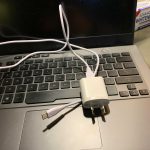
Yes, you can sometimes use a phone charger to charge a laptop, but it depends on the charger’s power output and the laptop’s charging requirements. Most phone chargers aren’t designed to provide the wattage needed for laptops, so compatibility is key. Using an incompatible charger can lead to slow charging or even damage to your device.
If you’re wondering whether your phone charger can power up your laptop, the short answer is: it’s usually not advisable unless the charger supports high wattage output and the laptop’s charging standards. Many modern phones now support fast charging, but laptops typically need much more power, often delivered through USB-C Power Delivery (PD). Before attempting to use a phone charger, check the voltage, current, and compatibility to avoid potential harm. It’s best to use the charger provided by your laptop’s manufacturer or ensure the third-party charger is rated for your device’s specific requirements.

Can You Use a Phone Charger to Charge a Laptop?
Understanding the Basics of Phone Chargers and Laptops
Phone chargers are designed to supply power to smartphones and other small devices. They typically provide a low wattage, usually between 5 to 20 watts, which is enough for phones but not for laptops. Laptops demand much higher power, often between 30 to 100 watts or more, depending on the model.
Differences in Power Output and Charging Standards
One main difference is power output. Phone chargers use various USB standards, like USB-A or USB-C, with USB-C becoming more common. Laptops often require specific charging ports and higher wattage to operate efficiently. Using a phone charger for a laptop can be problematic if the charger doesn’t meet the laptop’s power needs.
Can You Use a Phone Charger to Charge a Laptop?
In most cases, using a phone charger directly on a laptop isn’t advisable. The low wattage from a typical phone charger might not provide enough power for the laptop to operate or charge properly. However, with certain conditions and equipment, it can sometimes be possible.
When Is It Possible to Use a Phone Charger for a Laptop?
It becomes feasible if the laptop supports charging via USB-C port and if the charger provides enough wattage. Many newer laptops have USB-C charging capabilities, which means they can draw power from compatible chargers. The key factor is matching or exceeding the laptop’s required wattage.
Important Factors to Consider
- Wattage: The charger must supply sufficient power. Check the laptop’s specifications for required wattage.
- Port Compatibility: The laptop should have a USB-C port that supports charging.
- Charger Compatibility: The charger must support fast charging standards like USB Power Delivery (USB PD).
How to Check if Your Phone Charger is Compatible
Determine if the charger supports USB Power Delivery (USB PD), which is essential for charging larger devices. Look at the charger specifications—if it outputs 18W, 30W, or higher via USB-C, it may be compatible for certain laptops. Always verify the voltage and current ratings to match or exceed what your laptop needs.
Using a USB-C to USB-C Cable for Charging
Many modern laptops support charging through a USB-C port, which simplifies the process. Use a high-quality, certified USB-C cable to ensure safe and efficient charging. Avoid cheap cables that might not handle higher power levels properly.
Risks of Using a Phone Charger on a Laptop
While it might be tempting to use a phone charger in a pinch, it comes with risks. The charger may deliver insufficient power, leading to slow charging or no charging at all. There is also a risk of damaging your laptop or the charger if they are incompatible.
Potential Damage to Devices
Supplying lower or inconsistent power can strain the battery and internal components over time. Also, if a charger overheats or malfunctions, it could harm your device.
Impact on Charging Speed and Device Performance
Even if the laptop charges with a phone charger, it might do so very slowly. Some laptops won’t operate properly while charging from an underpowered source, causing performance issues or unexpected shutdowns.
Alternative Solutions for Charging Laptops with Limited Power Sources
If you often find yourself needing to charge your laptop when away from conventional outlets, consider these options:
- Portable Power Banks: Use a power bank with high wattage output supporting USB PD standards.
- Car Chargers: Use a car charger designed for laptops, usually via a 12V or 24V socket.
- Universal Laptop Chargers: Invest in chargers compatible with multiple devices and wattages.
Choosing the Right Charger for Your Laptop
Always review your laptop’s manufacturer recommendations on charging requirements. Opt for original or certified third-party chargers that match these specifications. Doing so ensures safe, efficient charging and preserves your device’s longevity.
Safety Tips When Using Phone Chargers for Laptops
Ensure chargers are from reputable brands and certified to meet safety standards. Avoid cheap or counterfeit chargers, as they can pose fire risks or cause device damage. Always inspect the charger and cable for wear or damage before use.
Summary of Key Points
- Most phone chargers provide insufficient power for full laptop charging.
- Charging is possible if the laptop supports USB-C charging and the charger offers enough wattage.
- Use USB Power Delivery (USB PD) compatible chargers and quality cables for safety and efficiency.
- Always verify your laptop’s power requirements before attempting to charge with a phone charger.
Related Topics
How to Maximize Battery Life on Your Laptop
Best Portable Chargers for Laptops
Understanding Your Laptop’s Power Specifications
Future of USB Charging Technology
This overview shows that while it’s technically possible under limited conditions, the safest and most effective way to charge a laptop is using the right charger designed for it. Using a phone charger may work in emergencies but isn’t recommended as a regular solution due to potential risks and performance limitations.
Charge this laptop with your PHONE CHARGER! #shorts #didyouknow #gaming #lenovolegion
Frequently Asked Questions
Is it safe to use a phone charger to power a laptop?
Using a phone charger to charge a laptop generally isn’t safe unless the charger meets the specific power requirements of the device. Phone chargers are designed for low wattage devices, so they may not provide enough power for a laptop, which can lead to potential damage or insufficient charging. Always verify the wattage and voltage specifications before attempting to connect a phone charger to a laptop.
Can a phone charger supply enough power to run a laptop directly?
Most phone chargers cannot supply the necessary power to run a laptop directly because of their limited wattage output. While they may charge the laptop’s battery slowly, they typically can’t support the device’s operational power needs. Using an inadequate power source may cause the laptop to malfunction or prevent it from turning on properly.
What type of phone charger might be compatible with a laptop?
A phone charger compatible with a laptop must support higher power delivery standards, like USB Power Delivery (USB PD). Some newer phones and chargers support fast charging technologies that can sometimes be used for small laptops or ultrabooks, especially if the charger’s power output matches the laptop’s requirements. Still, it’s best to use the original charger provided by the manufacturer or an approved replacement.
Are there adapters that can help connect a phone charger to a laptop?
Yes, certain adapters can convert the connection from a phone charger to fit a laptop’s charging port, provided the charger can deliver the required power. These adapters typically help connect different types of USB-C or other ports. However, even with adapters, the phone charger must still meet the necessary voltage and wattage criteria for safe and effective laptop charging.
What risks do I face by connecting a phone charger to my laptop?
Connecting a phone charger to a laptop can pose several risks, including potential damage to the battery, motherboard, or charging port if the power output isn’t adequate or consistent. It might also cause overheating or electrical short circuits. Always follow the manufacturer’s guidelines and use compatible chargers specifically designed for your laptop to avoid these issues.
Final Thoughts
Using a phone charger to charge a laptop is generally not recommended due to differences in power output and connectors. Phone chargers are designed for low wattage devices, while laptops often require higher power levels for safe charging.
Always verify the compatibility and wattage specifications before attempting any alternative charging methods.
In conclusion, can you use a phone charger to charge a laptop? Typically, the answer is no, as the power requirements are not compatible, and it may damage your device.