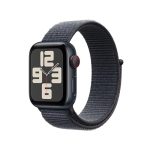
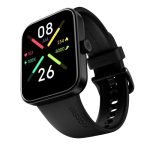
Yes, smart watches can make phone calls, providing a convenient way to stay connected without having to reach for your phone. Many modern smart watches come equipped with built-in cellular capabilities or Bluetooth connectivity that allows you to make and receive calls directly from your wrist. This feature is especially handy when you’re on the go or your phone isn’t within reach, making communication faster and more effortless.
Smart watches are increasingly becoming versatile devices that do more than just tell time. They now offer calling features thanks to integrated microphones, speakers, and optional SIM card slots or Bluetooth pairing with smartphones. Whether you’re running, commuting, or just busy around the house, these gadgets allow you to stay connected with just a tap or a voice command. So, if you’re curious whether your smartwatch can take calls, the answer depends on the model—but many do, making them a true extension of your phone.

Can Smart Watches Make Phone Calls? Exploring How Modern Wearables Handle Communication
Smart watches have become more than just fitness trackers or stylish accessories. Many models now include features that allow users to make and receive phone calls directly from their wrist. This capability can simplify communication, especially when your phone isn’t easily accessible. But how do smart watches make phone calls, and what do you need to know to use this feature effectively?
Understanding How Smart Watches Make Phone Calls
Smart watches can make phone calls through several different methods, depending on the device model and technology used. These methods include cellular connectivity, Bluetooth pairing with smartphones, or Wi-Fi connections. Each approach has its advantages and limitations, which influence how seamless your calling experience can be.
Cellular-Enabled Smart Watches
Some smart watches come with built-in cellular chips, allowing them to function independently of smartphones. These watches have SIM cards or eSIM technology, enabling direct voice calls, text messaging, and internet access. Devices like the Apple Watch Series 8 or Samsung Galaxy Watch 5 Pro fall into this category.
With a cellular-enabled watch, you can make calls even when your phone is not nearby. You need to subscribe to a compatible cellular plan for your watch, which typically incurs additional costs. This independence makes these watches great for active users or those who want to minimize their dependence on their phones.
Bluetooth Pairing with Smartphones
Many smart watches connect to your smartphone via Bluetooth. When paired, they can use your phone’s cellular network to place and receive calls. This means the watch essentially acts as a remote or access point for your phone’s calling capabilities.
In this setup, the watch displays incoming call notifications and allows you to answer or reject calls directly from your wrist. However, the actual call is handled by your phone, so it must be within Bluetooth range, typically about 30 feet.
Wi-Fi Calling
Some smart watches with Wi-Fi capability can make calls over a Wi-Fi network if they support Wi-Fi calling features. This allows for calls even when your phone is not nearby, provided your service provider supports this feature. The quality of calls over Wi-Fi can be quite good, especially in areas with strong Wi-Fi signals.
What Devices Support Phone Calls?
Not all smart watches have the same calling capabilities. Here is a quick overview of popular models and their calling features:
| Device | Cellular Connectivity | Bluetooth Dependence | Wi-Fi Calling |
|---|---|---|---|
| Apple Watch Series 8 | Yes | No, relies on iPhone | Yes (with compatible plans) |
| Samsung Galaxy Watch 5 Pro | Yes | No, relies on Galaxy phone | Yes |
| Fitbit Versa 4 | No | Yes (via Bluetooth) | No |
| Garmin Forerunner Series | No | Yes (via Bluetooth) | No |
Benefits of Making Phone Calls with Smart Watches
Using a smart watch to make calls offers several advantages. First, it keeps your phone tucked away, freeing your hands and pocket space. Second, it provides quick access to calls during activities like running, cycling, or working out. Third, it enhances safety by allowing you to communicate without reaching for your phone in emergencies.
Convenience and Accessibility
The ability to answer calls with a tap on your wrist simplifies everyday communication. It minimizes interruptions, allowing for a more seamless flow during busy moments.
Enhanced Safety Features
For outdoor enthusiasts or commuters, smart watch calling can improve safety. You can stay connected while keeping your phone stowed securely, reducing the risk of drops or theft.
Limitations and Challenges
While making calls on a smart watch is convenient, there are some limitations to consider. Battery life can decrease when using calling features intensively, and connectivity issues may arise in areas with weak network signals.
Battery Drain
Continuous voice calls or Wi-Fi calling can drain your watch’s battery faster than usual. It’s crucial to monitor your battery and plan accordingly, especially for long days away from charging options.
Network Coverage and Reliability
Cellular-enabled watches require a strong signal to operate smoothly. In remote or densely populated urban areas, signal disruptions can hamper calls or cause dropped connections.
How to Use Your Smart Watch for Phone Calls
Getting started with making calls on your watch depends on the device. Typically, the process involves pairing your watch with your phone or setting up a cellular plan.
Pairing with Smartphones
- Ensure Bluetooth is enabled on both devices.
- Open the watch’s companion app on your phone.
- Follow on-screen instructions to pair the devices.
- Allow necessary permissions for calls and notifications.
Making a Call
- Access the call app or interface on your watch.
- Dial a number manually or select a contact from your saved list.
- Press the call button, and the call will connect through your phone or watch’s cellular network.
Answering Incoming Calls
- When a call arrives, tap the answer icon on your watch screen.
- Speak into the watch’s built-in microphone or use paired Bluetooth earbuds for privacy.
- To reject, tap the reject button or press a designated side button if available.
Future Trends in Smart Watch Communication
Advancements in wireless technology will likely expand the calling capabilities of smart watches. 5G connectivity promises faster data transfer and more reliable calls, making smartwatch communication even more seamless.
Integration with Voice Assistants
Voice assistants like Siri, Google Assistant, or Bixby will become more integrated with calling functions, allowing hands-free conversations and commands to initiate calls effortlessly.
Enhanced Battery Efficiency
New hardware and software improvements are expected to conserve battery life despite increased functionality, enabling longer usage for calling and other features.
Broader Network Compatibility
Operators will expand network support for smart watches with cellular plans, ensuring more users can benefit from independent calling features without extra hassle.
In conclusion, smart watches are increasingly capable of making phone calls, thanks to innovations in cellular technology, Bluetooth pairing, and Wi-Fi connectivity. This evolution offers users greater flexibility, safety, and convenience in their daily communication. As technology continues to advance, smart watches are likely to become even more integral to how we stay connected, directly from our wrists.
How To Make / Receive Phone Calls on your Smartwatch on iPhone (IOS) | Smart Watch Call Settings 📞
Frequently Asked Questions
Can smartwatches make calls without being connected to a phone?
Some smartwatches can make phone calls independently if they have built-in cellular capabilities, such as LTE or 5G. These models include a SIM card slot or eSIM technology, allowing them to connect directly to cellular networks. However, many smartwatches require a Bluetooth connection to a paired smartphone to make or receive calls.
What features should I look for if I want my smartwatch to handle calls?
If you want your smartwatch to manage calls effectively, look for models with a built-in microphone and speaker. These features enable you to speak and listen without needing your phone nearby. Additionally, ensure the watch supports cellular connectivity or has easy pairing options with your smartphone for seamless call handling.
Are there any limitations when making calls with a smartwatch?
Smartwatches with calling capabilities might face limitations such as shorter battery life during calls, restricted call duration, or reduced audio quality compared to smartphones. Also, some features may only be available on models with cellular service, so check the specifications to ensure they meet your communication needs.
Does using a smartwatch for calls drain its battery quickly?
Yes, making calls or using voice features on a smartwatch can consume more battery power. Continuous voice communication and cellular data usage impact battery life, so expect shorter usage times during active calls. Managing app notifications and disabling unnecessary features can help extend battery performance.
Can I answer calls on my smartwatch if I’m wearing it on my wrist?
Yes, when your smartwatch is connected to your smartphone via Bluetooth or cellular network, you can answer incoming calls directly from the watch. The device will alert you of the call, and you can speak through the built-in microphone and listen via the speaker, all without reaching for your phone.
Final Thoughts
Smart watches have become increasingly advanced, offering features like making phone calls. Many models now include cellular connectivity, allowing users to dial and answer calls directly from their watch. This convenience benefits those who need quick communication without reaching for their phone.
In conclusion, can smart watches make phone calls? Yes, they can, making communication seamless and accessible. As technology improves, these devices will continue to offer even more functionality, enhancing daily life.