
Yes, you can absolutely link multiple Bluetooth speakers to play together for a sports event! It’s a fantastic way to fill a larger space with awesome sound, making your viewing parties or outdoor gatherings way more immersive. Let’s get your sound system set up for an amazing experience!
Hey there, tech adventurer! Ever been at a party or an outdoor event, maybe watching the big game, and wished the music or the commentary was just… bigger? More all-encompassing? I totally get it. Sometimes, one speaker just doesn’t cut it, especially when you’ve got a crowd or a spacious backyard. It can be a little confusing trying to figure out which gadgets can play nice together, right? Don’t sweat it! I’m here to make it super simple. We’re going to dive into how you can connect more than one Bluetooth speaker. Think of it like giving your sound an epic boost. We’ll break down exactly how to get multiple speakers singing the same tune. Ready to level up your audio game? Let’s dive in!
Why More Sound is Better (Especially for Sports!)
Imagine you’re hosting a backyard barbecue, and the championship game is on. You’ve got friends spread out, some by the grill, some lounging on blankets. If you only have one speaker, the sound might be great for the people closest to it, but those further away might miss crucial plays or exciting commentary. Connecting multiple Bluetooth speakers changes that! It’s like spreading the sound so everyone gets that immersive experience.
Think about it: your favorite sports moments come alive with clear, booming audio. Whether it’s the roar of the crowd, the crack of the bat, or the commentator’s excited shouts, great sound pulls you into the action. With more speakers, you create a sound bubble that makes everyone feel like they’re right there in the stadium. It’s not just about volume; it’s about filling the space evenly, so no one misses a beat.
The Magic of Stereo Pairing and Multi-Speaker Sync
So, how do we actually make this happen? It mostly comes down to two cool features: Stereo Pairing and Multi-Speaker Sync.
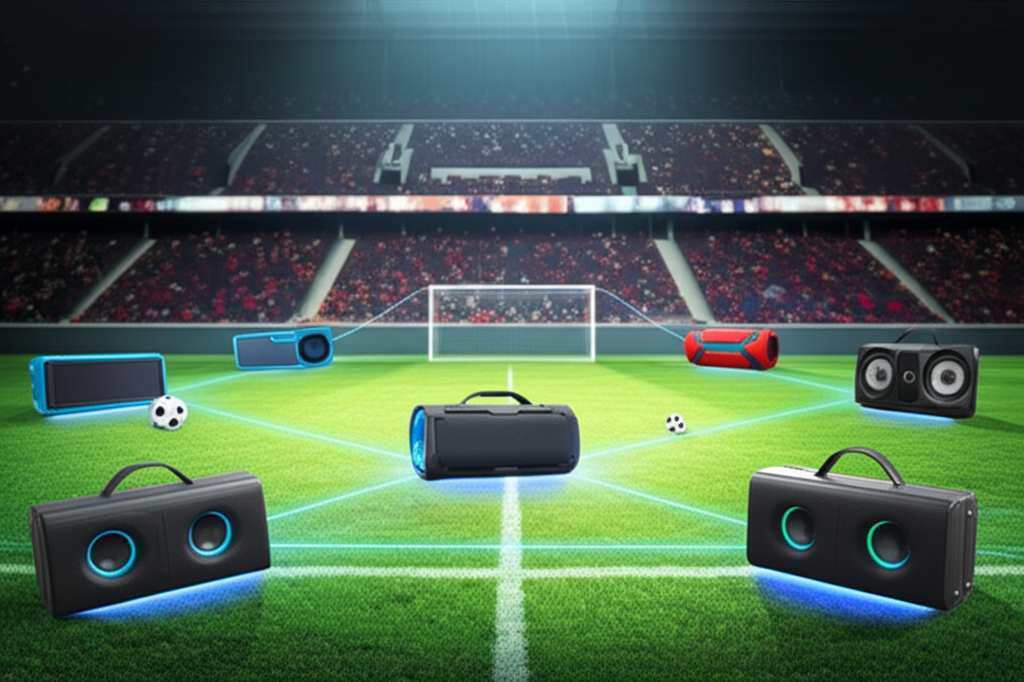
Stereo Pairing is when you connect two identical speakers together. They then act as a left and right channel, just like in a home stereo system. This gives you a much richer, more immersive sound experience. It’s like upgrading from a mono movie to a widescreen cinematic event for your ears!
Multi-Speaker Sync, on the other hand, lets you connect three or more speakers. These speakers then play the same audio simultaneously. This is perfect for larger areas where you need sound to reach everywhere. It’s like having a mini sound system that blankets your whole space. Many brands offer this feature, letting you create a truly expansive audio environment.
How to Connect Multiple Bluetooth Speakers: A Step-by-Step Guide
Getting multiple Bluetooth speakers to play together is usually pretty straightforward. The exact steps can vary a bit depending on the brand and model of your speakers, but the general process is very similar. Let’s walk through it!
Step 1: Charge Up Your Speakers
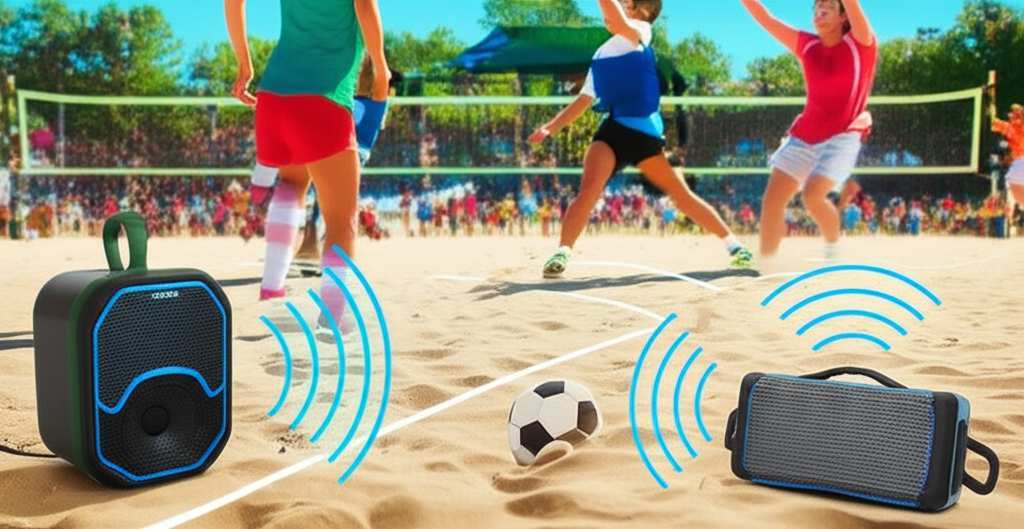
Before you start connecting, make sure all your Bluetooth speakers have enough battery power. It’s a bummer if one speaker dies halfway through the game! A good charge ensures uninterrupted sound for the whole event.
Step 2: Turn On Your Speakers and Enable Bluetooth
Power on each speaker you want to use. You’ll usually see a small LED light blink or change color to indicate it’s on and ready to connect. Make sure Bluetooth is enabled on your phone, tablet, or laptop – this is the device that will send the music or sound to your speakers.
Step 3: Connect the First Speaker to Your Device
On your phone or tablet, go to your Bluetooth settings. You should see a list of available devices. Select the name of your first speaker. Once it’s connected, you’ll usually hear a confirmation sound from the speaker, and the Bluetooth icon on your device might change.
Step 4: Activate the Speaker Pairing/Sync Feature
This is where it gets interesting! You’ll need to tell your speakers to talk to each other.
For Stereo Pairing (Two Speakers): Typically, you’ll press and hold a specific button (often marked with a Bluetooth symbol, a chain, or a speaker icon) on one of the speakers. This puts it in pairing mode to find its mate. Then, you might press the same button on the second speaker. They should find each other automatically.
For Multi-Speaker Sync (Three or More Speakers): This process is often similar. You might need to press a specific button on one speaker to start a “party mode” or “sync mode.” Then, you’ll press the same button on the other speakers you want to add. Some systems might require you to use a dedicated app from the speaker manufacturer.
Step 5: Confirm All Speakers Are Connected and Playing
Once you’ve activated the pairing or sync feature, listen for confirmation sounds from each speaker. They should all indicate they are connected. Now, play some music or sound from your device. If everything is set up correctly, all your speakers should be playing the same audio!
Step 6: Adjust Volume and Placement
Now that you have multi-speaker sound, position your speakers around the area for the best coverage. You might want to place them strategically so everyone can hear clearly. Adjust the volume on your device to a comfortable level. Some systems even let you control individual speaker volumes through an app.
Key Features to Look For in Multi-Speaker Systems
When you’re shopping for speakers that can play together, there are a few things to keep an eye out for. These features make the whole experience smoother and more enjoyable.
True Wireless Stereo (TWS) Pairing: This is the common term for connecting two speakers for stereo sound. It’s a must-have if you want that left-right audio separation.
Multi-Point Connectivity: This allows a speaker to be connected to two devices at once. So, you could have your phone playing music and your TV connected for game audio, and switch between them easily.
Dedicated App Support: Many brands offer companion apps that make managing multiple speakers much easier. You can often control volume, EQ settings, and even group speakers for synchronized playback through these apps.
Durability and Water Resistance: If you’re planning to use speakers for outdoor sports events, look for rugged designs and water-resistant ratings (like IPX4 or higher). This means they can handle a little splash or rain.
Long Battery Life: For extended viewing parties or tailgating, you’ll want speakers that can last for hours on a single charge.
Brands That Do Multi-Speaker Sync Well
Several brands have really nailed the multi-speaker experience. Here are a few popular ones that often offer TWS and multi-speaker sync capabilities:
JBL: Known for their vibrant sound and robust build, JBL speakers like the Charge and Flip series often support TWS and even connect with their PartyBoost feature to link many speakers.
Sony: Sony offers great sound quality and often includes multi-speaker connectivity features in their portable Bluetooth speaker lines.
UE (Ultimate Ears): Their BOOM and MEGABOOM speakers are famous for their “BOOMs UP” or “PartyUp” feature, allowing you to link a massive number of speakers for synchronized audio.
Bose: While often focused on premium sound, some Bose portable speakers offer stereo pairing for a richer audio experience.
Can Any Two Bluetooth Speakers Play Together? The Reality Check.
This is a super common question, and the honest answer is: usually, no. You can’t just grab any two Bluetooth speakers and expect them to magically sync up.
Here’s why:
Proprietary Technology: Most brands use their own specific technology to link speakers together. A JBL speaker can typically only sync with another compatible JBL speaker. The same goes for Sony, UE, and others.
Software and Hardware Compatibility: For speakers to play in sync, their internal software and hardware need to be designed to communicate with each other. This isn’t a universal standard for Bluetooth audio streaming.
Stereo vs. Mono: Even if you could force two random speakers to connect to the same device, they would likely just play the same mono audio. You wouldn’t get the immersive stereo effect that TWS provides.
So, to play multiple Bluetooth speakers together for synchronized audio, you generally need speakers from the same brand and often within the same product line that specifically advertise multi-speaker connectivity.
Comparing Speaker Features for Multi-Speaker Events
Choosing the right speakers can feel overwhelming. Here’s a quick look at some features you might compare, focusing on what helps with multi-speaker setups.
| Feature | Speaker A (Example: JBL Flip 6) | Speaker B (Example: UE BOOM 3) | Speaker C (Example: Sony XB23) | What It Means for You |
| :——————- | :—————————— | :—————————– | :—————————– | :———————————————————————————— |
| TWS Pairing | Yes (with another Flip 6) | Yes (with another BOOM 3) | Yes (with another XB23) | Connects two speakers for Left/Right stereo sound. Essential for immersive audio. |
| Multi-Speaker Sync | PartyBoost (up to 100 speakers) | PartyUp (up to 150 speakers) | Connects 2 speakers | Connects three or more speakers to play the same audio. Great for larger areas. |
| Water Resistance | IP67 (Dustproof & Waterproof) | IP67 (Dustproof & Waterproof) | IP67 (Dustproof & Waterproof) | Protects against dust and water immersion. Perfect for outdoor events and parties. |
| Battery Life | Up to 12 hours | Up to 15 hours | Up to 12 hours | How long the speaker can play on a single charge. Longer is better for events. |
| App Support | Yes (JBL Portable App) | Yes (UE App) | Yes (Sony | Music Center) | Lets you manage features, update firmware, and control multi-speaker setups easily. |
Note: Specific features and numbers can vary by model and generation. Always check the product details!
This table shows how different speakers offer various ways to connect. For example, while the Sony XB23 might be great for TWS, JBL and UE offer much more extensive multi-speaker linking for bigger parties. For a sports event with many people spread out, a system like JBL’s PartyBoost or UE’s PartyUp would be amazing for ensuring everyone hears the action.
Tips for the Best Multi-Speaker Sound Experience
Getting multiple speakers connected is the first step. To make your sports event sound truly amazing, consider these tips:
Placement is Key: Don’t just plop all the speakers in one corner. Spread them out to cover the listening area evenly. For a backyard, try placing them on opposite sides or in a semi-circle.
Minimize Obstructions: Walls, furniture, and even dense crowds can interfere with Bluetooth signals. Try to keep a clear line of sight between your device and the speakers, and between the speakers themselves if they’re linking wirelessly.
Match Speakers When Possible: While not always strictly necessary for basic sync, using identical speakers often provides the best and most consistent audio quality. If you’re using stereo pairing, identical speakers are a must for that balanced sound.
Use a Good Source Device: Your phone or tablet’s Bluetooth signal strength matters. Make sure your device is charged and not too far from the primary speaker.
Check for Updates: Manufacturers sometimes release firmware updates that improve Bluetooth connectivity and stability. It’s a good idea to check for these, especially if you’re having trouble.
Consider Wired Connections (if available): Some higher-end multi-speaker systems might offer a wired linking option. This can be more stable than Bluetooth for very large setups, though it’s less common for portable speakers.
Test Before the Event: Don’t wait until your guests arrive to set everything up! Do a test run a day or two before to ensure all speakers connect and play smoothly. This helps you troubleshoot any issues without pressure.
Troubleshooting Common Connection Issues
Sometimes, technology doesn’t cooperate perfectly. If you’re having trouble connecting multiple speakers, here are a few common fixes:
Restart Everything: The classic IT solution! Turn off all speakers, turn off Bluetooth on your device, then turn them all back on and try reconnecting.
Forget and Re-pair: On your phone or tablet, go to Bluetooth settings, find the speakers you’ve already paired, and select “Forget Device” or “Unpair.” Then, go through the connection process again from scratch.
Check the Manual: Each speaker model is a little different. The user manual (or the manufacturer’s website) is your best friend for specific pairing instructions. You can find these online easily by searching for your speaker model.
Reduce Interference: Too many Bluetooth devices or Wi-Fi signals can sometimes cause interference. Try turning off other Bluetooth devices you aren’t using.
Proximity Matters: Make sure the speakers you are trying to sync are close to each other during the pairing process. Once they are linked, you can spread them out.
* App-Based Control: If your speakers have an app, try using the app to manage the connections. Sometimes, the app provides a more robust way to group and control speakers.
Frequently Asked Questions About Multi-Speaker Bluetooth Audio
Q1: Do I need to buy speakers from the same brand to make them play together?
A1: For synchronized audio or stereo pairing, yes, you generally need speakers from the same brand and often the same model line. They use proprietary technology to communicate.
Q2: Can I connect my Bluetooth speaker to my TV and another speaker?
A2: Some newer TVs have built-in multi-speaker Bluetooth support, but it’s not common. More often, you might need a Bluetooth transmitter for your TV that supports multiple connections, or use speakers that can connect to both your TV (via an audio cable or specific Bluetooth profiles) and other speakers.
Q3: How far apart can my speakers be if they are playing together?
A3: This depends on the Bluetooth version and the speaker’s technology. Typically, you can have them up to 30-50 feet (10-15 meters) apart. For best results, especially for TWS, keep them closer.
Q4: Will connecting multiple speakers drain my phone’s battery faster?
A4: Yes, a little. Your phone has to maintain Bluetooth connections with multiple devices simultaneously, which uses more power than connecting to just one. However, it’s usually not a drastic drain for a few hours.
Q5: Can I play different music on different speakers?
A5: No, when you’re using TWS or multi-speaker sync features, all the speakers play the same audio stream from your source device. You can’t assign different songs to different speakers this way.
Q6: What’s the difference between TWS and just connecting two speakers to my phone separately?
A6: Connecting two speakers separately to your phone will usually result in both playing the same mono sound. TWS specifically pairs them as a left and right channel for true stereo sound, which is much more immersive.
Q7: Is there a universal way to connect any Bluetooth speaker to any other speaker?
A7: Unfortunately, no. Bluetooth audio streaming doesn’t have a universal standard for multi-speaker synchronization. Each brand typically has its own system.
Conclusion: Your Sports Event Just Got Louder!
So there you have it! Connecting multiple Bluetooth speakers for your sports events is totally achievable, and it’s a game-changer for sound quality. You’ve learned that while you generally need speakers from the same brand for them to sync up, the process is usually pretty simple. Just make sure they’re charged, turn on the pairing features, and enjoy the amplified audio.
Remember those key features like TWS and multi-speaker sync, and don’t forget the power of good speaker placement. With a little setup, you can transform your backyard or viewing area into an audio paradise, making every cheer, every play, and every moment of your sports event sound absolutely incredible.
Now go forth, connect those speakers, and make every gathering a sonic celebration! Enjoy the amazing sound and make every moment louder and better!


