
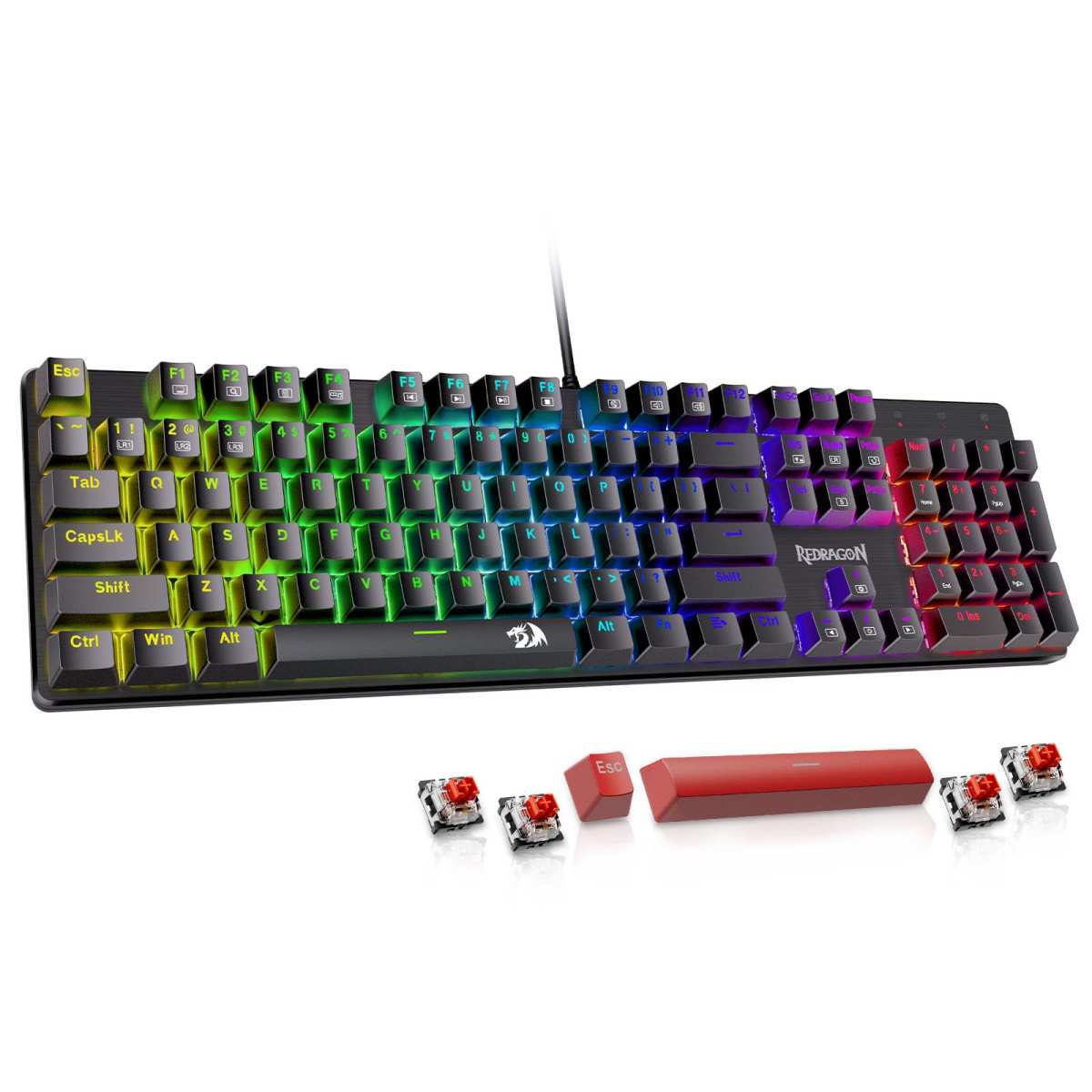
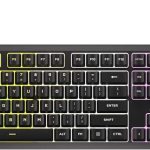
Redragon Mechanical Gaming Keyboard
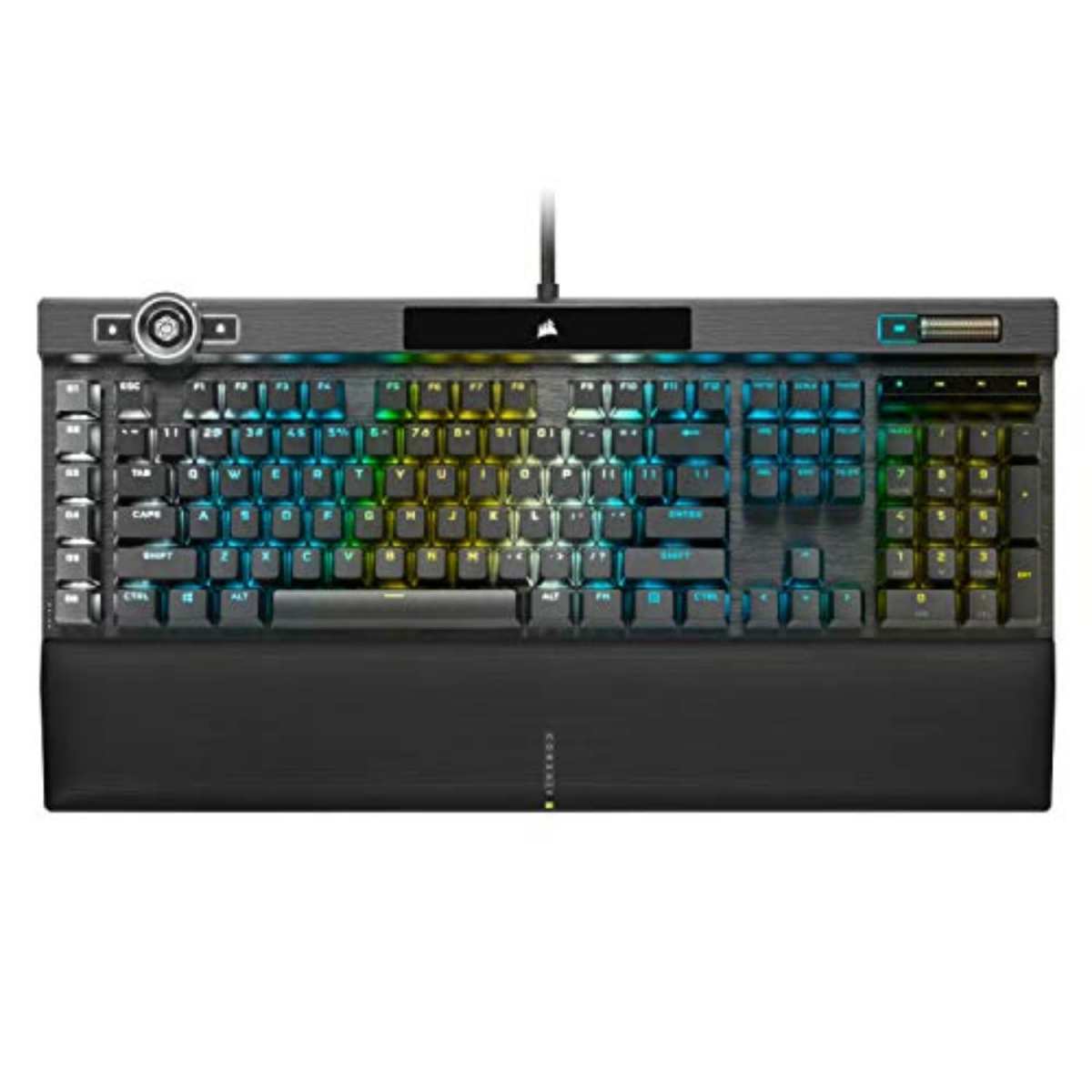
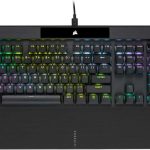
Corsair K100 RGB Mechanical
When it comes to mechanical keyboards, two names often pop up in different price brackets: the budget-friendly Redragon Mechanical Gaming Keyboard and the premium flagship Corsair K100 RGB Mechanical. Both promise a tactile, responsive typing experience, customizable lighting, and solid build quality—but they cater to very different audiences. Whether you’re a casual gamer looking for your first mechanical board or a competitive esports player demanding top-tier performance, choosing the right keyboard can dramatically impact your gaming and productivity.
This head-to-head comparison dives deep into what each keyboard offers, from switch types and build materials to software support and real-world user feedback. You’ll learn how these two keyboards stack up in terms of performance, customization, durability, and value. By the end, you’ll know exactly which one fits your needs—and your budget.
In-Depth Look: Redragon Mechanical Gaming Keyboard
The Redragon Mechanical Gaming Keyboard is a no-frills, value-driven mechanical keyboard designed for gamers and typists who want solid performance without breaking the bank. Priced comfortably under $70, it delivers surprising features like hot-swappable switches, full anti-ghosting, and programmable macros—all wrapped in a clean, full-size layout.
One of its standout features is the inclusion of hot-swappable linear red switches, which allow you to replace worn-out or faulty switches without soldering. This is rare at this price point and adds significant longevity. The keyboard comes with four spare switches and two extra keycaps, making DIY repairs straightforward. While the switches are smooth and quiet—ideal for RPGs and MMOs—they may feel too light for users who prefer tactile or clicky feedback.
Backlighting is handled through 11 preset lighting modes with adjustable brightness and speed across five levels. However, unlike higher-end boards, you can’t customize individual key colors—only the overall effect. That said, the double-injected ABS keycaps ensure crisp legends and even backlight diffusion, giving it a polished look during late-night sessions.
Macro editing is supported via Redragon’s software, allowing you to remap keys, create shortcuts, or assign complex commands. While not as intuitive as Corsair’s iCUE, it gets the job done for basic automation. Full N-key rollover ensures every keystroke registers, even during intense gaming combos, and 12 multimedia keys provide quick access to volume, email, and media controls.
Build quality is mostly plastic, but it feels sturdy for the price. Users praise its reliability and ease of cleaning—especially important for shared or office setups. Redragon backs it with a generous 24-month warranty and responsive customer service, as evidenced by multiple reviews mentioning free replacements for defective units.
Pros:
– Excellent value for money
– Hot-swappable switches extend lifespan
– Full anti-ghosting and multimedia keys
– Strong customer support and warranty
Cons:
– Fixed-color backlighting (no per-key RGB)
– Plastic build feels less premium
– Software is functional but basic
Customer Reviews:
> “Fantastic. I got this for my husband’s home office… It’s the best mechanical full-size keyboard for the price range. No frills, just solid performance.”
> “The letter W started acting weird after a month… they sent a replacement! That’s what customer service is all about!!”
> “I returned a mushy Jellycomb Bluetooth keyboard and tried this one instead. Luckily, I picked it—it’s perfect for long typing sessions.”
Best for: Budget-conscious gamers, office workers needing durability, or anyone wanting their first mechanical keyboard with upgrade flexibility.
In-Depth Look: Corsair K100 RGB Mechanical
If the Redragon is the reliable sedan of mechanical keyboards, the Corsair K100 RGB Mechanical is the luxury sports car—packed with cutting-edge tech, premium materials, and elite performance. Built around Cherry MX Speed RGB Silver switches, it’s engineered for speed, precision, and customization.
The Cherry MX Speed switches offer an ultra-short 1.2mm actuation point, making them ideal for fast-paced games where milliseconds matter. Combined with Corsair’s AXON Hyper-Processing technology, the K100 delivers a native 4,000Hz polling rate—four times faster than standard keyboards—and supports up to 20-layer lighting effects simultaneously. This isn’t just marketing fluff; it translates to noticeably smoother input response and more dynamic RGB animations.
The aluminum frame gives the K100 a solid, premium feel that screams durability. Per-key RGB lighting is fully customizable via Corsair’s iCUE software, which also lets you sync lighting with other Corsair components. The 44-zone three-sided LightEdge adds ambient flair, turning your desk into a light show.
A unique highlight is the iCUE control wheel—a rotary dial that can be programmed for volume, scrolling, brightness, or in-game macros. It’s intuitive and genuinely useful, especially for streamers or power users. Macro-on-the-fly recording means you can create complex commands without touching software mid-game.
Like the Redragon, it supports full N-key rollover and has dedicated media keys, but the K100 goes further with additional programmable G-keys (though this model focuses more on the control wheel than extra macro buttons).
Pros:
– Industry-leading 4,000Hz polling rate
– Premium aluminum build and Cherry MX switches
– Fully customizable per-key RGB and iCUE integration
– Innovative control wheel for quick adjustments
Cons:
– Expensive (often over $200)
– iCUE software can be overwhelming for beginners
– Overkill for casual users
Customer Reviews:
> “It’s easily the smoothest typing keyboard I’ve ever owned… The OPX switches feel incredibly responsive.”
> “Love the light touch of Cherry MX Speed… fully programmable RGB and the control wheel is one of my favorite features.”
> “Replaced my old K70 with the K100 Air… still mechanical, better portability, and the same flagship feel.”
Best for: Competitive gamers, streamers, and enthusiasts who demand top-tier performance and don’t mind paying for it.
Head-to-Head Comparison
Performance & Responsiveness
The Corsair K100 RGB Mechanical dominates here with its 4,000Hz polling rate and Cherry MX Speed switches, offering near-instantaneous input registration. The Redragon Mechanical Gaming Keyboard holds its own with 1,000Hz polling and smooth linear switches, but it can’t match the K100’s esports-grade responsiveness.
Customization & Software
Corsair’s iCUE ecosystem is unmatched in depth and integration, enabling per-key lighting, device syncing, and advanced macros. Redragon’s software is simpler and limited to preset effects, but it’s easier for beginners. If you want granular control, go Corsair; if you prefer plug-and-play, Redragon wins.
Build Quality & Durability
The K100’s aluminum frame feels premium and resists flex, while the Redragon’s plastic construction is sturdy but lacks that high-end heft. Both offer 2-year warranties, but Corsair’s reputation for longevity edges it out.
Value for Money
At under $70, the Redragon delivers exceptional value—especially with hot-swappable switches. The K100 costs nearly 3–4 times more, justified only if you need its advanced features.
Frequently Asked Questions
Q: Can I change the switch type on the Redragon Mechanical Gaming Keyboard?
A: Yes! It features hot-swappable sockets, so you can replace the included linear red switches with compatible alternatives (like blues or browns) without soldering. Check it on Amazon.
Q: Does the Corsair K100 support wireless connectivity?
A: No, the standard K100 is wired-only. However, Corsair offers the K100 Air variant with wireless options.
Q: Which keyboard is better for typing?
A: The Redragon’s lighter switches reduce finger fatigue over long sessions, making it great for office work. The K100 is faster but may feel too sensitive for heavy typists.
Q: Is iCUE software required for the Corsair K100?
A: Not for basic use, but you’ll need it for RGB customization, macros, and firmware updates. Learn more in our Corsair K70 review.
Q: Are both keyboards compatible with Mac?
A: Yes, both work with macOS, though some function keys may require remapping. The Redragon has fewer Mac-specific issues due to its simpler design.
Final Verdict: Which One Should You Choose?
Choosing between the Redragon Mechanical Gaming Keyboard and the Corsair K100 RGB Mechanical ultimately comes down to your budget and use case.
If you’re a casual gamer, student, or remote worker looking for a reliable, upgradeable mechanical keyboard under $70, the Redragon is an outstanding choice. Its hot-swappable switches, solid build, and responsive customer service make it a steal.
But if you’re a competitive player, content creator, or tech enthusiast who values speed, customization, and premium materials, the Corsair K100 is worth the investment. It’s one of the fastest, most feature-rich keyboards on the market.
For most users: Go with the Redragon Mechanical Gaming Keyboard for everyday excellence.
For pros and power users: Splurge on the Corsair K100 RGB Mechanical for unmatched performance.
Whichever you pick, you’re getting a mechanical keyboard that elevates your setup—just at very different price points.
Related posts:
 Corsair K100 RGB Mechanical Gaming Keyboard Review: Ultimate Speed & Precision f
 Corsair K60 RGB TKL Review: Fast Optical-Mechanical Gaming Keyboard with RGB Bri
 Corsair K55 CORE RGB Membrane Gaming Keyboard Review: Quiet, Spill-Resistant Per
 Corsair K70 RGB PRO Mechanical Gaming Keyboard Review: Ultimate RGB Performance