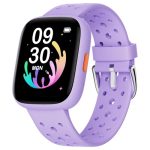
To send a text on a smartwatch, simply open your messaging app, select or start a new message, and use your voice, keypad, or pre-set responses to compose and send your message. With just a few taps or voice commands, you can stay connected without reaching for your phone.
Sending texts from your smartwatch is easier than you might think. Just navigate to the messaging app, choose your recipient, and either type out your message using a tiny keyboard, speak your message aloud, or select from quick replies. Your smartwatch is designed to make communication quick and effortless, whether you’re on the go or just want to keep your phone tucked away. This guide will walk you through each step, ensuring you can effortlessly send texts directly from your wrist. No more fumbling for your phone—your watch has you covered!

How to Text on a Smart Watch: A Complete Guide
Understanding the Basics of Smart Watch Texting
Texting on a smart watch might seem tricky at first, but it becomes simple once you know the fundamentals. Your smartwatch allows you to send and receive messages directly from your wrist, making communication quick and convenient. Most smart watches connect to your smartphone via Bluetooth, syncing your messages seamlessly.
The process involves different methods, such as using a virtual keyboard, voice dictation, or pre-set quick replies. Knowing how each method works will help you choose the best way to send texts comfortably. Keep in mind that features can vary depending on your smartwatch model and operating system.
How to Access Messages on Your Smart Watch
Before you can start texting, you need to know how to access your messages. Typically, you’ll find a Messages or Notifications app on your watch’s main menu. Tap on this icon to open your message list.
Once open, you can view incoming texts, reply, or start new messages. Alerts might also appear as notifications, which you can tap to open directly. Familiarizing yourself with the notification system makes replying faster and easier when on the go.
Methods for Sending Texts on a Smart Watch
Smart watches offer numerous ways to compose and send messages. Let’s explore the most common methods below:
Using the Virtual Keyboard
Most smart watches have a small on-screen keyboard that appears when you start a new message. You can tap on individual letters, numbers, and punctuation to type out your message.
Because of the small screen size, this method may take some practice, but it offers precise control. Some watches also support swipe or flick gestures to input text more quickly. Using the keyboard is ideal for longer or more detailed messages.
Voice Dictation
Voice dictation is one of the fastest ways to send texts on your smart watch. Simply activate the voice command feature—usually by saying “Hey Siri” or “Hey Google”—or pressing a dedicated microphone button.
Speak your message clearly, and the watch converts your words into text. Make sure you’re in a quiet environment to improve accuracy. Voice dictation is perfect for quick replies or when your hands are busy.
Quick Replies and Pre-Set Messages
Many smart watches come with a set of pre-made quick reply options. These are short, canned responses you can send instantly. Examples include “Okay,” “Thanks,” or “I’ll call you later.”
To send a quick reply, select the message from the options list, and it will be sent immediately. This method saves time and is useful for simple, everyday responses.
Customizing Your Texting Experience
Personalize your messaging to make it faster and more comfortable. Adjust settings like notification alerts, keyboard language, or voice recognition preferences through your watch’s companion app.
Some watches allow you to add custom quick replies, making it easier to send personalized messages. Updating your preferences ensures your smartwatch best fits your communication style.
Tips for Efficient Texting on a Smart Watch
Here are some handy tips to improve your texting experience:
- Practice typing on the small screen: Getting familiar with the virtual keyboard reduces errors and speeds up message sending.
- Use voice dictation for quick replies: Speak clearly, and proofread the message before sending if possible.
- Set up quick replies: Customize quick responses for common messages to save time.
- Keep software updated: Ensure your watch’s firmware is current to access the latest features and improvements.
Troubleshooting Common Issues
If you encounter problems when texting on your smartwatch, try these solutions:
- Check Bluetooth connection: A weak connection to your phone can cause syncing issues. Reconnect if needed.
- Ensure app permissions: Confirm that your smartwatch app has permission to access notifications and messaging features.
- Update your device: Keeping your watch and companion app up-to-date helps prevent bugs and improves performance.
- Restart your smartwatch: A simple restart can fix minor glitches affecting messaging functions.
Related Features to Enhance Your Messaging Experience
Smart watches often include additional features to improve texting:
Emoji Support
Add emojis to your messages for extra expression. Depending on your device, emojis can be selected from a dedicated menu or inserted via voice commands.
Responding to Group Messages
You can reply to group chats directly from your watch, often with the same quick reply options or voice dictation. Be mindful of notifications to stay updated on group conversations.
Message Read Receipts
Some smart watches show when a message has been read. This feature helps you know when your reply has been seen by the recipient.
Safety and Privacy Tips for Messaging on Smart Watches
Always consider privacy and security when sending messages from your smartwatch. Use strong passwords and set up screen lock features.
Avoid composing sensitive information on your watch in public spaces. Make use of encryption features if your device supports them to keep your data secure.
Expanding Your Communication Skills with Smart Watches
Besides texting, explore other ways your smartwatch can enhance communication. Use voice calls, video chat options, or even send voice memos through compatible apps.
Integrate your smartwatch with social media notifications to stay connected even when your phone isn’t nearby.
I hope this detailed guide helps you become more comfortable using your smartwatch for texting. With a little practice, sending quick and effective messages from your wrist becomes second nature.
on text in smart watch 💕💕💕
Frequently Asked Questions
How can I send a text message directly from my smartwatch?
To send a text message from your smartwatch, open the messaging or communication app on your device. Select the contact or start a new message, then use the on-screen keyboard, voice dictation, or predefined replies to compose your message. Tap send to deliver your message instantly. Make sure your smartwatch is connected to your phone or cellular network for seamless messaging.
What methods are available for replying to messages on a smartwatch?
You can reply to messages using several methods, including voice replies, on-screen keyboard, preset quick responses, or handwriting input. Many smartwatches also support emojis and voice-to-text features, which allow you to respond quickly without typing. Choose the method that feels most comfortable and efficient for your daily communication needs.
How do I customize my quick reply options on my smartwatch?
To customize quick replies, open the companion app on your paired smartphone, navigate to the message or notifications settings, and find the quick replies section. Here, you can add, modify, or delete predefined responses. These quick replies appear on your watch when responding to messages, making it easier to reply with a simple tap.
Can I use voice commands to compose and send texts on my smartwatch?
Yes, most smartwatches support voice commands for composing and sending texts. Activate the voice assistant by pressing the designated button or saying the wake word, then dictate your message clearly. Confirm the message if prompted, and the watch will send it via your connected device. Ensure that your microphone is functioning properly for accurate voice recognition.
Are there any tips for typing more effectively on a smartwatch keyboard?
To type more efficiently, use predictive text options provided by your device, which suggest words as you type. You can also enable auto-correct to fix common mistakes automatically. Practice using swipe or flick gestures if supported, as they can speed up your typing. Keep your fingers steady and take advantage of haptic feedback to ensure accurate input.
Final Thoughts
To text on a smart watch, start by opening the messaging app. Use the touchscreen to select a conversation or create a new one.
Type your message using the keyboard, voice-to-text feature, or quick replies. Review your message to ensure accuracy before sending.
Practicing these steps makes texting on a smart watch quick and effortless. Remember, the key is to familiarize yourself with your device’s features and shortcuts.
In conclusion, knowing how to text on a smart watch becomes easier with practice. Keep exploring your watch’s capabilities to stay connected effortlessly.