Boost your Bluetooth range on open water with simple tips! Keep your music and calls clear, even when you’re far from shore. Let’s dive in!
Hey there, tech adventurer! Ever been out on the water, maybe on a boat or paddleboard, and your music suddenly cuts out? It’s super frustrating, right? You’re trying to enjoy your favorite tunes or take an important call, and then… silence. It feels like your tech just gave up on you.
I totally get it. We love our gadgets for making life more fun and connected. But when you’re out in the wide-open spaces, especially on the water, those little Bluetooth connections can get a bit tricky. It’s like the water itself is playing a game of hide-and-seek with your signal.
But don’t worry, we’re not going to let a little water get between you and your awesome audio! I’ve been digging into this, and there are some really neat tricks to keep your Bluetooth signal strong and steady, no matter how far you roam on the lake or ocean.
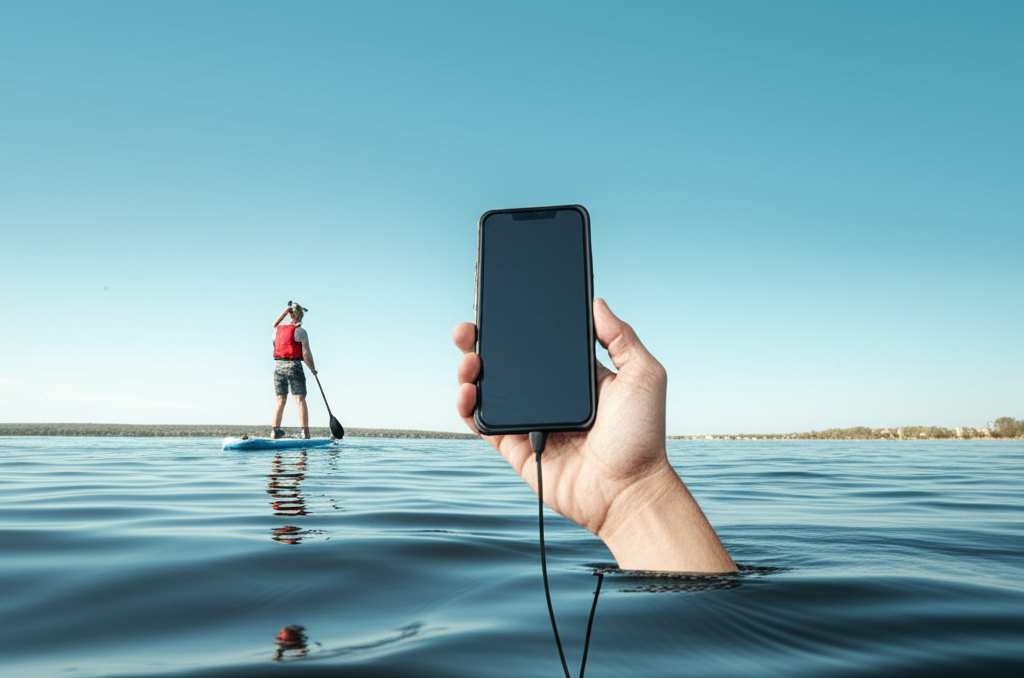
Think of me as your friendly guide to making your tech work better, no matter where you are. We’re going to explore why this happens and, more importantly, how to fix it. Ready to make your open-water audio experience way better? Let’s dive in!
Why Bluetooth Signals Get Weak on Water
So, why does Bluetooth suddenly decide to take a vacation when you’re out on the water? It’s not magic, it’s just science! Bluetooth uses radio waves to send signals. These waves are great, but they don’t love certain things.
Water is a big one. Water, especially saltwater, can absorb and block radio waves. This means the signal from your phone or speaker has a harder time reaching its destination. It’s like trying to talk through a thick blanket!
Obstacles also play a big role. Think about it: on land, you might have buildings or trees to deal with. On the water, it’s often just you, your device, and a whole lot of water. But even a small boat or other people can get in the way of that precious signal.
Understanding Bluetooth Range Basics
Before we talk about boosting range, let’s get a quick grip on what Bluetooth range actually is. Bluetooth is designed for short-range communication. Most devices are rated for about 30 feet (or 10 meters) in ideal conditions.
Ideal conditions mean no walls, no water, and no interference. So, right out of the box, your Bluetooth speaker might not reach super far, especially if you’re trying to use it on a boat. Your phone’s Bluetooth is usually the source, and its antenna is small.
The type of Bluetooth matters too. Newer versions, like Bluetooth 5.0 and above, have better range and speed than older ones. If your devices are older, they might be more prone to signal drops. It’s like comparing a flip phone to a new smartphone!
Amazing Tips to Improve Bluetooth Range on Open Water
Now for the good stuff! Here are some awesome ways to get that Bluetooth signal to go the distance, even when you’re surrounded by water.
1. Keep Your Source Device Close
This is the simplest trick, but it’s super effective. Your phone or music player is the source of the Bluetooth signal. The closer it is to your speaker or headphones, the stronger the connection will be.
Try to keep your phone in a pocket or a bag that’s not too far away from your speaker. If you’re on a kayak, maybe keep it in a dry bag right next to you. On a boat, a spot near the speaker is ideal.
2. Choose Devices with Better Bluetooth Specs
Not all Bluetooth devices are created equal. Some are built with better antennas and support newer Bluetooth versions, which naturally give you a longer range.
Look for devices that mention Bluetooth 5.0 or higher. These versions are designed for better performance and can often handle longer distances and more interference. It’s a small detail that makes a big difference.
3. Position Your Devices Wisely
Where you place your speaker and your phone can really impact the signal. Think of it like pointing a flashlight – you want to aim it where you need the light!
Try to keep both the source device (your phone) and the receiving device (speaker/headphones) in open air. Avoid placing them behind metal objects or inside closed compartments. An elevated position can also help.
4. Minimize Interference Sources
Other electronic devices can mess with your Bluetooth signal. Wi-Fi routers, microwaves, and even some other wireless devices can cause interference.
On the water, this is less of a problem than in a busy house. But if you’re near other boats with lots of electronics, or if your own boat has many gadgets, it might affect things. Try to keep your phone and speaker away from these potential disruptors.
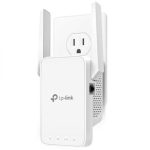
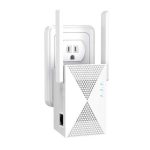
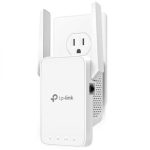
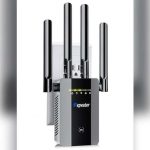
5. Use a Bluetooth Range Extender (Yes, They Exist!)
This is a more advanced tip, but it’s really cool. There are devices called Bluetooth range extenders or boosters. They work by receiving the Bluetooth signal and re-broadcasting it, giving you more range.
You would connect your phone to the extender via Bluetooth, and then the extender connects to your speaker. This adds an extra step but can significantly boost how far your signal travels. These are great for larger boats or if you want music all over.
Here’s a quick look at how they might work:
| Step | Action | Why it Helps |
|---|---|---|
| 1 | Connect your phone to the Range Extender via Bluetooth. | This establishes the primary connection. |
| 2 | Connect the Range Extender to your Bluetooth speaker. | The extender now acts as a bridge. |
| 3 | Place the Range Extender closer to your phone, and the speaker further away. | It amploys and rebroadcasts the signal. |
Using a range extender is like giving your Bluetooth signal a super-powered megaphone. It’s a fantastic solution if you’re consistently running into range issues on the water.
6. Consider a Bluetooth Speaker with a Stronger Antenna
Some portable Bluetooth speakers are specifically designed for outdoor use and might have more robust internal antennas. These can naturally offer better range than smaller, more basic models.
When you’re shopping, check the product descriptions. Features like “extended range” or “outdoor optimized” can be good indicators. A speaker with a larger physical size often means a larger battery and potentially a better antenna system too.
7. Keep Your Devices Charged
This might sound odd, but a device’s battery level can sometimes affect its Bluetooth performance. A low battery can mean less power for the radio transmitter.
So, make sure both your phone and your Bluetooth speaker are well-charged before you head out. It’s a simple step, but it ensures everything is running at its best.
8. Use a Bluetooth Adapter for Non-Bluetooth Devices
If you’re using a device that doesn’t have Bluetooth built-in, like an older MP3 player or a specific audio system on your boat, you can use a Bluetooth adapter. Many of these adapters are designed for extended range.
You plug the adapter into your device’s audio output, and then pair your speaker to the adapter. This gives you a dedicated Bluetooth transmitter that might be better optimized for range than your phone.
9. Update Your Device’s Software
Sometimes, software updates can improve Bluetooth performance. Manufacturers often release updates to fix bugs and enhance features, including wireless connectivity.
Make sure your smartphone or tablet has the latest operating system installed. It’s a good habit for all your tech, and it might just give your Bluetooth that extra boost you need.
10. Test Different Orientations
This is a bit of a quirky one, but it can work! Sometimes, simply rotating your phone or speaker slightly can change how the antennas are aligned, potentially improving the signal.
It’s like trying to find the “sweet spot” for the connection. Experiment with holding your phone upright versus sideways, or tilting your speaker a bit. You might be surprised by what works!
Comparing Bluetooth Speaker Features for Range
When you’re looking for a speaker that can handle the open water, a few features stand out. Here’s a little table to help you see what to look for:
| Feature | What it Means | Why it’s Important for Range |
|---|---|---|
| Bluetooth Version | e.g., 5.0, 5.1, 5.2 | Newer versions (5.0+) offer better data transfer and longer, more stable connections. |
| Antenna Design | Internal or external | A well-designed antenna, often larger in bigger speakers, can send and receive signals more effectively. |
| Power Output (Watts) | e.g., 20W, 50W | Higher power can sometimes mean a stronger signal broadcast, though it’s not a direct range guarantee. |
| Waterproofing/Durability | IPX rating (e.g., IPX7) | While not directly for range, rugged outdoor speakers are often built with better components that might include better Bluetooth tech. |
| Companion App Features | EQ settings, firmware updates | Some apps allow firmware updates that can improve Bluetooth performance over time. |
See? It’s not just about volume. Looking at the Bluetooth version and antenna design can give you a speaker that’s more likely to keep the music playing smoothly, even with water between you and your device.
Real-World Scenarios and Solutions
Let’s imagine a few situations you might find yourself in on the water and how these tips can help.
Scenario 1: Kayaking Adventure
You’re kayaking, and your small portable speaker is in a waterproof bag on the front of your kayak. Your phone is in your pocket. You notice the music skips whenever you turn your body or paddle.
Solution: Keep your phone in the same dry bag as the speaker, or in a pocket that’s directly facing the speaker. Try to keep the speaker itself elevated, perhaps on top of the bag rather than inside it if possible, to reduce signal obstruction.
Scenario 2: Day on the Sailboat
You’re on a sailboat, and you want music from the helm (where you steer) to the bow (the front). Your phone is at the helm, and the speaker is near the bow. There are sails and rigging in between.
Solution: Consider a Bluetooth range extender. You could keep your phone connected to the extender, and place the extender closer to the speaker. Alternatively, try keeping the phone in a clear waterproof pouch and holding it higher up. If your speaker has an external antenna, position it to face the helm.
Scenario 3: Pontoon Boat Party
You have a larger pontoon boat, and you want music to play clearly across the entire deck. Your phone is in the captain’s chair, but your speaker is at the back.
Solution: Invest in a Bluetooth speaker known for its extended range. Look for Bluetooth 5.0 or higher. If that’s not enough, a Bluetooth range extender is your best bet. Ensure both your phone and the speaker have full batteries.
These everyday examples show how a little planning and the right tech can make a big difference. It’s all about understanding how the signal travels and giving it the best chance to succeed.
Choosing the Right Bluetooth Speaker for Open Water
When you’re out shopping for a Bluetooth speaker for your water adventures, keep these things in mind:
Durability is Key: Look for speakers with good waterproofing (IPX7 is great for submersion) and rugged construction. Outdoor environments can be tough!
Battery Life Matters: You don’t want your music dying halfway through your trip. Aim for speakers with long battery life.
Sound Quality: Of course, you want it to sound good! Read reviews to see how it performs in open spaces.
Brand Reputation: Some brands are known for reliable Bluetooth performance. Check out reputable tech review sites like CNET or TechRadar for recommendations.
A good speaker designed for the outdoors will often have better components that contribute to a stronger, more reliable Bluetooth connection. It’s an investment in your fun!
Troubleshooting Common Bluetooth Issues
Sometimes, even with the best tips, you might run into a hiccup. Here are a few quick troubleshooting steps:
1. Restart Everything: Turn off Bluetooth on your phone, then turn it back on. Also, power cycle your Bluetooth speaker. This simple step fixes many connection issues.
2. Unpair and Re-pair: Go into your phone’s Bluetooth settings, forget the speaker, and then pair it again from scratch. This can clear out corrupted connection data.
3. Check for Updates: As mentioned, ensure your phone’s operating system and the speaker’s firmware (if applicable) are up to date.
4. Reduce Distance: Temporarily bring your phone and speaker very close together. If the connection is stable then, you know the issue is range-related.
If you’re still having trouble, consider that external factors might be at play, or it might be time to look into a range extender.
Frequently Asked Questions (FAQ)
Q1: Will water really block my Bluetooth signal?
A1: Yes, water can absorb and block radio waves, which is how Bluetooth works. This is especially true for saltwater. So, it can definitely weaken your signal on the water.
Q2: How far should my Bluetooth speaker work ideally?
A2: Ideally, Bluetooth devices work up to about 30 feet (10 meters). But this is in perfect conditions with no obstacles. On open water, you might get less than that without some help.
Q3: Can I use my phone’s hotspot with a Bluetooth speaker?
A3: Your phone’s hotspot is for Wi-Fi internet sharing, not Bluetooth audio. You connect your speaker to your phone via Bluetooth for audio, and your phone uses its cellular data for the hotspot. They work on different technologies!
Q4: What’s the best way to keep my phone and speaker connected on a paddleboard?
A4: Keep them as close as possible. A waterproof pouch for your speaker that you can keep right next to you, or even attached to your paddleboard, is a great idea. Try to keep your phone in a pocket that faces the speaker.
Q5: Do Bluetooth range extenders work well on boats?
A5: They can be very effective! Boats can be large, and a range extender acts as a relay, helping to push the Bluetooth signal further. Just make sure you place it strategically.
Q6: Is there a difference between Bluetooth range on a lake versus the ocean?
A6: Saltwater is generally more conductive and can interfere more with radio signals than freshwater. So, you might find Bluetooth range slightly better on a freshwater lake compared to the ocean.
Q7: Should I buy a speaker with Bluetooth 5.0 or higher?
A7: Absolutely! Bluetooth 5.0 and newer versions offer improved range, speed, and power efficiency. It’s a worthwhile upgrade for better performance, especially in challenging environments like open water.
Wrapping Up: Enjoy Your Uninterrupted Audio!
There you have it! Improving your Bluetooth range on open water doesn’t have to be a mystery. By understanding how signals work and using these simple, effective tips, you can keep your music, podcasts, or important calls crystal clear.
Whether it’s keeping your devices close, choosing the right gear, or using a handy range extender, you’ve got the knowledge to make your open-water audio experience way better. Remember to experiment and find what works best for your setup.
Now go out there and enjoy the water with your favorite sounds playing loud and clear. Happy adventuring, and may your Bluetooth signal always be strong!