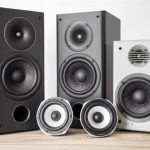
Want awesome beach vibes with music all around? Learn how to set up multiple Bluetooth speakers for a true surround sound experience, even by the ocean. It’s easier than you think!
Hey there, tech adventurer! Max here from AffTechy.com. You know, there’s nothing quite like chilling on the beach, the sun on your face, and your favorite tunes filling the air. But what if that music could feel even bigger, like it’s all around you?
We’ve all been there, right? Staring at speaker specs, trying to figure out what “stereo pairing” or “TWS” actually means. It can feel like a puzzle. My goal is to take all that confusion away.
Today, we’re diving into how to get that immersive surround sound experience using just your Bluetooth speakers, right there on the sand. No complicated wires, no tech jargon – just pure, awesome audio for your beach days.
Ready to make your beach parties sound incredible? Let’s break it down step by step.
Why Beach Audio Matters
Imagine this: you’re at the beach with friends. You’ve got your snacks, your sunblock, and your tunes. But the sound is coming from just one little speaker, kind of weak. It’s okay, but it could be so much better, right?
Great sound can totally change the mood. It makes your music feel alive. It makes a casual hang-out feel like a mini concert or a party. And when you’re out in the open like the beach, good audio makes a huge difference.
The goal is to spread that sound. You want it to reach everyone, and you want it to feel rich and full. That’s where the magic of multiple speakers comes in. It’s about creating an atmosphere, not just playing background noise.
Understanding “Surround Sound” for the Beach
Now, when we talk about “surround sound,” you might think of those fancy home theater systems with speakers all over your living room. That’s true, but the idea is the same for your beach setup. It’s about placing speakers strategically to create a 360-degree audio experience.
For the beach, this means using two or more Bluetooth speakers. You can pair them up so they work together. This way, the sound doesn’t just come from one spot. It fills the space around you.
This makes music sound fuller and more dynamic. You get richer bass, clearer highs, and a sense of depth. It’s like stepping into the music, not just hearing it from afar.
How to Get Surround Sound Using Bluetooth Speakers
Okay, let’s get to the good stuff. How do we actually make this happen? It’s pretty straightforward once you know the key terms. The main feature you’ll be looking for is called “True Wireless Stereo” (TWS) or sometimes just “stereo pairing.”
Most modern portable Bluetooth speakers have this. It lets you connect two identical speakers wirelessly. They then act as a left and right channel. This gives you true stereo separation, which is the foundation of surround sound.
So, the first step is making sure you have at least two speakers that support this feature. If you only have one, you might need to consider getting a second one. It’s a game-changer for audio quality!
Choosing Your Beach-Ready Speakers
Not all Bluetooth speakers are created equal, especially when you’re heading to the beach. You need something that can handle the elements. Think sand, sun, and maybe even a splash of water.
Here’s what to look for when picking speakers for your beach audio adventures:
Water Resistance: This is a big one! Look for an IP rating. IPX7 means it can be submerged in water for a short time, which is great if it gets knocked over or splashed. IPX5 or IPX6 is good for resistance against water jets.
Portability: You’ll be carrying these, so size and weight matter. Many great speakers are compact and light enough to toss in a beach bag.
Battery Life: Beach days can be long! You want speakers that can keep the music going for hours. Aim for at least 10-12 hours of playtime.
TWS Capability: As we talked about, this is crucial for stereo sound. Make sure the speakers you choose can pair with each other.
Sound Quality: Even small speakers can sound amazing. Read reviews and look for speakers known for clear highs, good mids, and decent bass.
Speaker Pairing Options: What to Know
When you have two speakers, you have a few ways to make them work together. The most common and best for surround sound is TWS pairing.
True Wireless Stereo (TWS) Pairing: This is the gold standard. You connect two identical speakers wirelessly, and they automatically split the audio into left and right channels. This creates a true stereo soundstage. You’ll usually need to press a button on one speaker to initiate the pairing.
Bluetooth Daisy-Chaining (Less Common): Some speakers might let you connect one speaker to your phone, and then connect a second speaker to the first one via Bluetooth. This is less common for true stereo and can sometimes introduce delays or lower sound quality. TWS is generally better.
Separate Connections (Not Stereo): If your speakers don’t support TWS, you can connect each one to your phone separately. However, your phone can usually only connect to one Bluetooth audio device at a time. So this usually means playing music from one speaker at a time.
For the best surround sound effect on the beach, TWS pairing is definitely the way to go. It’s designed specifically for this purpose.
Step-by-Step: Setting Up Your Beach Surround Sound
Alright, let’s get your speakers talking to each other and filling the beach with amazing sound! This process is usually quite simple.
Step 1: Charge Your Speakers
Before you even leave the house, make sure both of your speakers are fully charged. Nothing kills the vibe faster than dead speakers. You don’t want to be searching for an outlet on the beach!
Step 2: Turn On Both Speakers
Power on both of your Bluetooth speakers. They will usually enter pairing mode automatically, or you might see a blinking light.
Step 3: Pair the First Speaker to Your Device
On your phone or tablet, go to your Bluetooth settings. Look for available devices and select one of your speakers to connect. This speaker will become your “primary” speaker for the initial connection.
Step 4: Activate TWS Pairing
Now, here’s the magic step. On one of the speakers (it doesn’t usually matter which one), press and hold the TWS button. This button might be labeled “TWS,” “Pair,” or have a little speaker icon. You might hear a beep or see a light change to confirm it’s searching for its partner.
Step 5: Connect the Second Speaker
The first speaker should automatically find and connect to the second speaker. You’ll usually hear a confirmation sound, or the indicator lights will change to show they are successfully paired. One speaker will typically act as the “left” channel and the other as the “right.”
Step 6: Enjoy Your Stereo Sound!
Once paired, both speakers should now be playing the same audio, but in stereo. You can now place them apart to create a wider soundstage. For a beach setting, place them a few feet apart to get that immersive effect.
Step 7: Adjust Volume and Placement
Play your music! You can control the volume from your phone. Experiment with the speaker placement. Putting them slightly in front of your seating area often works best.
Speaker Placement Tips for Maximum Impact
Where you put your speakers makes a big difference. Even with TWS, smart placement can elevate your audio experience.
Create a Sound Triangle: Imagine you, your friends, and the speakers forming a triangle. Placing the speakers in front of you, spread apart, creates the most immersive sound.
Avoid Obstacles: Don’t put speakers directly behind large objects like umbrellas or coolers. This can block or muffle the sound.
Consider the Wind: On a breezy beach, wind can carry sound away. Try placing speakers closer to your group or in a slightly sheltered spot if possible.
Elevate for Clarity: If you have a small portable stand or even a sturdy bag, placing speakers slightly off the sand can help the sound travel better.
Spread Them Out: For a true surround feel, don’t keep them right next to each other. Give them some space – maybe 5 to 10 feet apart, depending on your group size and area.
Popular Bluetooth Speakers with TWS Capability
Lots of brands offer great TWS-enabled speakers. Here are a few popular ones known for good sound and beach-friendly features. Prices can vary, so it’s always good to check current deals!
| Speaker Brand & Model | Key Features | Typical Price Range | Water Resistance | Battery Life (Approx.) | TWS Support |
| :————————— | :——————————————- | :—————— | :————— | :——————— | :———- |
| JBL Flip Series (e.g., Flip 6) | Portable, rugged, excellent sound, app control | $100 – $150 | IP67 | 12 hours | Yes |
| Sony SRS-XB Series (e.g., XB23) | Extra Bass, durable, good sound | $100 – $130 | IP67 | 12-15 hours | Yes |
| Anker Soundcore Motion+ | Great value, powerful sound, EQ app control | $80 – $110 | IPX7 | 12 hours | Yes |
| Ultimate Ears (UE) BOOM 3 | 360-degree sound, durable, floats | $130 – $150 | IP67 | 15 hours | Yes |
Note: Prices are estimates and can change based on sales and retailers.
When you look at this table, you can see that features like water resistance (IP67 is fantastic!) and battery life are super important for beach use. Also, notice that all these options offer TWS, meaning you can easily pair two for that stereo sound we’re after.
Fun Facts About Bluetooth Audio
Did you know that Bluetooth technology was named after a Viking king? King Harald Bluetooth united Denmark and Norway in the 10th century. The technology was meant to unite different communication protocols. Pretty cool, huh?
Also, the range of Bluetooth can be surprisingly good! While it’s often rated for about 30 feet (10 meters), in open spaces like a beach, you might get even better range, especially for TWS pairing between speakers.
Troubleshooting Common Issues
Sometimes, tech doesn’t cooperate perfectly. Don’t worry, these are usually easy fixes!
Speakers won’t pair via TWS:
Make sure you have two identical speakers from the same model. TWS usually only works with matching speakers.
Turn both speakers off and then on again.
Try unpairing them from your phone first, then re-pair one, then initiate TWS.
Check your speaker’s manual for specific TWS pairing instructions.
Sound is cutting out:
Your phone might be too far from the primary speaker.
Too many other Bluetooth devices nearby can sometimes interfere.
Ensure speakers are charged; low battery can affect performance.
Only one speaker is playing sound:
This often means TWS pairing didn’t complete successfully. Repeat the TWS pairing steps.
Make sure you haven’t accidentally connected both speakers individually to your phone (which usually isn’t possible for audio).
If you’re ever stuck, a quick look at your speaker’s user manual is your best friend. Most brands have them online, too!
Keeping Your Speakers Beach-Ready
A little care goes a long way, especially with electronics near sand and salt water.
Rinse After Use: If your speakers got salty spray or sand on them, give them a gentle rinse with fresh water. Use a damp cloth to clean them.
Dry Thoroughly: Make sure they are completely dry before charging or storing them.
Protect Charging Ports: Keep charging port covers closed when not in use to prevent sand or water from getting in.
Avoid Direct Sunlight for Too Long: While you’re out in the sun, try not to leave speakers in direct, intense heat for hours on end. Prolonged exposure can affect battery and electronics.
Frequently Asked Questions (FAQ)
Q1: Can I use two different brands of Bluetooth speakers for surround sound?
A: Generally, no. For True Wireless Stereo (TWS) to work, you almost always need two speakers of the exact same model* from the same brand. They need to be designed to communicate with each other.
Q2: How far apart can I place my TWS speakers on the beach?
A: This depends on the speakers, but typically you can get a good stereo effect with them 5-15 feet apart. For a wider beach setup, you might even push it a bit further, but be aware that the connection could become less stable.
Q3: Will sand damage my Bluetooth speakers?
A: Sand can be a nuisance. If your speakers aren’t specifically rated for sand or dust protection (look for an IP rating like IP6X), try to keep them on a towel or mat. If sand gets in, gently brush it off and consider a light rinse with fresh water afterward.
Q4: How do I know if my speakers support TWS?
A: Check the speaker’s product description, packaging, or user manual. Look for terms like “TWS,” “True Wireless Stereo,” “Stereo Pairing,” or “Connect two speakers.” Many modern portable speakers advertise this feature.
Q5: Can I use my laptop or tablet to control the TWS speakers?
A: Absolutely! Once the speakers are paired together via TWS and one is connected to your phone, tablet, or laptop, you can control playback, volume, and skip tracks from that device.
Q6: Is it better to get one big speaker or two smaller ones for surround sound?
A: For true surround or stereo sound, two smaller TWS-compatible speakers are better. One big speaker will put out a lot of sound, but it’s still coming from a single point. Two speakers spread out create that immersive feeling.
Q7: Can I connect more than two speakers for surround sound on the beach?
A: Most TWS systems are designed for pairing just two speakers. Some brands might have proprietary multi-speaker connection systems (like JBL’s Connect+ or PartyBoost), but this usually involves multiple speakers of the same brand and doesn’t always create a true left/right stereo separation like TWS does. For basic surround sound, stick to two.
Conclusion: Your Beach Soundtrack, Amplified!
There you have it! Getting that amazing surround sound experience on the beach with your Bluetooth speakers is totally achievable. By understanding TWS pairing and choosing the right speakers, you can transform your beach days from ordinary to extraordinary.
Remember, it’s all about having fun and enjoying your music. Don’t stress about the tech too much. Just follow those simple steps, place your speakers smartly, and let the good vibes roll.
So, grab your two trusty speakers, head to the shore, and crank up the sound. Now go enjoy amazing audio and make every moment louder and better! Happy beaching!