
Experiencing uneven volume from your surround sound speakers? Don’t worry, fixing surround sound imbalance is often straightforward. This guide will walk you through common culprits like incorrect speaker placement, calibration issues, and receiver settings, providing simple steps to restore a balanced and immersive audio experience.
Are you sitting down to enjoy a movie, only to realize that the explosions are booming from the front but the subtle whispers from the rear are barely audible? Or perhaps the dialogue is crystal clear, but the ambient sounds feel muted and distant. If your surround sound system isn’t delivering that immersive, balanced audio experience you crave, you’re likely dealing with surround sound imbalance. It’s a frustrating problem that can really take you out of the moment.
The good news is that most of the time, you don’t need to be a professional audio engineer to fix surround sound imbalance. With a few simple checks and adjustments, you can often restore your system to its former glory. This guide will help you diagnose the common causes and provide practical, step-by-step solutions to get your surround sound singing in harmony again.
- Speaker Placement Matters: Ensure all speakers are at ear level and equidistant from the listening position for optimal sound.
- Level Calibration is Crucial: Properly adjusting the volume of each speaker so they output sound at the same decibel level is key to a balanced soundstage.
- Receiver Settings are Important: Your AV receiver’s settings, such as speaker size, crossover frequency, and room correction, significantly impact surround sound balance.
- Check Connections: Loose or incorrect speaker wire connections can lead to one or more speakers not performing as they should, causing imbalance.
- Source Material Can Be a Factor: Not all audio mixes are created equal; sometimes, the imbalance is in the original recording or broadcast.
- Room Acoustics Play a Role: The shape and materials of your room can affect how sound travels, potentially creating unevenness.
📑 Table of Contents
- Understanding Surround Sound Imbalance
- Troubleshooting Speaker Placement and Positioning
- Calibrating Speaker Levels for Perfect Balance
- Dive Deep into Receiver Settings
- Checking Connections and Speaker Wire Integrity
- Investigating the Source Material and Audio Format
- Addressing Room Acoustics and Speaker Calibration Fine-Tuning
- Conclusion
Understanding Surround Sound Imbalance
Surround sound imbalance refers to a situation where the volume or clarity of sound from different speakers in your surround sound setup is inconsistent. This can manifest in various ways: one speaker might be too loud, another too quiet, or certain channels might seem to disappear altogether. The goal of a well-balanced surround sound system is to create a seamless 360-degree audio field, where sounds can move naturally and precisely around the listener, placing you right in the middle of the action. When this balance is off, the effect is diminished, making your viewing or listening experience less engaging.
Troubleshooting Speaker Placement and Positioning
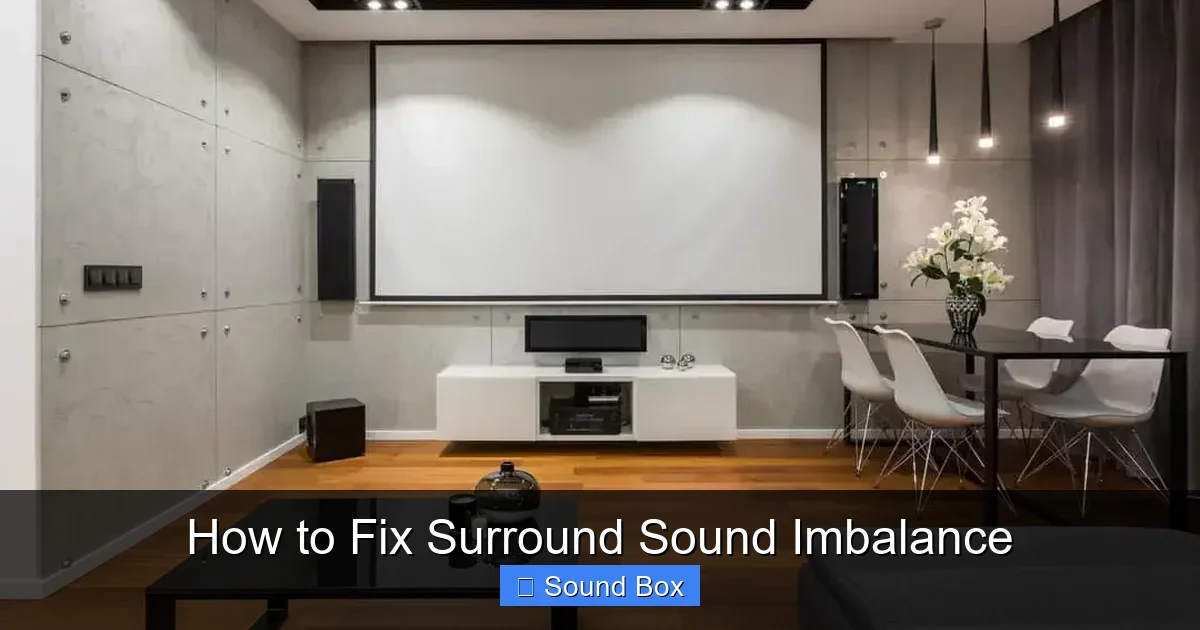
Visual guide about How to Fix Surround Sound Imbalance
Image source: audiomav.com
One of the most common reasons for surround sound imbalance isn’t faulty equipment at all, but rather the physical placement of your speakers. Your speakers need to be positioned correctly relative to your primary listening position to deliver the intended audio experience.
The Ideal Listening Position
First, identify your “sweet spot” – the main seat where you’ll be doing most of your listening. All your speaker positioning adjustments should be made with this spot in mind.
Front Left and Right Speakers
These are your primary sound sources for music and the main soundtrack. They should ideally be placed at an equal distance from your primary listening position, forming an equilateral triangle. This ensures that the sound reaches your ears at the same time and with the same intensity. They should also be at ear level when you are seated.
Center Channel Speaker
This speaker is crucial for dialogue. It should be placed directly above or below your display screen, and as close to the screen’s center as possible. Its height should also be consistent with your front left and right speakers, aiming for ear level.
Surround Speakers (Side and Rear)
For a 5.1 system, these are typically placed to the sides and slightly behind your listening position. The Society of Motion Picture and Television Engineers (SMPTE) recommends placing them slightly above ear level, about 2 to 4 feet behind the listening position, and angled towards the listener. If you have a 7.1 system, you’ll have additional rear surround speakers placed further back. The key is consistent positioning relative to your sweet spot. If one surround speaker is closer or angled differently, it will sound louder or more direct.
Subwoofer Placement
The subwoofer’s placement is a bit more forgiving but still important. Too close to a wall can result in boomy bass, while being too far away might make it sound weak. A common trick is the “subwoofer crawl”: place the subwoofer at your primary listening position, then play some bass-heavy music. Crawl around your room at the subwoofer’s intended height and listen for where the bass sounds the most even and impactful. That’s usually a good spot for your subwoofer.
Calibrating Speaker Levels for Perfect Balance
Visual guide about How to Fix Surround Sound Imbalance
Image source: hometheateracademy.com
Even with perfect placement, your speakers might not be outputting the same volume. This is where calibration comes in. Most AV receivers have built-in test tones that can help you set individual speaker levels.
Using Your AV Receiver’s Test Tones
Consult your AV receiver’s manual, but generally, you’ll find a menu option for speaker setup or calibration. Navigate to this section and select the option to play test tones. You’ll typically hear a series of beeps, one from each speaker in sequence.
What to Listen For
As each tone plays, you should be able to hear it clearly and at roughly the same perceived volume from your listening position. If one speaker sounds significantly louder or quieter than the others, you’ll need to adjust its level.
Adjusting Speaker Levels
On your AV receiver, you’ll find settings for individual speaker volume levels, usually measured in decibels (dB). If a speaker sounds too quiet, you’ll increase its dB setting. If it sounds too loud, you’ll decrease it. A good starting point is to have all speakers set to 0 dB if your receiver allows for manual adjustment, and then fine-tune from there.
Using a Sound Pressure Level (SPL) Meter
For a more precise calibration, you can use a sound pressure level (SPL) meter. These are available as smartphone apps or dedicated devices. After you’ve set up your receiver’s test tones, set the SPL meter at your primary listening position, pointing towards the speaker that’s currently playing. Adjust that speaker’s volume until the SPL meter reads a consistent level (e.g., 75 dB) for every speaker. This ensures that each speaker is delivering the same amount of sound energy.
Dive Deep into Receiver Settings
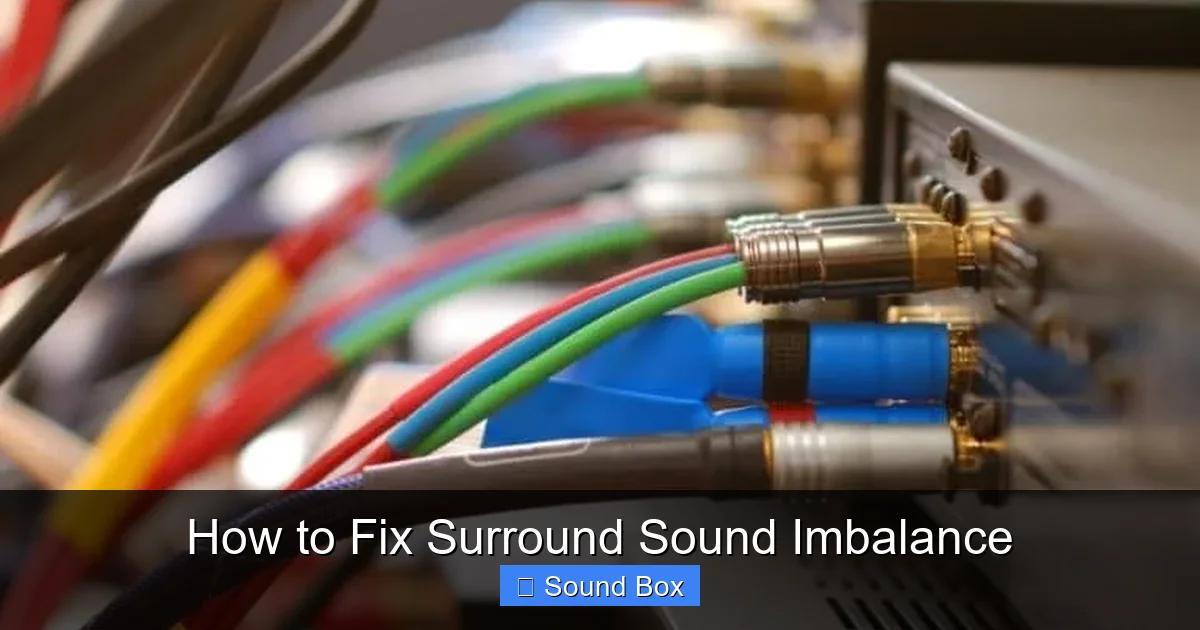
Visual guide about How to Fix Surround Sound Imbalance
Image source: hometheateracademy.com
Your AV receiver is the brain of your surround sound system, and its settings play a critical role in how your speakers perform. Beyond just levels, several other configurations can affect balance.
Speaker Size Settings
When you set up your receiver, it will ask you to define the size of each speaker (e.g., Large, Small). Setting a speaker to “Small” tells the receiver to send lower bass frequencies to the subwoofer, rather than trying to reproduce them with that speaker. This is important because most smaller satellite speakers and even some bookshelf speakers struggle with deep bass. If a speaker is incorrectly set to “Large” when it’s a small speaker, it might sound strained or less powerful than it should, contributing to imbalance. Typically, only your main front left and right speakers (if they are floor-standing) can be set to “Large.”
Crossover Frequency
Closely related to speaker size, the crossover frequency determines the point at which the audio signal is split between your speakers and the subwoofer. Frequencies above the crossover go to the speaker, and those below go to the subwoofer. For small speakers, you’ll want a higher crossover frequency (e.g., 80Hz-120Hz) to ensure the bass is handled by the subwoofer. If this is set too low for small speakers, they will try to play bass they can’t handle, leading to a weak or distorted sound. If it’s set too high, you might hear a “gap” in the bass. The THX standard recommends 80Hz as a good starting point for most systems.
Room Correction Software
Many modern AV receivers come with automatic room correction software (like Audyssey, YPAO, or MCACC). This software uses a microphone placed at your listening position to analyze your room’s acoustics and automatically adjust speaker levels, distances, and equalization to compensate for room-induced sound anomalies. Running this setup can significantly improve balance and clarity. Ensure you run this calibration with minimal background noise and follow the on-screen prompts carefully. If you’ve recently rearranged furniture or added acoustic treatments, it’s a good idea to re-run the room correction.
Checking Connections and Speaker Wire Integrity
It sounds simple, but loose or faulty connections are a surprisingly common cause of surround sound issues, including imbalance.
Speaker Wire Connections
Go to each speaker and check the connection to your AV receiver. Ensure the speaker wire is securely fastened to the binding posts or spring clips on both the speaker and the receiver. For binding posts, the wire should be twisted tightly and inserted firmly. For spring clips, ensure the wire is making good contact. Also, double-check that you haven’t accidentally reversed polarity (connecting positive to negative, or red to black). Reversed polarity can cause the speaker to play out of phase, leading to a hollow or thin sound, and can even cancel out certain frequencies, creating an imbalance.
Wire Damage
Inspect the speaker wire itself for any visible damage, such as nicks, cuts, or kinks that might have damaged the internal conductors. If you suspect a wire is damaged, try swapping it with a known good one, or replace it entirely. Using an appropriate gauge of speaker wire for the length of the run is also important; too thin a wire can degrade the signal.
Source Component Connections
Don’t forget to check the cables connecting your source devices (Blu-ray player, streaming box, game console) to your AV receiver. Ensure they are firmly plugged in and not damaged. A faulty HDMI cable, for instance, could potentially cause audio dropouts or other signal issues.
Investigating the Source Material and Audio Format
Sometimes, the problem isn’t with your system at all, but with the audio content you’re trying to enjoy.
Different Content, Different Mixes
Not all movies, TV shows, or music are mixed for surround sound in the same way. Some older films, especially those originally produced in mono or stereo, might not have been remastered with a robust surround mix. Similarly, some TV broadcasts may have simpler audio mixes. This can lead to a perceived imbalance where certain channels are less prominent.
Dolby Surround vs. DTS:X
Your AV receiver can decode various surround sound formats like Dolby Digital, DTS, Dolby Atmos, and DTS:X. Ensure your receiver is set to the correct audio mode for the content you’re playing. Sometimes, the default setting might not be optimal. If a movie is encoded in Dolby Atmos, but your receiver is set to a basic stereo mode, you’ll obviously miss out on the immersive surround effects. Experiment with different audio modes on your receiver to see if that resolves the issue. If you’re trying to create awesome backyard surround sound, ensuring compatibility between your source and speakers is key.
Checking Audio Settings on Source Devices
Your Blu-ray player, streaming device, or game console will also have audio output settings. Make sure these are configured correctly to send a surround sound signal to your AV receiver. For example, on a streaming device, you might need to select “Surround Sound” or “Best Available” instead of “Stereo.” If you are connecting a device like an iPhone to a speaker system, ensuring the Bluetooth connection is stable and the audio output is set correctly can prevent issues. For example, to improve sound quality on a bike with a Bluetooth speaker, you’d want to ensure your phone’s audio output is optimized.
Addressing Room Acoustics and Speaker Calibration Fine-Tuning
Your room itself can significantly impact sound. Reflective surfaces like bare walls, glass, and hard floors can bounce sound waves, creating echoes and affecting the clarity and balance of your surround sound.
Acoustic Treatment
While not always a DIY fix, understanding acoustics can help. Placing rugs on hard floors, hanging curtains, or adding acoustic panels can help absorb sound reflections and reduce echo, leading to a cleaner and more balanced sound. For example, learning how to reduce echo improve sound inside a tent can give you a clue about how different materials absorb or reflect sound.
Speaker Calibration Fine-Tuning
After going through the steps above, it’s always a good idea to do a final listening test. Play a movie scene with plenty of surround effects – dialogue, action, ambient noise. Sit in your listening position and actively listen to how the sound moves around you. Does the rain sound like it’s coming from all around? Do the distant sirens sound far away? Make minor adjustments to individual speaker levels or your subwoofer’s volume until you achieve the immersive effect you desire. You might find that after all the technical adjustments, a small tweak to the front left speaker or a slight boost to the rear surrounds makes all the difference.
Conclusion
Fixing surround sound imbalance doesn’t have to be a daunting task. By systematically checking your speaker placement, calibrating levels, delving into your receiver’s settings, ensuring solid connections, and considering the source material and room acoustics, you can restore balance and enjoy truly immersive audio. Remember, patience and a willingness to experiment are your best tools. Soon, you’ll be enveloped in sound, exactly as the creator intended, making your home entertainment experience richer and more engaging.
Frequently Asked Questions
Why does my surround sound seem louder on one side?
This is a common surround sound imbalance issue. It often stems from incorrect speaker placement, where one speaker is closer to the listening position than the other, or it’s angled differently. It could also be due to unequal speaker levels set in your AV receiver or a faulty speaker wire connection on one side.
How often should I recalibrate my surround sound system?
It’s a good idea to recalibrate your system if you make any significant changes, such as rearranging furniture, adding or removing speakers, or changing the acoustics of your room. For most setups, a yearly check-in or recalibration is beneficial to maintain optimal balance and performance.
Can my TV’s settings affect surround sound balance?
Yes, your TV’s audio output settings can impact surround sound. Ensure your TV is set to output a surround sound signal (like Dolby Digital or Bitstream) rather than stereo, especially if you’re using an external sound system or AV receiver. If you’re trying to connect your iPhone to a speaker with Bluetooth, incorrect audio settings on your phone could also be a culprit.
What is the difference between speaker levels and speaker distances in my receiver settings?
Speaker levels refer to the volume (measured in decibels) of each speaker, ensuring they output sound at the same perceived loudness. Speaker distances, on the other hand, tell your receiver how far away each speaker is, which helps it calculate the precise timing for sound arrival to create a cohesive soundstage.
My dialogue sounds muffled, but music is fine. What could be the problem?
This often indicates an issue with your center channel speaker, which is primarily responsible for dialogue. Check its placement, connection, and ensure its level is correctly set in your receiver. You might also want to check your receiver’s audio processing settings to ensure it’s not set to a mode that diminishes the center channel.
Can a damaged speaker wire cause surround sound imbalance?
Absolutely. A damaged speaker wire can lead to signal degradation or complete loss of sound from a particular speaker. This will directly cause an imbalance. Always check your speaker wires for any visible signs of wear or damage and ensure secure connections at both the speaker and receiver ends.
