
Bluetooth speakers are awesome! They connect wirelessly to your phone or tablet, letting you play music anywhere. It’s like magic, but it’s just clever tech that makes listening to tunes super easy and fun.
Hey there! Ever wondered how that little box in your hand or on your shelf blasts out your favorite tunes without any wires? It feels like pure magic, right? I get it. Sometimes tech can feel a bit like a black box, full of confusing buttons and specs. But don’t worry, I’m here to demystify it all for you!
Whether you’re setting up for a picnic, having a backyard party, or just want to listen to podcasts while you cook, a Bluetooth speaker is a game-changer. It brings your audio wherever you go. But how does it actually do that? It’s simpler and cooler than you might think.
We’re going to dive into the amazing tech behind Bluetooth speakers. No complicated jargon, just friendly explanations. We’ll explore what makes them tick, how they connect, and why they’re such a fantastic part of our everyday lives. Ready to uncover the secrets of your portable sound system? Let’s break it down step by step!
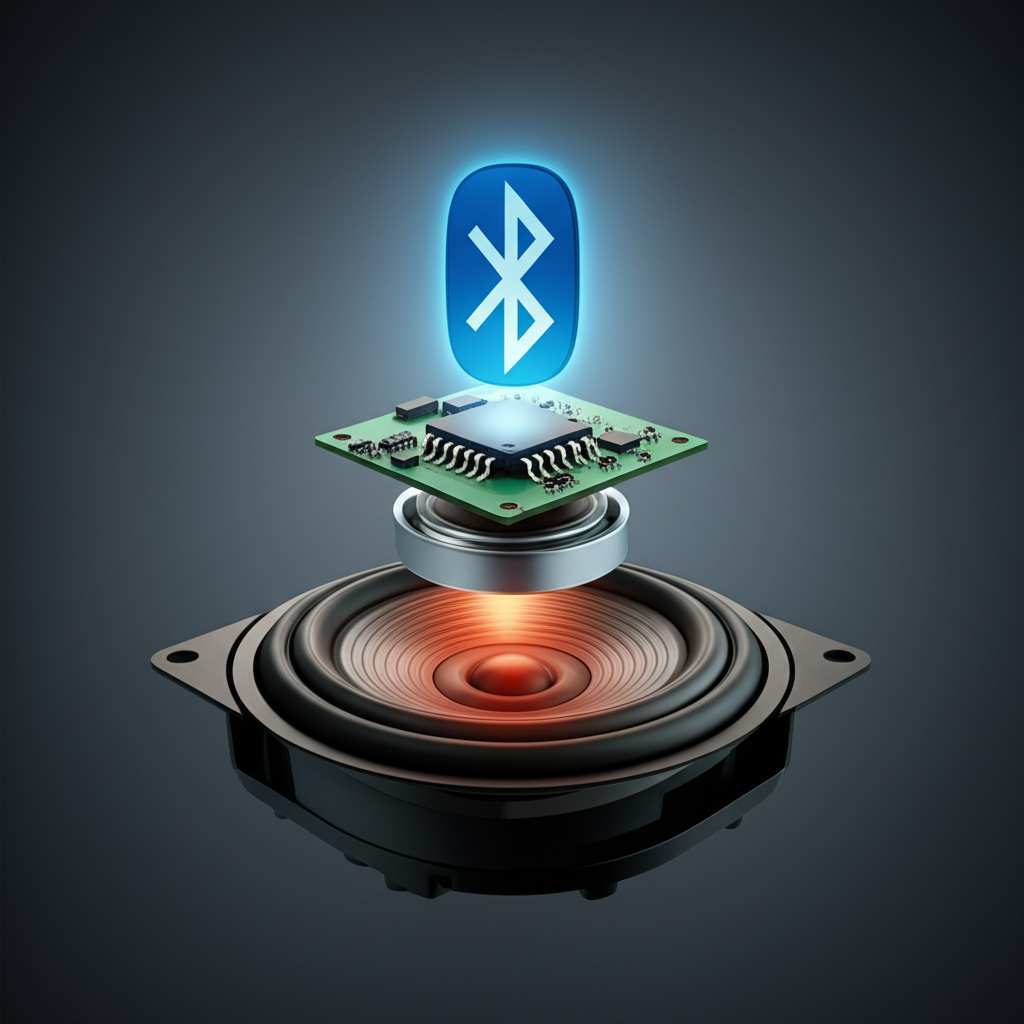
What is Bluetooth, Anyway?
Think of Bluetooth as a short-range, invisible radio wave connection. It’s like a tiny, secret handshake between two devices. This handshake allows them to talk to each other and share information, like music files, without needing a cable.
It’s named after a Viking king, Harald Bluetooth, who was known for uniting tribes. Just like the king, this technology aims to connect different devices smoothly. It’s a standard technology found in tons of gadgets, from your phone to your car.
The Magic Behind the Sound: How a Bluetooth Speaker Works
So, how does your phone send its music to your speaker? It’s a fascinating process that involves a few key components and steps. Let’s walk through it, nice and easy.
1. The Source Device (Your Phone, Tablet, or Laptop)
Your phone or tablet is where the music starts. It has a special chip inside that can send out Bluetooth signals. When you press “play” on your favorite song, your device converts that digital music file into a radio signal.
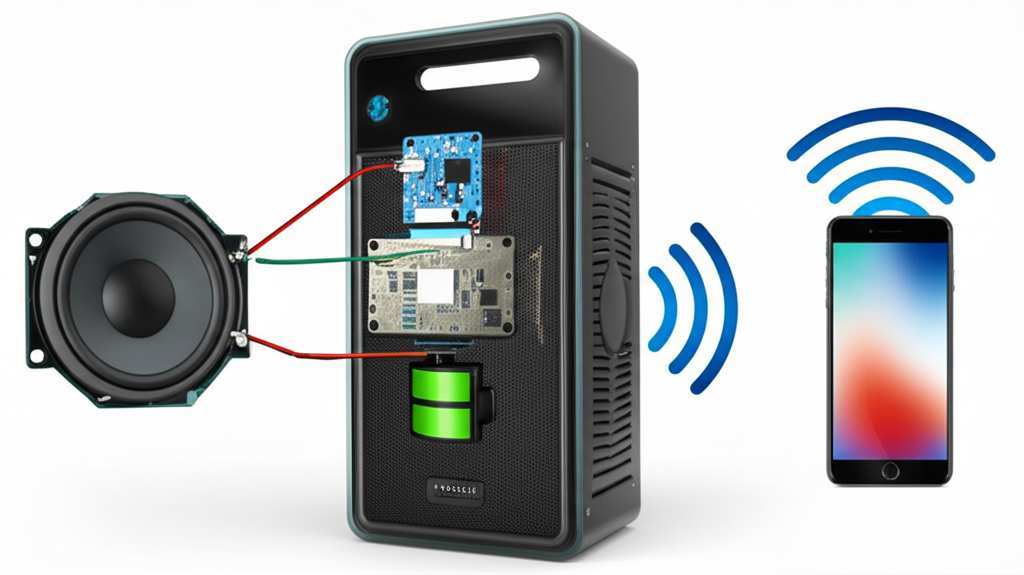
This signal is like a coded message. It contains all the information needed to recreate the sound. Your device then beams this coded message out using Bluetooth technology.
2. The Bluetooth Connection: The Invisible Link
This is where the “Bluetooth” part comes in. Your Bluetooth speaker also has a Bluetooth chip. This chip is constantly listening for signals from other Bluetooth devices.
When you “pair” your speaker with your phone, you’re essentially telling them to recognize each other. It’s like introducing two friends who will now easily chat whenever they meet. Once paired, they can communicate wirelessly.
The Bluetooth signal travels in short bursts. It’s designed for low power consumption, which is great for your phone’s battery life. It’s also pretty good at finding a clear path, even if there are a few things in the way.
3. The Speaker’s Brain: The Receiver and Decoder
Once the Bluetooth signal reaches your speaker, the speaker’s internal chip (the receiver) catches it. But the signal is still in its coded, radio wave form. It’s not sound yet!
This is where the decoder comes in. The speaker uses its decoder to translate the radio signal back into digital audio data. Think of it as unzipping the coded message your phone sent.
4. Turning Data into Sound: The Amplifier and Speaker Driver
Now that the speaker has the digital audio data, it needs to make it loud enough to hear. This is the job of the amplifier. The amplifier boosts the audio signal, making it stronger.
Finally, the amplified signal is sent to the speaker driver. This is the part that actually makes the sound waves. The driver is a cone or diaphragm that vibrates rapidly. These vibrations push air, creating the sound waves we hear as music or speech.
It’s a neat chain reaction: your device sends a coded radio signal, the speaker receives and decodes it, amplifies it, and then vibrates to create sound!
Key Components of a Bluetooth Speaker
Every Bluetooth speaker, no matter how big or small, has a few essential parts working together. Knowing these helps you appreciate the tech even more!
- Bluetooth Module: This is the heart of the wireless connection. It handles sending and receiving Bluetooth signals.
- Microprocessor: This is the speaker’s “brain.” It manages all the operations, from decoding signals to controlling volume.
- Amplifier: This component boosts the audio signal so it’s powerful enough to be heard.
- Speaker Driver(s): These are the actual sound-producing elements. They vibrate to create sound waves.
- Battery: Most portable Bluetooth speakers have a rechargeable battery so you can take them anywhere.
- Charging Port: Where you plug in a cable to recharge the battery.
- Buttons/Controls: For power, volume, pairing, and sometimes playing/pausing music.
It’s amazing how all these small parts work in harmony to bring you music on demand!
Pairing Your Speaker: The First Step to Wireless Freedom
Getting your speaker connected to your device is usually a breeze. Here’s a typical way to do it:
- Turn on your speaker. Most speakers have a power button you’ll need to press.
- Put your speaker in pairing mode. Often, you’ll need to press and hold a specific button (sometimes a Bluetooth icon) until a light flashes or you hear a sound.
- On your phone or tablet, go to Bluetooth settings. You can usually find this in your device’s main settings menu.
- Turn on Bluetooth on your device. Make sure it’s discoverable.
- Look for your speaker in the list of available devices. It might show up with its brand name or model number.
- Tap on your speaker’s name to connect. You might hear a confirmation sound from the speaker, and the flashing light might turn solid.
And that’s it! Your devices are now paired. The next time you turn on your speaker and your phone’s Bluetooth is on, they should connect automatically. Easy peasy!
Understanding Bluetooth Versions and Codecs
You might see terms like “Bluetooth 5.0” or “aptX” when looking at speakers. What do they mean for you?
Bluetooth Versions: Newer versions of Bluetooth (like 5.0, 5.1, 5.2, 5.3) generally mean better performance. They offer faster speeds, longer range, and more stable connections. They also use less power, which is a win-win.
Codecs: A codec is like a translator for audio data. It compresses the audio to send it faster and then decompresses it on the other end. Different codecs offer different sound quality and efficiency.
- SBC (Subband Coding): This is the standard, basic codec. It’s compatible with all Bluetooth devices but might not offer the highest sound quality.
- AAC (Advanced Audio Coding): This is commonly used by Apple devices. It offers better sound quality than SBC and is more efficient.
- aptX, aptX HD, aptX Adaptive: These are Qualcomm codecs known for delivering near CD-quality audio with low latency (meaning less delay between what you see and what you hear, great for videos).
For most casual listeners, the built-in codecs are perfectly fine. But if you’re an audiophile, looking for a speaker that supports AAC or aptX HD might be worth it for a premium listening experience.
Beyond the Basics: Extra Features to Look For
Modern Bluetooth speakers pack a lot of cool features. Here are a few to keep an eye on:
- Water Resistance: Great for pool parties or beach trips! Look for an IP rating (like IPX7) which tells you how well it’s protected against water and dust.
- Stereo Pairing: Connect two identical speakers to create a true stereo sound experience. This makes music sound much richer and more immersive.
- Multi-Speaker Connectivity: Some brands let you connect even more speakers together for a big party sound.
- Voice Assistant Integration: Some speakers can connect to Google Assistant or Alexa, letting you control music or get information with just your voice.
- Built-in Microphone: Allows you to use the speaker for hands-free calls.
These extras can really enhance your speaker’s usefulness and fun factor!
Comparing Popular Bluetooth Speaker Features
When you’re shopping, seeing features side-by-side can help. Here’s a look at how some common features stack up.
| Feature | What it Means | Why it Matters |
|---|---|---|
| Water Resistance (IPX7) | Can be submerged in 1 meter of water for 30 minutes. | Perfect for showers, pools, and unexpected rain. |
| Stereo Pairing | Connects two speakers for left/right audio channels. | Creates a wider, more immersive soundstage. |
| Battery Life (e.g., 12 hours) | How long the speaker plays on a single charge. | Ensures your music lasts through long events or trips. |
| Bluetooth Version (e.g., 5.0) | The standard for wireless communication. | Newer versions offer better range, speed, and stability. |
| Speakerphone Function | Built-in microphone for taking calls. | Lets you use the speaker as a convenient hands-free device. |
See? It’s all about matching the features to how you plan to use your speaker. For example, if you love outdoor adventures, water resistance and long battery life are probably at the top of your list. If you’re setting up a home theater system, stereo pairing might be more important.
Quick Tips for Choosing and Using Your Bluetooth Speaker
Ready to pick one out or make the most of the one you have? Here are some friendly tips:
- Consider Your Use Case: Where will you use it most? For parties, travel, or just around the house?
- Sound Quality Matters: Read reviews! Even small speakers can sound amazing. Look for mentions of clarity, bass, and overall balance.
- Battery Life is Key: If you’re often away from power outlets, aim for a speaker with at least 10-12 hours of playback.
- Portability: How big and heavy can it be? Do you need a carrying strap?
- Durability: If it’s going to be on the go, ruggedness and water resistance are big pluses.
- Keep it Charged: A quick charge before you head out can save you from silent disappointment.
- Update Your Device’s Software: Sometimes, a device software update can improve Bluetooth performance.
- Clean the Speaker Grills: Dust can affect sound quality. A soft brush or compressed air can help.
Choosing a speaker can be fun! Don’t get bogged down by too many specs. Focus on what will make your listening experience the best it can be.
A Little Tech History: The Evolution of Wireless Audio
Bluetooth technology has been around since the late 1990s. It was developed by Ericsson. The first commercial products appeared in the early 2000s. Initially, it was mainly used for headsets and hands-free car kits.
Over time, Bluetooth became faster, more reliable, and more energy-efficient. This allowed for new uses, like streaming music to speakers. The rise of smartphones, which are always with us, also fueled the popularity of portable Bluetooth speakers.
It’s a great example of how technology evolves to fit our lifestyle, making everyday tasks more convenient and enjoyable. For more on the history and future of Bluetooth, you can check out resources from sites like CNET.
Troubleshooting Common Bluetooth Speaker Issues
Even the best tech can sometimes act up. If your speaker isn’t cooperating, don’t panic! Here are a few common fixes:
Problem: Speaker won’t connect or pair.
- Solution: Make sure both devices are in pairing mode and close to each other. Turn off Bluetooth on both devices and then turn it back on. Restart both your phone and your speaker.
Problem: Sound is choppy or cutting out.
- Solution: Move your devices closer together. Try to minimize obstructions between them. Too many Bluetooth devices connected at once can also cause issues.
Problem: Speaker won’t charge.
- Solution: Try a different USB cable and a different power adapter. Ensure the charging port on the speaker is clean and free of debris.
Problem: Speaker won’t turn on.
- Solution: Make sure the speaker is fully charged. If it still doesn’t turn on after charging, there might be a hardware issue.
Most of the time, a simple restart or re-pairing does the trick!
Frequently Asked Questions (FAQs)
Q1: Do I need Wi-Fi to use a Bluetooth speaker?
Nope! Bluetooth speakers use their own radio waves, so you don’t need an internet connection or Wi-Fi to connect them to your phone or tablet. That’s why they’re so great for picnics or camping!
Q2: How far can a Bluetooth speaker reach?
Generally, standard Bluetooth has a range of about 30 feet (10 meters). However, newer versions like Bluetooth 5.0 can reach much further, sometimes up to 100 feet (30 meters) in open spaces with no obstacles.
Q3: Can I connect my Bluetooth speaker to multiple devices at once?
Some speakers can connect to two devices simultaneously, allowing you to switch between them. However, they can usually only play audio from one device at a time. You’ll need to pause playback on one device before starting it on another.
Q4: How do I know if my speaker is waterproof?
Look for an IP (Ingress Protection) rating on the speaker’s packaging or in its manual. An IPX7 rating, for example, means it can handle being submerged in water for a short period. IPX4 is splash-proof.
Q5: Is Bluetooth audio quality as good as wired?
For most people, yes! With modern codecs like aptX HD and AAC, the difference is very hard to notice. While technically wired can be superior, Bluetooth has come a long way and delivers excellent sound for everyday listening.
Q6: Why is my Bluetooth speaker not charging?
This could be a few things: the charging cable might be faulty, the power adapter isn’t working, or the charging port on the speaker is dirty or damaged. Try a different cable and adapter first!
Q7: Can I use my Bluetooth speaker as a computer speaker?
Absolutely! As long as your computer has Bluetooth capabilities, you can pair your speaker just like you would your phone. It’s a great way to get better sound for movies or music without extra wires.
Conclusion: Enjoying Your Wireless Sound Adventure!
So there you have it! We’ve journeyed through the amazing tech that makes your Bluetooth speaker work. From the invisible radio waves to the vibrating drivers, it’s a clever dance of components designed to bring you sound wherever you are.
You now understand how your device talks to your speaker, what makes that connection possible, and what all those fancy terms mean. You’re equipped to choose your next speaker wisely and troubleshoot any little hiccups that come your way.
The world of wireless audio is all about convenience and freedom. Now you can confidently use your Bluetooth speaker to set the mood, share your favorite tunes, or simply enjoy crystal-clear podcasts. It’s all about making your life a little more musical and a lot more fun.
Now go enjoy amazing sound and make every moment louder and better!


