Epson EX3290 3

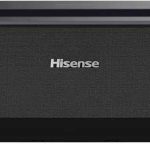
Hisense PL2
Choosing the right projector can feel like a big decision. You want that cinematic feel at home, whether for movie nights, gaming, or even making those virtual work meetings a bit more engaging. Today, we’re diving into two very different, yet compelling options: the Epson EX3290 3-Chip 3LCD WXGA Projector and the Hisense PL2, an Ultra Short Throw Home Theater Laser Projector. Both promise to transform your viewing experience, but they go about it in distinct ways.
The Epson EX3290 3 is all about delivering bright, versatile projection suitable for a wide range of environments, from well-lit conference rooms to darker home theaters. On the other hand, the Hisense PL2 aims for a premium, home theater experience with its laser technology and ultra-short throw capabilities, making it a fantastic option for those with limited space. This comparison isn’t about declaring a single “winner” but rather helping you understand which projector is the perfect fit for your specific needs and preferences. We’ll break down their features, performance, and what real users are saying, so you can make an informed choice.
In-Depth Look: Epson EX3290 3
The Epson EX3290 3-Chip 3LCD WXGA Projector is built for versatility and impactful visuals, especially in environments where ambient light can be a challenge. Its standout feature is undoubtedly its brightness, boasting a remarkable 4,000 lumens for both color and white brightness. This means you can project a vibrant, clear image even when the lights aren’t completely dimmed, making it an excellent choice for business presentations, educational settings, or casual movie watching in a room that isn’t a dedicated dark theater.
The 3-Chip 3LCD technology is a significant plus. Unlike single-chip DLP projectors that can sometimes exhibit a “rainbow effect” (where you see color fringes around moving objects), Epson’s approach ensures that every frame receives 100% of the RGB color signal. This results in incredibly accurate colors and a consistently bright, pleasing image without those distracting visual artifacts. Whether you’re displaying complex spreadsheets, colorful charts, or vibrant video content, the image quality is consistently strong.
When it comes to screen size, the Epson EX3290 3 can produce images up to a massive 300 inches. This is four times the size of a 75-inch flat panel TV, offering a truly immersive experience. For video conferencing, the widescreen WXGA resolution (1280 x 800) is particularly beneficial, allowing you to see more participants clearly and enhancing the overall collaborative experience.
Setup is designed to be straightforward. It comes with a built-in speaker, so you can get audio and video playing right out of the box without needing external sound systems. Connectivity is also robust, with two HDMI ports allowing you to easily connect multiple devices like laptops, streaming sticks (think Amazon Fire TV, Apple TV, Roku, Chromecast), and gaming consoles. This makes it a flexible hub for all your entertainment and productivity needs.
Pros of the Epson EX3290 3:
- Exceptional Brightness: 4,000 lumens make it ideal for well-lit rooms.
- Vibrant and Accurate Colors: 3-Chip 3LCD technology eliminates rainbow effect and ensures true-to-life color reproduction.
- Large Image Size: Capable of projecting up to 300 inches for an immersive experience.
- Versatile Connectivity: Two HDMI ports offer ample connection options.
- Hassle-Free Setup: Built-in speaker simplifies immediate use.
- Great for Presentations and Video Conferencing: WXGA resolution is well-suited for data and group calls.
Cons of the Epson EX3290 3:
- Lower Native Resolution: WXGA (1280 x 800) is not Full HD or 4K, which may be a drawback for those seeking the absolute sharpest detail.
- Lamp-Based: Requires eventual lamp replacement, which adds to long-term cost and maintenance.
- Fan Noise: Some users report the fan can be loud unless using Eco mode, which reduces brightness.
- Standard Throw: Requires a significant distance from the screen for larger image sizes, which might not be suitable for all room layouts.
Customer Reviews for the Epson EX3290 3:
Here’s what users are saying about the Epson EX3290 3:
- “I bought this projector and for the price it’s excellent. 4000 lumen produces a very bright picture and I would be happy to keep it. But I returned this item, because for the space I have, the throw distance is too long to fill the large screen I have. I will exchange this projector for a more powerful one.”
- “Great, affordable projector. The image is bright and clear, it’s easy to set up, and fires up in less than 1 minute. Fan is very loud unless you use eco mode, which reduces illumination by ~1/2. Mounted 7′ from the screen yields a 97″ diagonal projected image. Although you can adjust the pincushion for a diagonal projection, you lose size (can’t be bigger than the closest side), and can still see the light from the projector in the non adjusted size, unless you use black felt.”
- “Great quality output. Working well for what it was purchased for. No issues with lighting and color. Fits perfect to our 120″ 16×9 aspect ratio screen.”
Best for:
The Epson EX3290 3 is best for users who need a projector that performs exceptionally well in environments with ambient light, such as classrooms, offices, or living rooms that aren’t always pitch black. It’s also a strong contender for those prioritizing vibrant, accurate colors and a large projection size for presentations or general entertainment, without the need for 4K resolution. If you need a reliable, bright projector that’s easy to set up and use, this Epson model is a fantastic option.
In-Depth Look: Hisense PL2
The Hisense PL2 steps into the arena with a clear mission: to bring a true cinematic, high-definition experience into your home, even in compact spaces. Its most significant technological leap is its use of laser light through “X-Fusion Technology.” This isn’t just about brightness; laser light sources offer a longer lifespan (over 25,000 hours of entertainment) and generally more vibrant, natural colors compared to traditional lamps. This means you’re investing in a projector that will likely last a very long time with consistent performance.
A key differentiator for the Hisense PL2 is its Ultra Short Throw (UST) technology. This is a game-changer for many, as it allows you to place the projector very close to the wall or screen – sometimes just inches away – to achieve a massive image size. You can project anywhere from an 80-inch to a stunning 150-inch display. This eliminates the need for long cable runs or complex ceiling mounts, making it incredibly convenient for apartments, smaller rooms, or anyone who wants a large screen without a large footprint.
Image quality is where the Hisense PL2 truly shines. It boasts 4K UHD resolution, powered by a sophisticated DLP system that controls over 2 million micro-mirrors to create incredibly sharp and detailed images. The “4K AI Upscaler” is another noteworthy feature, intelligently enhancing lower-resolution content to near-4K clarity, making your existing 1080p Blu-rays or streaming content look better than ever. With “Pure Colour” technology, it can display over 1.07 billion colors, ensuring true-to-life images with rich detail and realism.
While the Hisense PL2’s 2,700 lumens might seem lower than the Epson’s 4,000, it’s important to remember that laser projectors often have a perceived brightness and contrast advantage. Furthermore, the PL2 supports advanced HDR standards like Dolby Vision and HDR10+, which dramatically enhance the depth, contrast, and color range, providing a truly cinematic viewing experience with incredible depth and rich details. The inclusion of Dolby Atmos support hints at a more immersive audio-visual package, though the built-in speaker’s capabilities will still be a limiting factor compared to a dedicated sound system.
The smart features, implied by its laser cinema approach and potential integration with smart TV platforms, also add significant value, allowing for app access and streaming directly from the projector. While some users mention needing to adjust “auto” features, the overall ease of setup for the UST positioning is often praised.
Pros of the Hisense PL2:
- Ultra Short Throw (UST) Technology: Projects a huge image from inches away, perfect for small spaces.
- 4K UHD Resolution: Delivers incredibly sharp and detailed visuals.
- Laser Light Source: Offers exceptional longevity (25,000+ hours) and consistent brightness/color.
- Excellent Color Accuracy: “Pure Colour” technology and over 1.07 billion colors produce vivid, true-to-life images.
- Advanced HDR Support: Dolby Vision and HDR10+ enhance contrast and color for a cinematic feel.
- 4K AI Upscaler: Improves the quality of lower-resolution content.
Cons of the Hisense PL2:
- Lower Lumens Than Competitor: 2,700 lumens might not be as effective as 4,000 lumens in very bright environments without significant light control.
- Potential Durability Concerns: One user reported white spots appearing after 6 months and issues with freezing/Wi-Fi, which is concerning for a premium device.
- Limited Max Image Size for UST: While UST is convenient, the max 150″ size is smaller than what standard throw projectors can achieve, though the UST convenience often outweighs this.
- Fan Noise: Like most projectors, fan noise can be a factor, though laser projectors often have more efficient cooling.
Customer Reviews for the Hisense PL2:
Here’s what users are saying about the Hisense PL2:
- “The media could not be loaded.**Review: Hisense Laser Cinema PL2 The Hisense Laser Cinema PL2 is a feature-rich 4K ultra-short throw projector that delivers excellent value for money. With X-Fusion laser technology, Pure Colour, HDR10+, Dolby Vision & Atmos, and support for 3D and Filmmaker Mode, it brings a true cinematic experience right into your living room. The 2700 lumens brightness and 3000:1 native contrast ratio provide vibrant, sharp visuals even in brighter environments, while the wide”
- “This was good until it started getting white spots at 6 months. I attempted to contact Hisense multiple times and even had Amazon Support note and copy the manufacturer. Now it freezes while utilizing the Google TV and drops WiFi constantly and the only way I can use it (while seeing white spots) is through another device hooked through the HDMI port.”
- “I have not been able to find one single review on this model of projector. I did not purchase it from Amazon but wanted to add my review here. Ease of Setup – Wonderful. It walked me through all the steps to get the projector fit to my wall and make sure the corners were as straight as they could be. Features – HDR, FILMMAKER MODE – Beautiful. Everything is in crisp 4K and the up-scailing on 1080p is impressive. I did have to turn off a lot of “Auto” features which try to detect peak contrast/bright”
Best for:
The Hisense PL2 is the ideal projector for cinephiles and home theater enthusiasts who want the best possible image quality, including 4K resolution and advanced HDR, without the hassle of long throw distances or complex installations. It’s a perfect fit for smaller rooms or apartments where a traditional projector setup would be difficult. If you prioritize cutting-edge technology, stunning visuals, and the convenience of an ultra-short throw design, the Hisense PL2 is a top-tier choice.
Head-to-Head Comparison
Image Quality: Resolution and Detail
When it comes to raw resolution and the sharpness of the image, the Hisense PL2 has a clear advantage. Its native 4K UHD resolution (3840 x 2160) provides significantly more detail than the Epson EX3290 3’s WXGA resolution (1280 x 800). For watching movies, gaming, or viewing detailed images, the 4K clarity of the Hisense PL2 is a standout feature. The 4K AI Upscaler also helps to bridge the gap when viewing lower-resolution content, making it look its best. The Epson EX3290 3’s WXGA resolution is perfectly adequate for presentations and spreadsheets, and the 3-Chip 3LCD technology ensures excellent color, but it doesn’t compete with the pixel-level detail of 4K.
Brightness and Ambient Light Performance
This is where the Epson EX3290 3 excels. With 4,000 lumens of both color and white brightness, it is considerably brighter than the Hisense PL2’s 2,700 lumens. If you plan to use your projector in a room with a lot of ambient light, or if you can’t achieve perfect darkness, the Epson EX3290 3 will provide a more visible and vibrant image. The Hisense PL2, while featuring advanced laser technology, will perform best in a controlled, darker environment to truly appreciate its 4K and HDR capabilities. The Epson’s brightness also helps it achieve larger screen sizes more effectively in less-than-ideal lighting conditions.
Color Accuracy and Visual Experience
Both projectors offer excellent color reproduction, but through different technologies. The Epson EX3290 3’s 3-Chip 3LCD system is renowned for delivering 100% of the RGB signal for every frame, resulting in highly accurate colors without any “rainbow effect.” This is fantastic for content where color fidelity is paramount, like graphic design or accurate video playback. The Hisense PL2, with its “Pure Colour” technology and ability to display over 1.07 billion colors, paired with support for Dolby Vision and HDR10+, aims for a more dynamic and cinematic color experience. This means deeper blacks, brighter highlights, and a wider color gamut, which is particularly impactful for modern HDR content. While Epson delivers color purity, Hisense delivers color vibrancy and dynamic range.
Throw Distance and Space Considerations
This is perhaps the most significant practical difference. The Epson EX3290 3 is a standard throw projector, meaning it needs to be placed a considerable distance from the screen to achieve a large image size. For example, one user noted mounting it 7 feet away for a 97-inch image. This can be a constraint in smaller rooms or if you want a cleaner setup. The Hisense PL2, on the other hand, is an Ultra Short Throw (UST) projector. It can project a massive image from just inches away from the wall. This makes it incredibly space-efficient and ideal for apartments, small living rooms, or for those who want a discreet installation. If space is a concern, the Hisense PL2 is the clear winner.
Technology and Longevity
The Hisense PL2 uses a laser light source, which offers a significantly longer lifespan (25,000+ hours) and more consistent brightness and color output over time compared to the lamp-based Epson EX3290 3. While lamps can be replaced, it’s an ongoing cost and maintenance task. The laser in the Hisense PL2 means you can expect years of high-quality viewing without worrying about lamp degradation or replacement, offering better long-term value and a more stable viewing experience. The Epson EX3290 3 uses a lamp which will need replacement eventually.
Smart Features and Connectivity
The Hisense PL2 likely integrates smart TV capabilities, allowing for direct streaming from apps. This, combined with Wi-Fi and Bluetooth, makes it a more of an all-in-one entertainment hub. The Epson EX3290 3, while offering essential connectivity with two HDMI ports and USB, is more of a traditional projector that relies on external devices for smart functionality. If you prefer an integrated smart experience, the Hisense PL2 is the more modern choice. However, for users who already have their preferred streaming devices, the Epson’s straightforward connectivity is perfectly sufficient.
Value and Price Point
While direct pricing can fluctuate, typically, projectors with 4K resolution, laser light sources, and ultra-short throw technology like the Hisense PL2 command a higher price point than lamp-based, WXGA projectors like the Epson EX3290 3. The Epson EX3290 3 offers excellent value for its brightness and color accuracy, making it a budget-friendly option for many use cases. The Hisense PL2 offers premium features and technology, justifying its likely higher cost for those seeking the ultimate home theater experience. Your budget and what features you prioritize will heavily influence which offers better “value” for you.
Frequently Asked Questions
Q: Which projector is better for a bright room?
A: The Epson EX3290 3 is significantly better for bright rooms due to its higher brightness of 4,000 lumens. This allows it to overcome ambient light more effectively than the Hisense PL2’s 2,700 lumens.
Q: I have a small apartment. Which projector should I get?
A: The Hisense PL2 is the ideal choice for small spaces. Its Ultra Short Throw (UST) technology allows you to project a massive image from just a few inches away from the wall, eliminating the need for a long throw distance.
Q: Is 4K resolution really that much better than WXGA?
A: For movie watching, gaming, and detailed content, yes, 4K resolution (like on the Hisense PL2) offers a vastly superior level of detail and sharpness compared to WXGA (like on the Epson EX3290 3). However, for presentations and general use, WXGA can still be perfectly adequate, especially when color accuracy and brightness are prioritized.
Q: Which projector will last longer?
A: The Hisense PL2, with its laser light source, is designed to last much longer (over 25,000 hours) and maintain its brightness and color more consistently than the lamp-based Epson EX3290 3, which will eventually require a lamp replacement.
Q: Do I need a special screen for the Hisense PL2?
A: While you can use a standard projector screen, for Ultra Short Throw projectors like the Hisense PL2, an Ambient Light Rejecting (ALR) screen is often recommended. These screens are designed to reflect projector light more efficiently while absorbing ambient light, leading to a much brighter and higher-contrast image, especially in rooms that aren’t perfectly dark. The Epson EX3290 3 also benefits from a good screen, but an ALR screen is particularly impactful with UST projectors.
Q: Can I connect a Bluetooth speaker to these projectors?
A: While the Hisense PL2 is more likely to have built-in Bluetooth capabilities for speaker connection, you can often connect Bluetooth speakers to Epson projectors via an external Bluetooth transmitter if the projector itself doesn’t have native support. You can check out guides on how to connect a Bluetooth speaker to an Epson projector for more detailed instructions.
Q: Which projector is better for gaming?
A: For gaming, the Hisense PL2 with its 4K resolution and potentially lower input lag (though not explicitly stated) would offer a more immersive and detailed gaming experience. However, the higher brightness of the Epson EX3290 3 might be beneficial if you game in a well-lit room, provided its input lag is acceptable for your gaming needs. Always check specific input lag figures if gaming is a primary concern.
Final Verdict: Which One Should You Choose?
The decision between the Epson EX3290 3 and the Hisense PL2 boils down to your priorities and environment. If you need a projector that can punch through ambient light, is fantastic for presentations and general use, and offers great value with accurate colors, the Epson EX3290 3 is a superb choice. Its brightness and 3-Chip 3LCD technology make it a reliable workhorse for a variety of settings. It’s a solid performer that’s easy to set up and delivers a large, vibrant image for its class.
However, if you’re dreaming of a true home theater experience, crave the ultimate in image detail with 4K resolution, and value the convenience and space-saving aspect of an Ultra Short Throw projector, then the Hisense PL2 is the way to go. Its laser technology promises longevity, and features like Dolby Vision and AI upscaling bring a cinematic quality to your viewing that the Epson simply can’t match due to its resolution. The ability to place it right next to the wall is a game-changer for many living spaces.
Think about where you’ll be using the projector most.
For bright rooms, presentations, or a more budget-conscious purchase: Go for the Epson EX3290 3.
For a dedicated home theater feel, small spaces, or the sharpest 4K visuals: Opt for the Hisense PL2.
Ultimately, both are capable projectors that can elevate your viewing experience. Choose the one that best aligns with your space, budget, and desired level of visual fidelity.